
✅ Features/Improvements
🔹 PDF Reports System Overhaul
Completely redesigned the PDF reports management system:
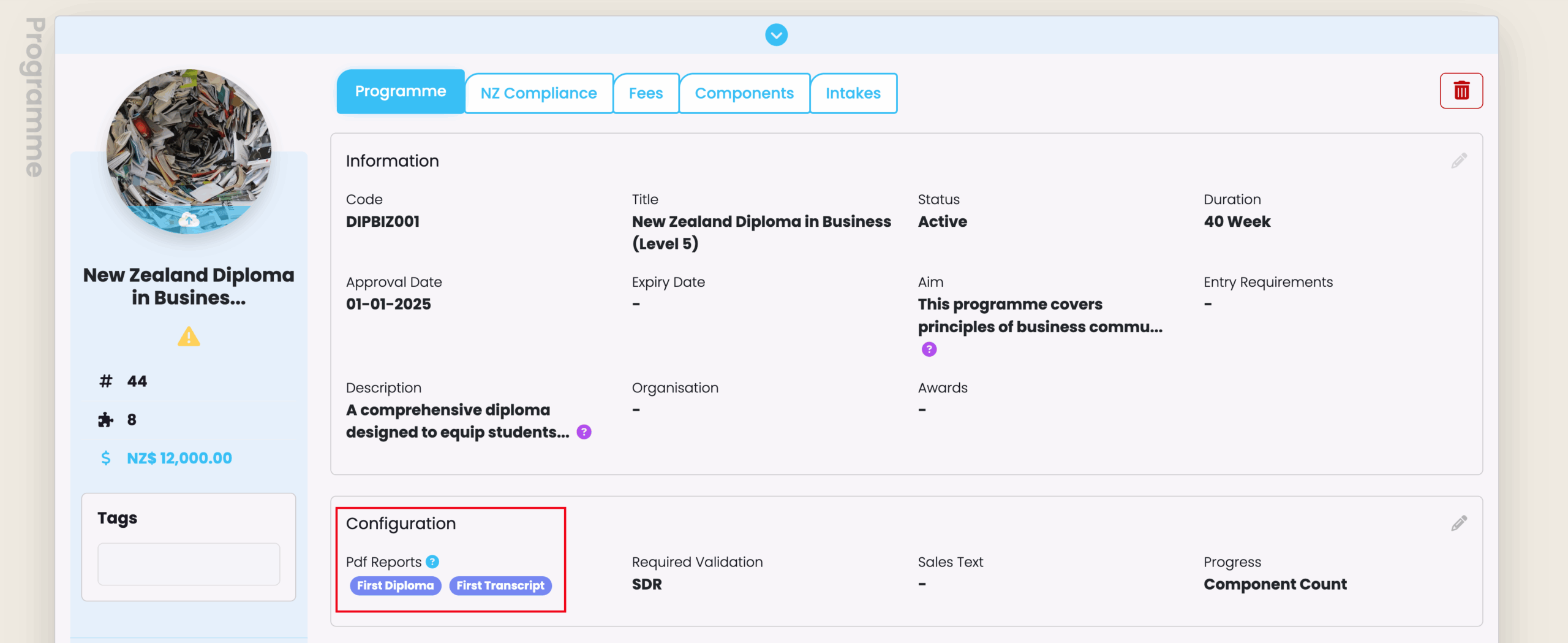
- Programmes now use a single multi-select dropdown for “PDF Reports” instead of separate fields for Statement of Attainment, Diploma, and Transcript
- Administrators can control which reports are available for enrolments under each programme
- Leaving the multi-select field for “PDF Reports” blank on a programme enables all available reports on associated enrolments
- Multiple templates of the same report type (e.g., multiple diploma templates) can now be assigned to the same programme
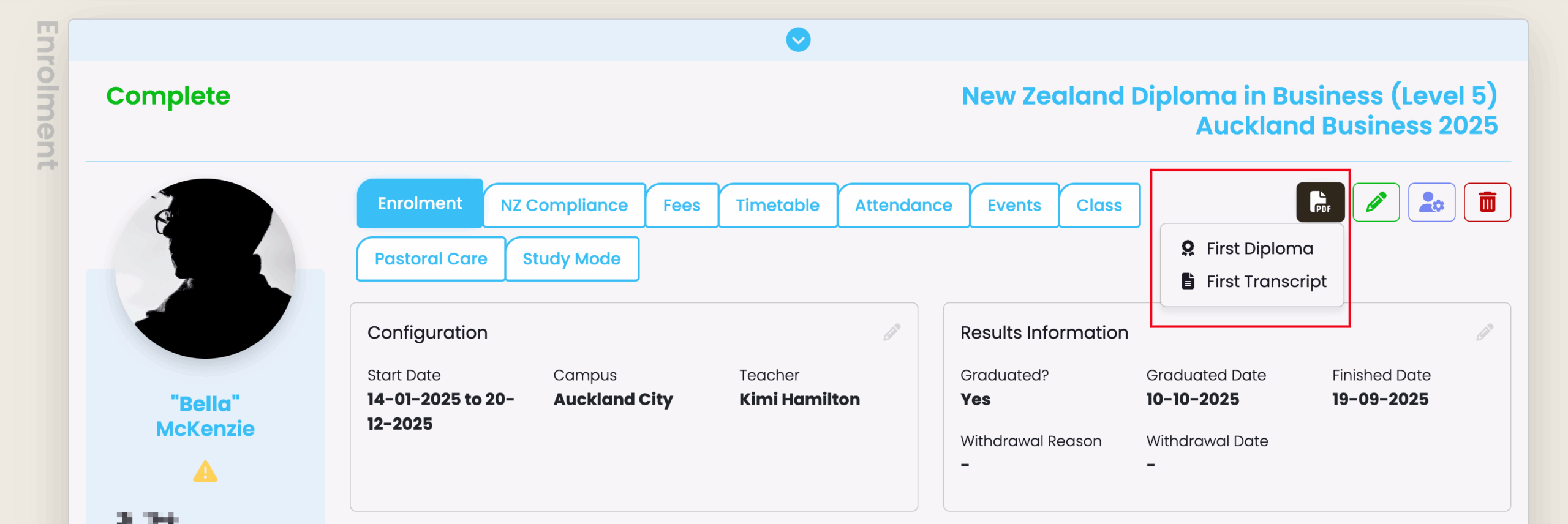
- Reports order can be sorted in the UI, displaying in the same order in the enrolment report dropdown
- PDF reports can now be created for Programme, Intake, Class, Contact, Organisation, Invoice, Student, and Enrolment objects
- Changes to PDF Reports configuration on Programme:
- Changes to PDF generation on Enrolments:
🔹 Improvements to Form Manager – Enrolment and Enquiry forms
Enhanced Form Field Validation
Improved data quality with stricter field validation:
- Phone numbers, NSN, and VSI fields now only accept numeric input
- Character limits enforced: VSI (9 digits), USI (10 alphanumeric characters), NSN (9 digits), Education Identifier (10 digits plus 1 letter)
- Custom fields now properly enforce character limits set by form creators
Improved Intake Management in Forms
- Draft intakes are now hidden from selection lists
- Form creators can choose to display only upcoming intakes or all open intakes.
- Intake selection displays “Starts on…” date when appropriate.
Organisation Field Type
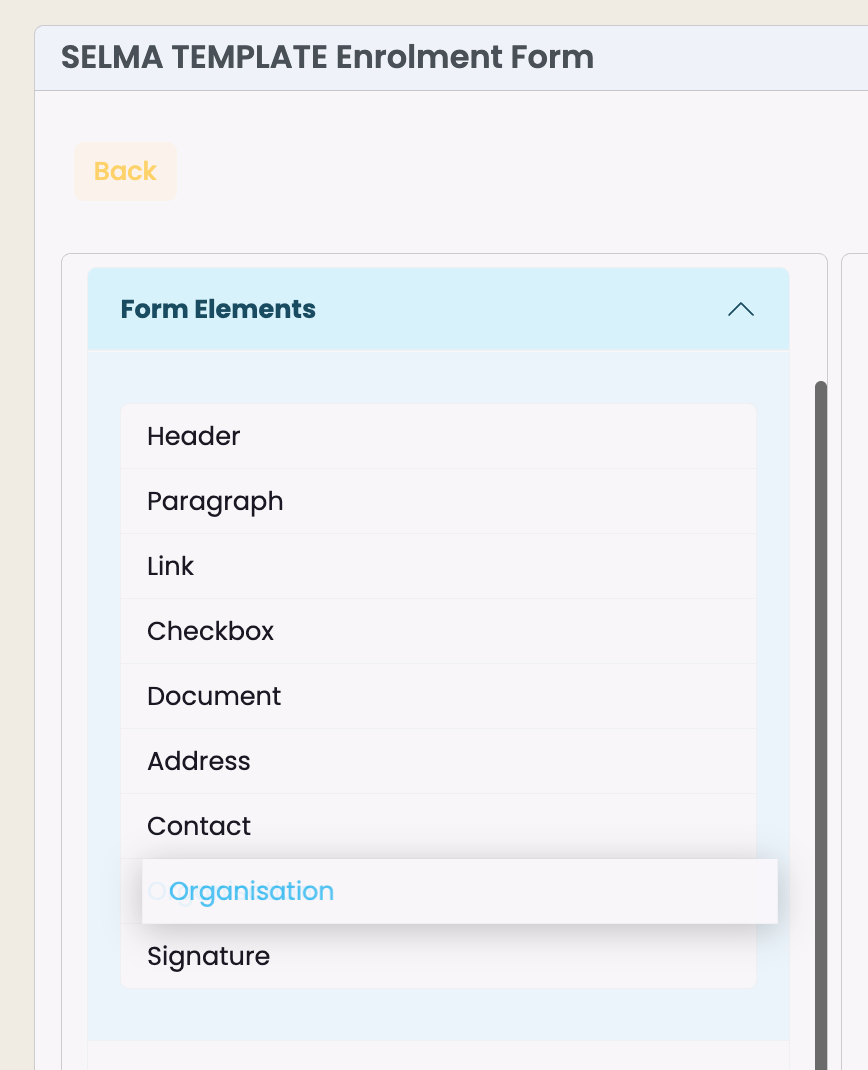
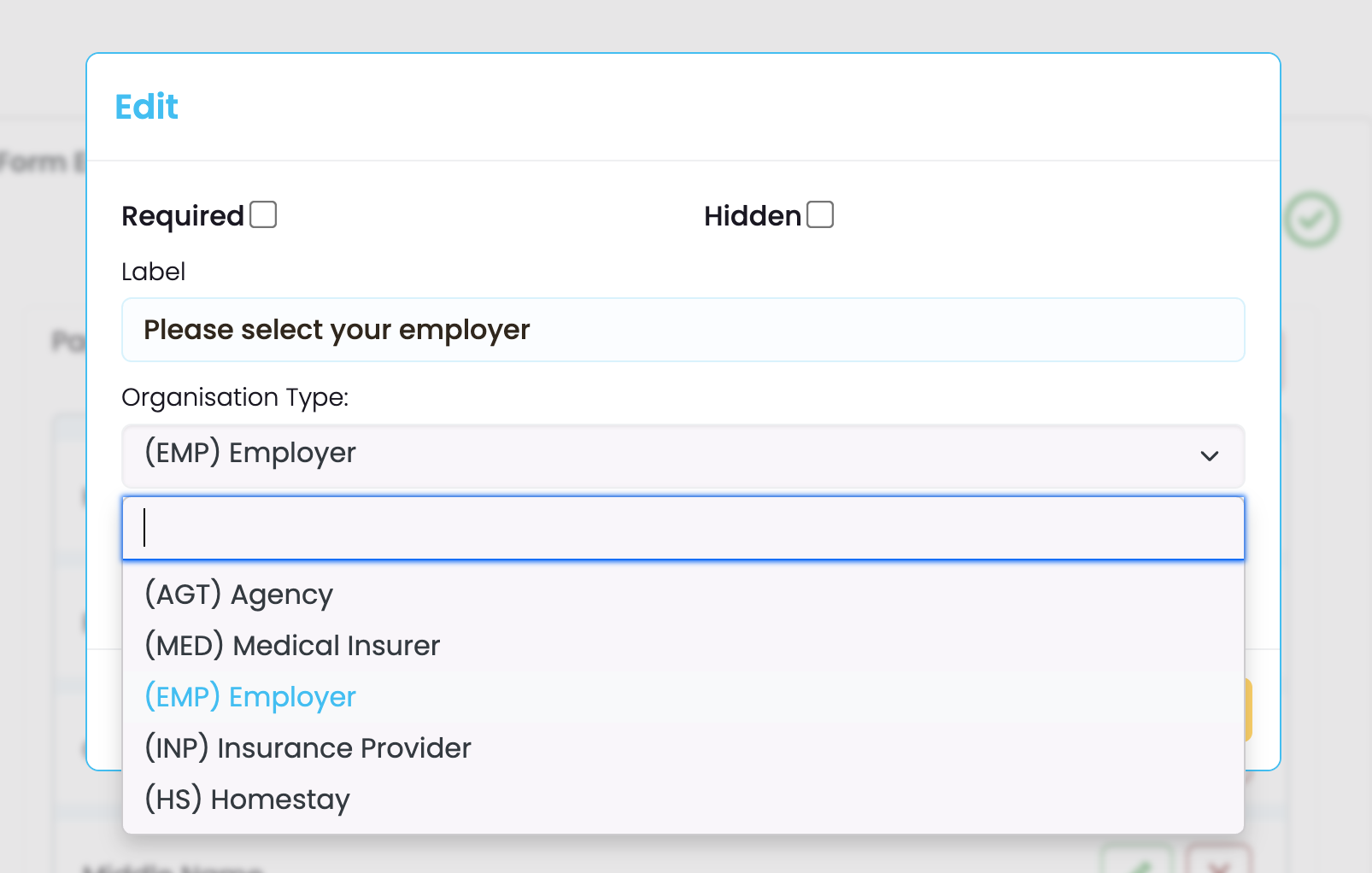
Forms can now include organisation information fields with multiple organisations per form. “Organisation Type” must be selected in the form builder, filtering the dropdown selection visible to applicants to show only organisations of that type.
Enhanced Document Upload Support
- Now supports Excel (.xlsx, .xls) and CSV (.csv) file uploads
- Improved tooltips explain accepted file types
- Reduced upload area height for better screen utilisation
Form User Experience Improvements
- Forms automatically scroll to the top when navigating between pages
- Form field sections can be scrolled independently in the form editor for easier navigation
- Improved visual layout for managing long forms
🔹 NSI Integration Enhancement
NSN is now automatically marked as verified on student creation when retrieved via NSI integration.
🔹 Default Late Minutes for Attendance
Attendance Codes can now have default late minutes configured. When enabled on an Attendance Code, the late minutes field is automatically populated during attendance marking. Quick attendance marking automatically applies the default minutes, which can be adjusted as needed.
✅ Bug Fixes
🔹 Record of Achievement Import: [NZ SPECIFIC] Fixed issue where RoA imports did not automatically cross-credit components.
🔹 Enrolment Component Mapping: Fixed incorrect handling of table restructuring when making changes to existing enrolment component structures.
🔹 Invoice Generation Path: Corrected controller path issue affecting invoice generation on the enrolment tab.
🔹 Intake Component UI Labels: Fixed missing text labels on intake component interface.
🔹 PDF Date Formatting: PDF exports now display dates in the format specified in system configuration.
🔹 Corrections to Form Manager – Enrolment and Enquiry forms
- Enrolment Form Saving: Fixed issue preventing enrolment forms from being saved.
- Form Error Handling: Improved SELMA Form error logging and error responses, enabling users and students to self-correct issues more effectively.
- Form Field Links: Fixed issue preventing links from being added to paragraph fields.
- Forms Programme Association Management: Resolved problem where removing associated programmes incorrectly removed all programmes instead of only the selected ones.
- Form Submission Index Display: Form submission index now shows all submissions by default instead of only enquiries.