
Updated on
7. Tag Manager
The Tag Manager is a tool that allows SELMA Users to assign and manage tags against different Objects within the system, such as Students or Components.
Create and Manage Tags
The Tag Manager is a tool that allows SELMA Users to assign and manage tags against different Objects within the system, such as Students or Components.
Tags are labels used to classify batches of information, and make it easier to search for a related Object.
Create a Tag
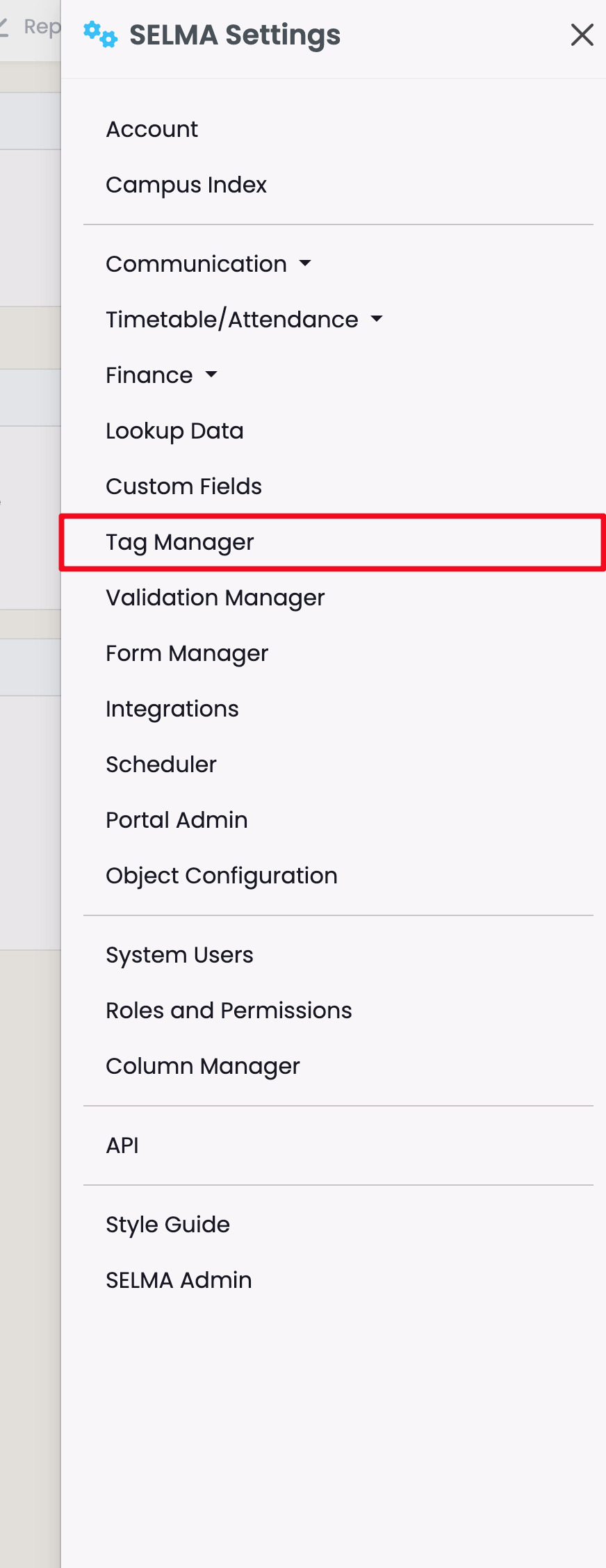
Navigate to Settings > Tag Manager.
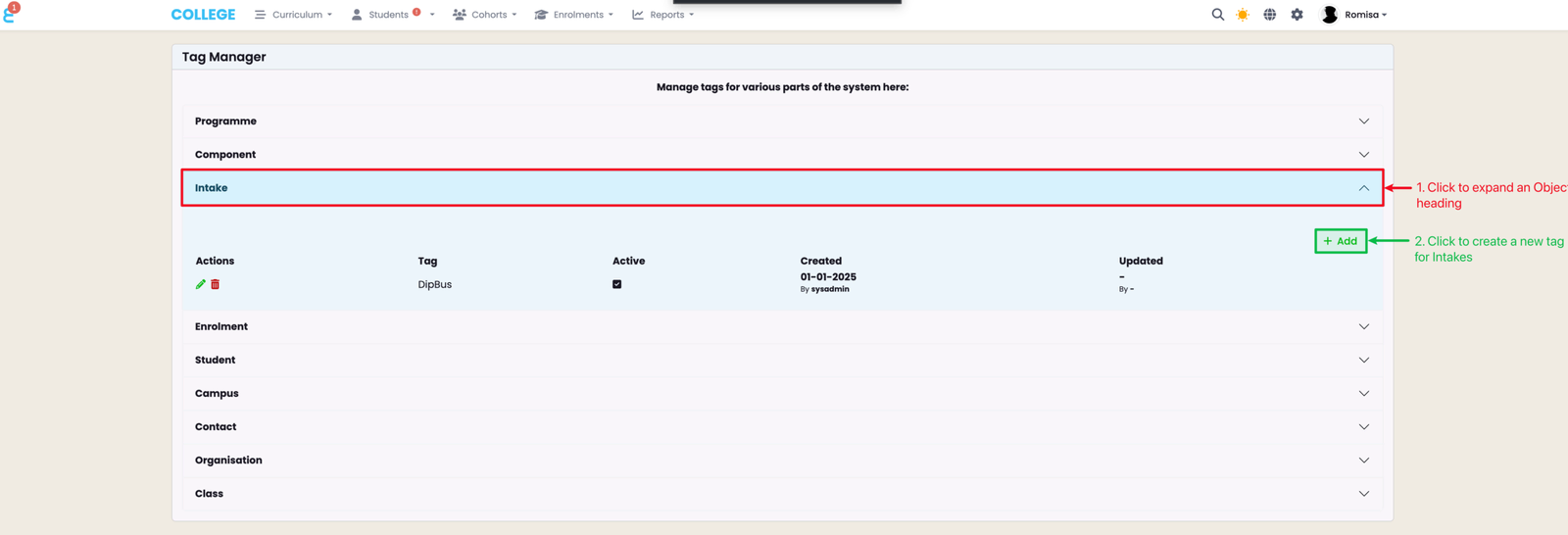
Click on an Object heading to view a drop-down list of all existing, associated tags (red). Edit the tags (pencil icon) or remove them (bin icon). Click "+Add" to create a new tag (green).
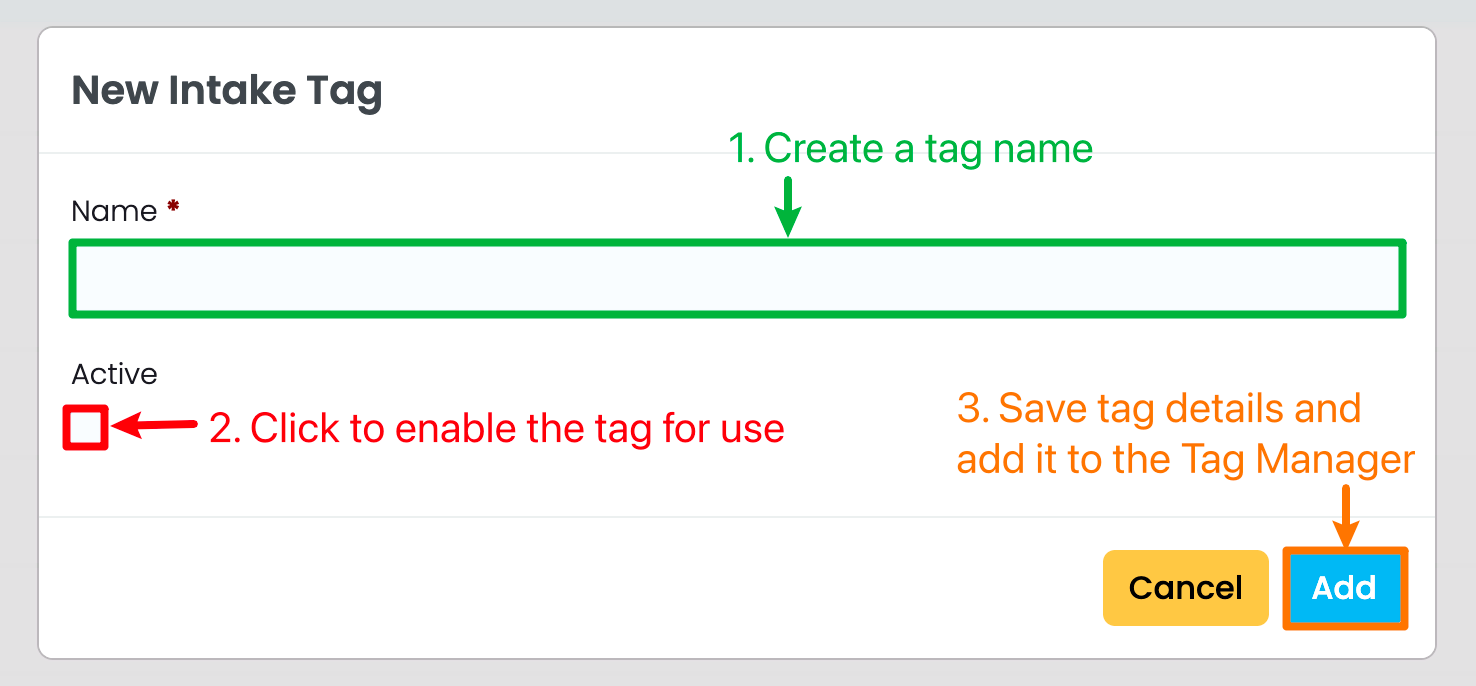
When you have chosen to create a new tag, you will need to provide a tag name, and click the "Active" check-box to enable it for use.
Use a Tag
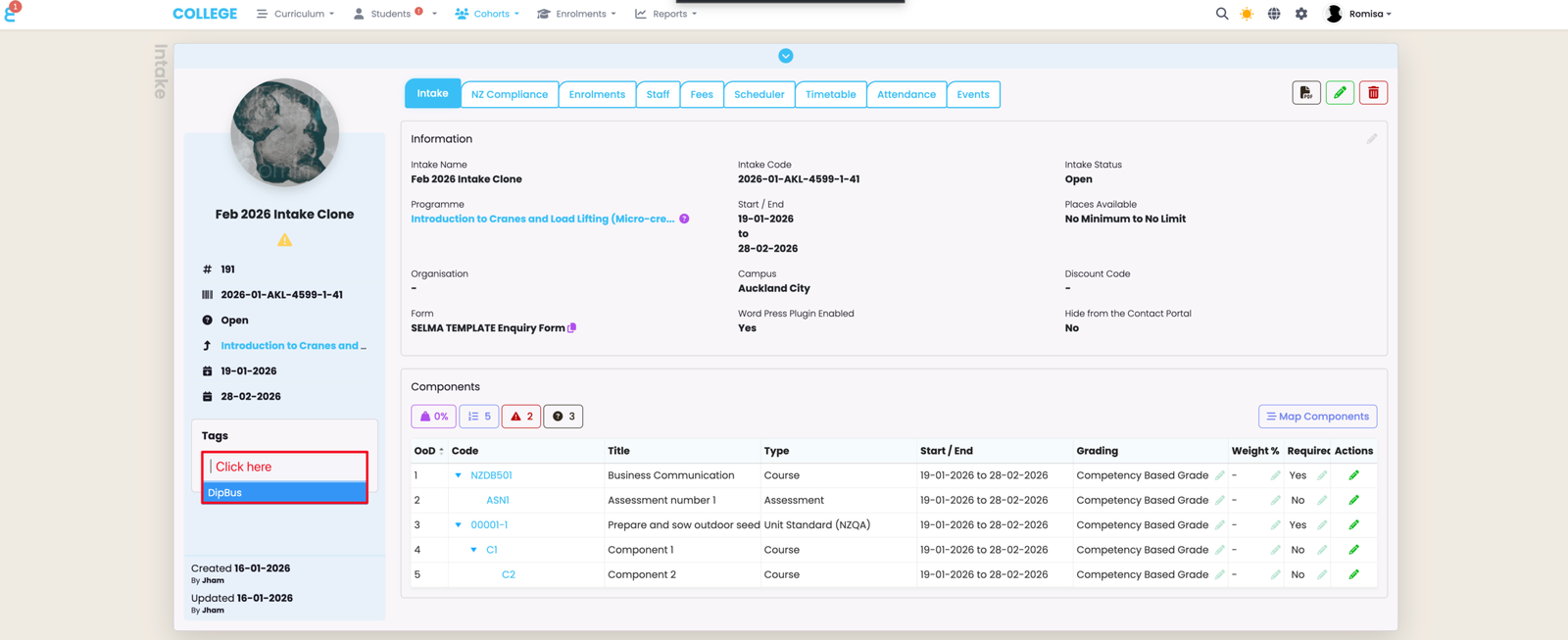
In this example, the tag "DipBus", created via the Tag Manager, and added under the Intake Object, can be accessed at the Intake level. Click the empty tag field to display the tags available for this Object (red).
Last updated