
Updated on
6. Lookup Data
Include customised fields as a new tab on profiles by following the guide below.
Create and Manage Lookup Data
Include customised fields as a new tab on profiles by following the guide below.
Create a Data Type
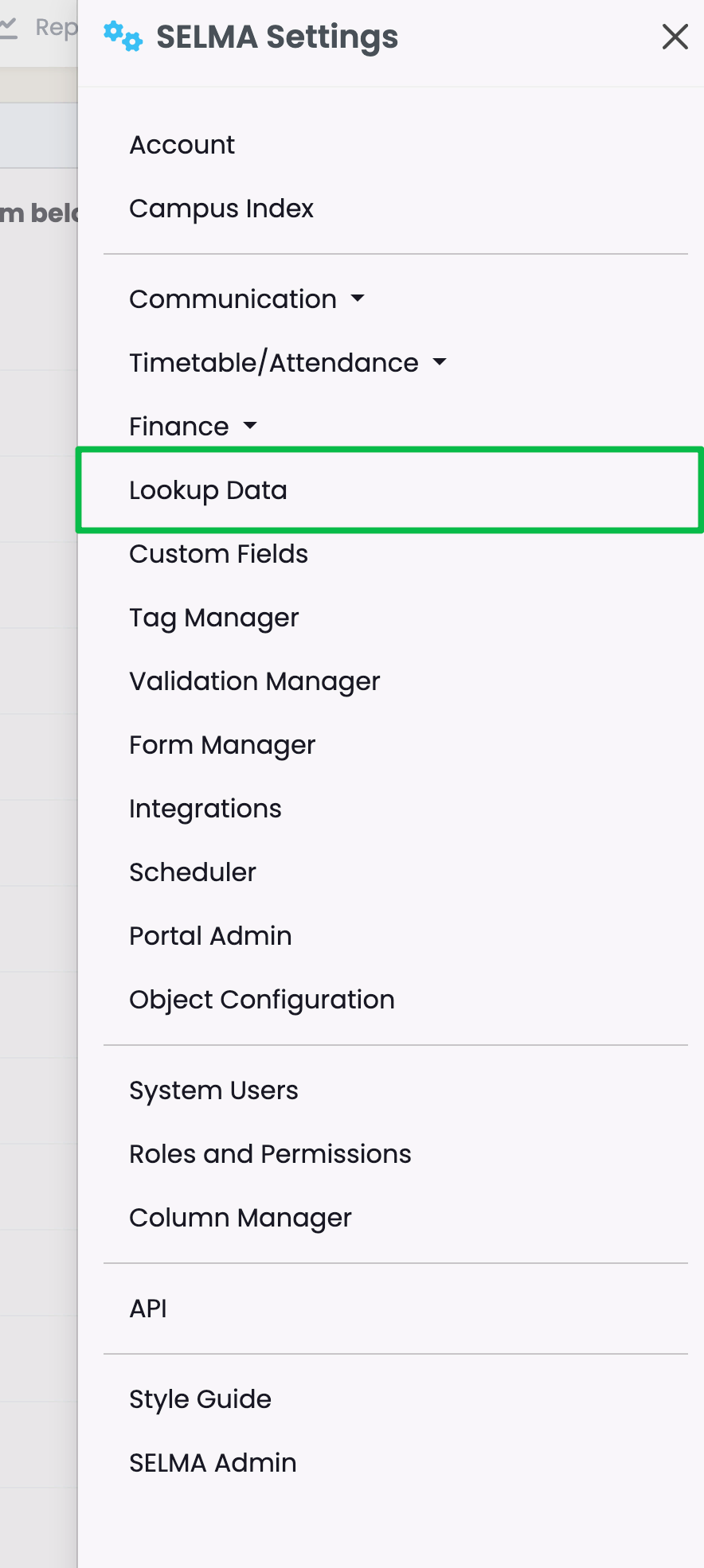
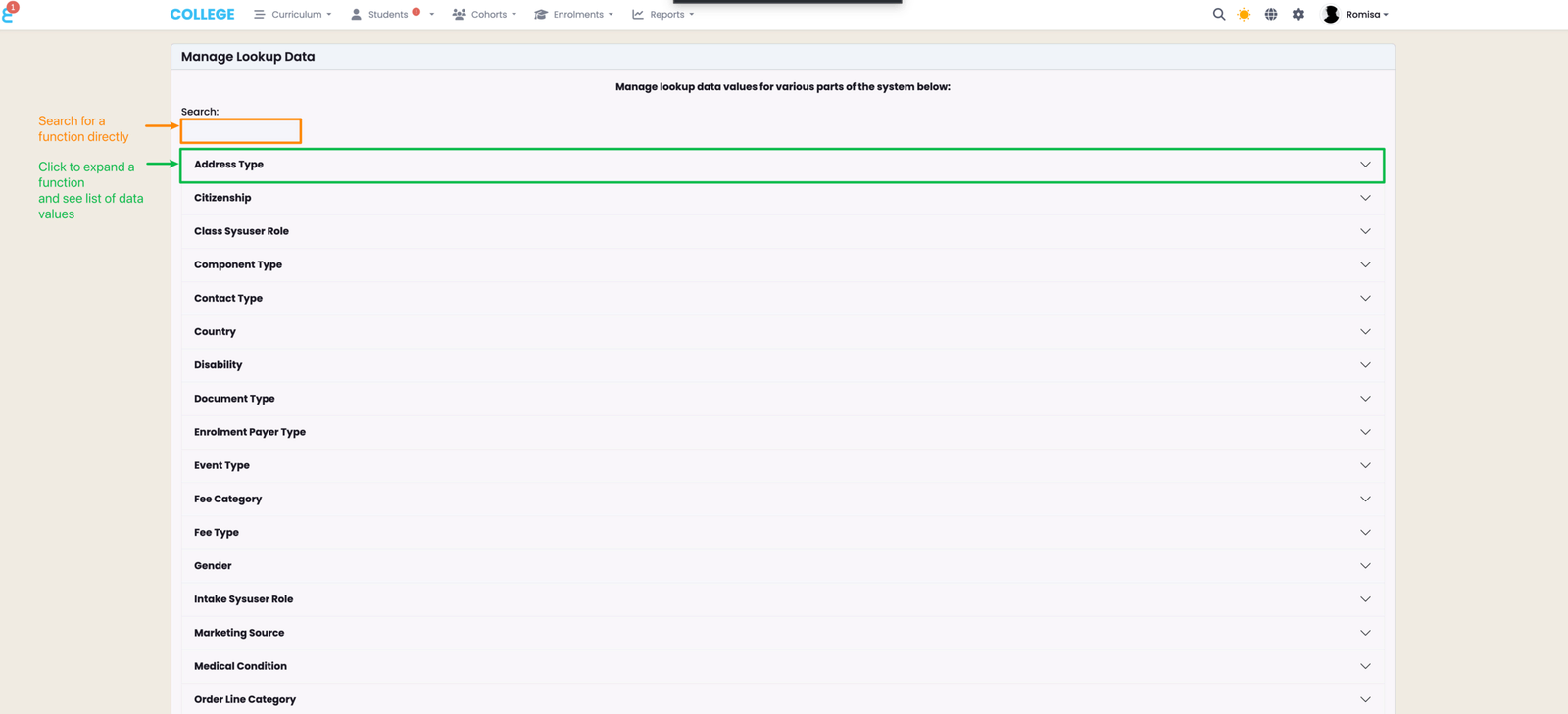
This page allows you to manage Lookup Data across multiple functions in SELMA. For example, the function “Address Type” will have multiple data values nested under it, such as "Home Address", "Mail address", "P.O. Box Address" etc.
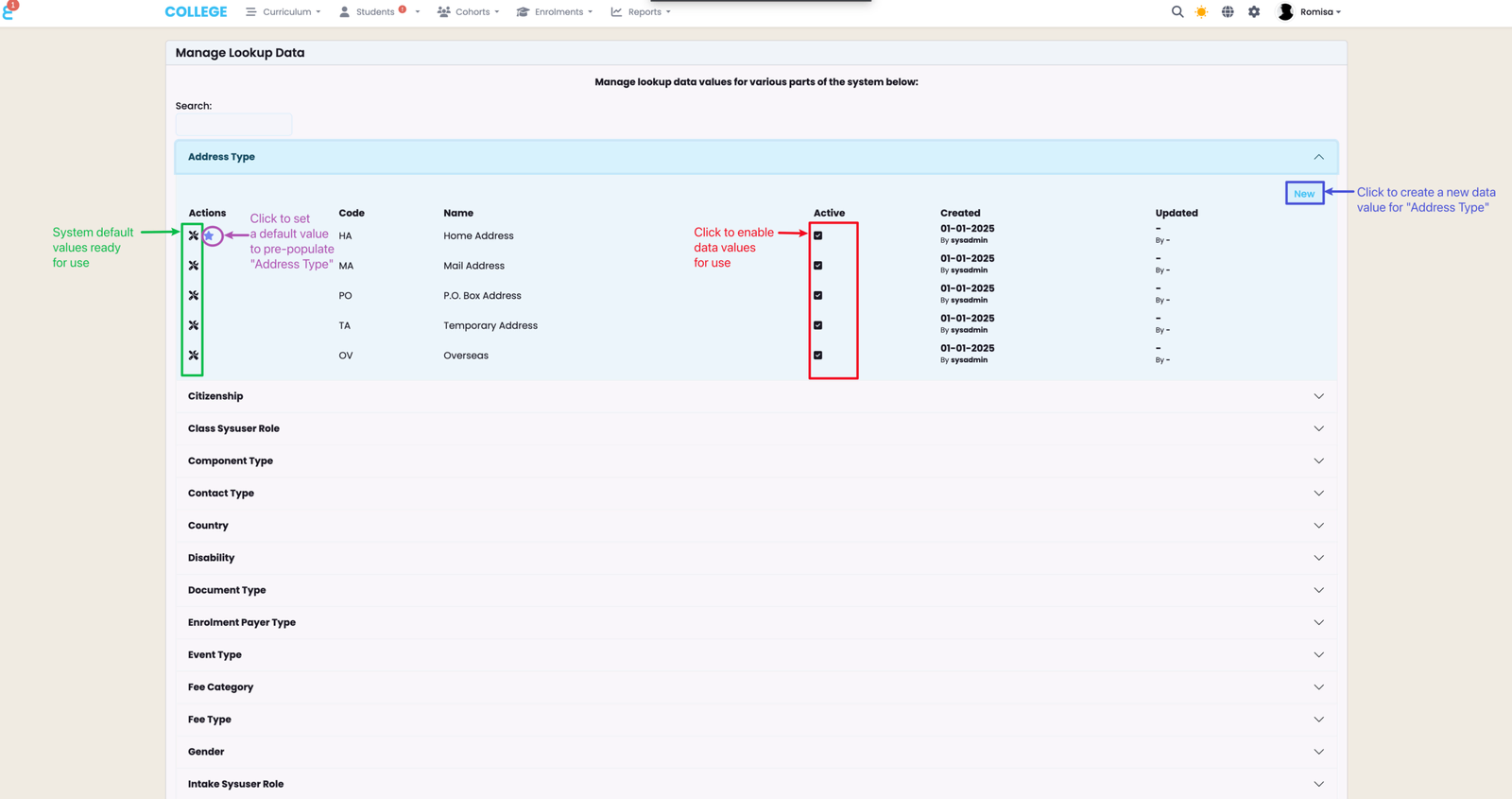
Click the “New” button to create a new data value (red). Hover beside the tool icon to see a star - click the star to set a default value which will pre-populate a field in SELMA.
Note: Items represented by a tool icon are system default values and cannot be deleted or altered.
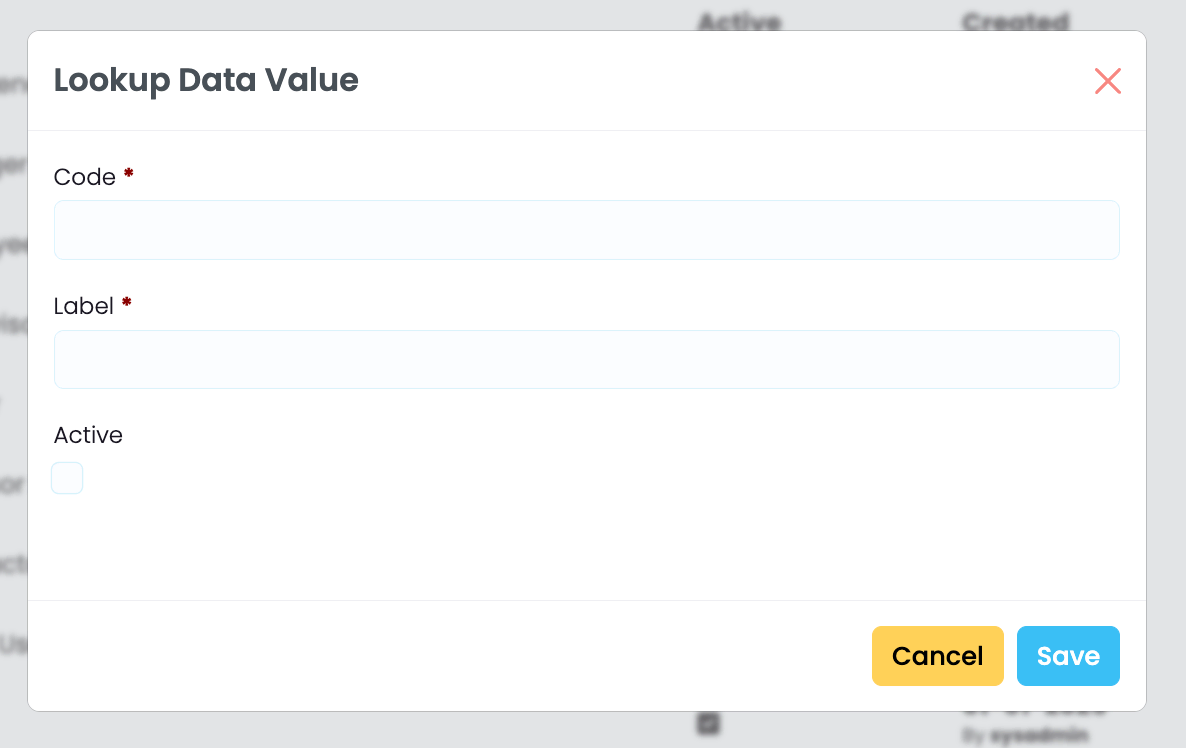
Required details are marked by red asterisks, and include a “Code” and “Label". The checkbox labelled "Active", enables the data to be shown on SELMA where you use it.
Contact Us
Most Lookup Data values will be populated upon account creation. However, if you require assistance or notice a large number of missing values, please get in touch with us via support@selma.co.nz.
Last updated