
Updated on
2. Campus Index, Rooms and Holidays
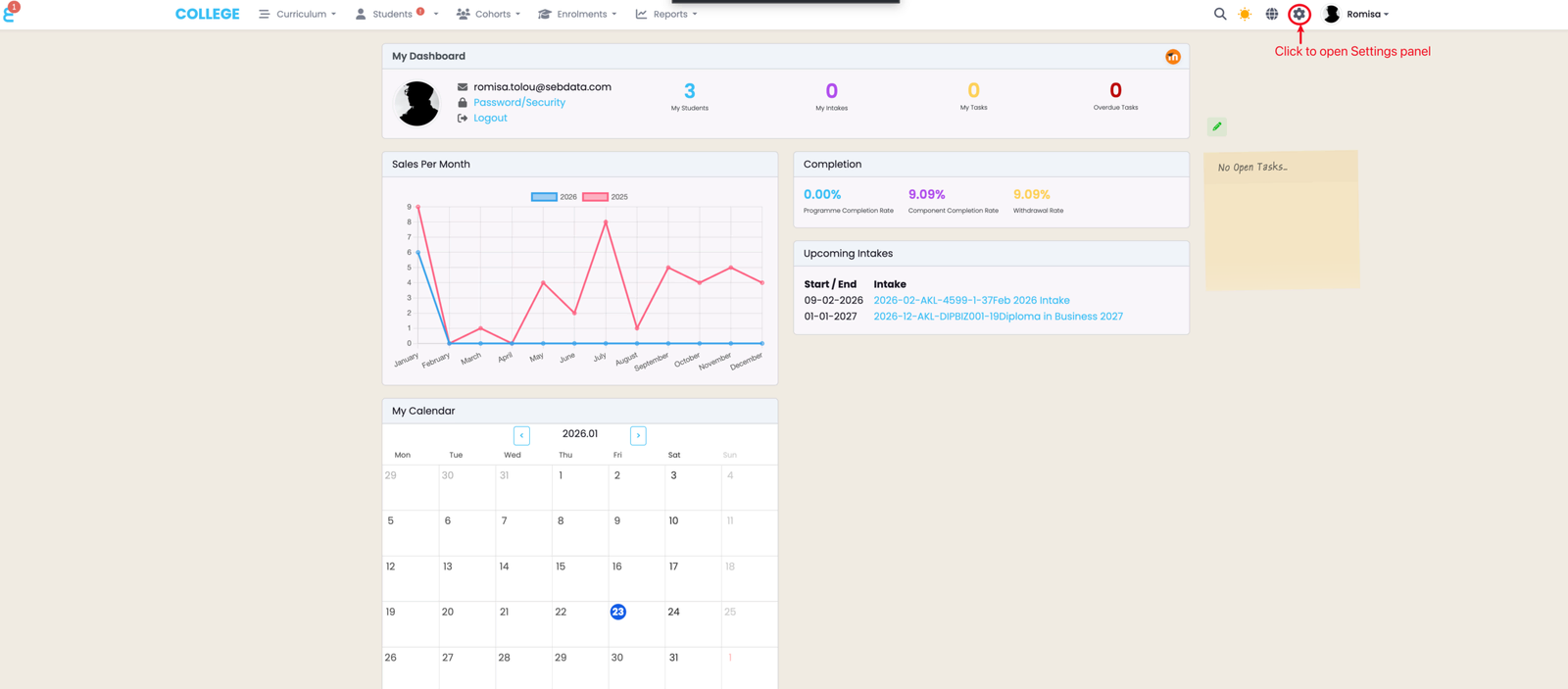
Click the cog icon in the top navigation bar.
Access the Campus Index
Click the cog icon in the top navigation bar.
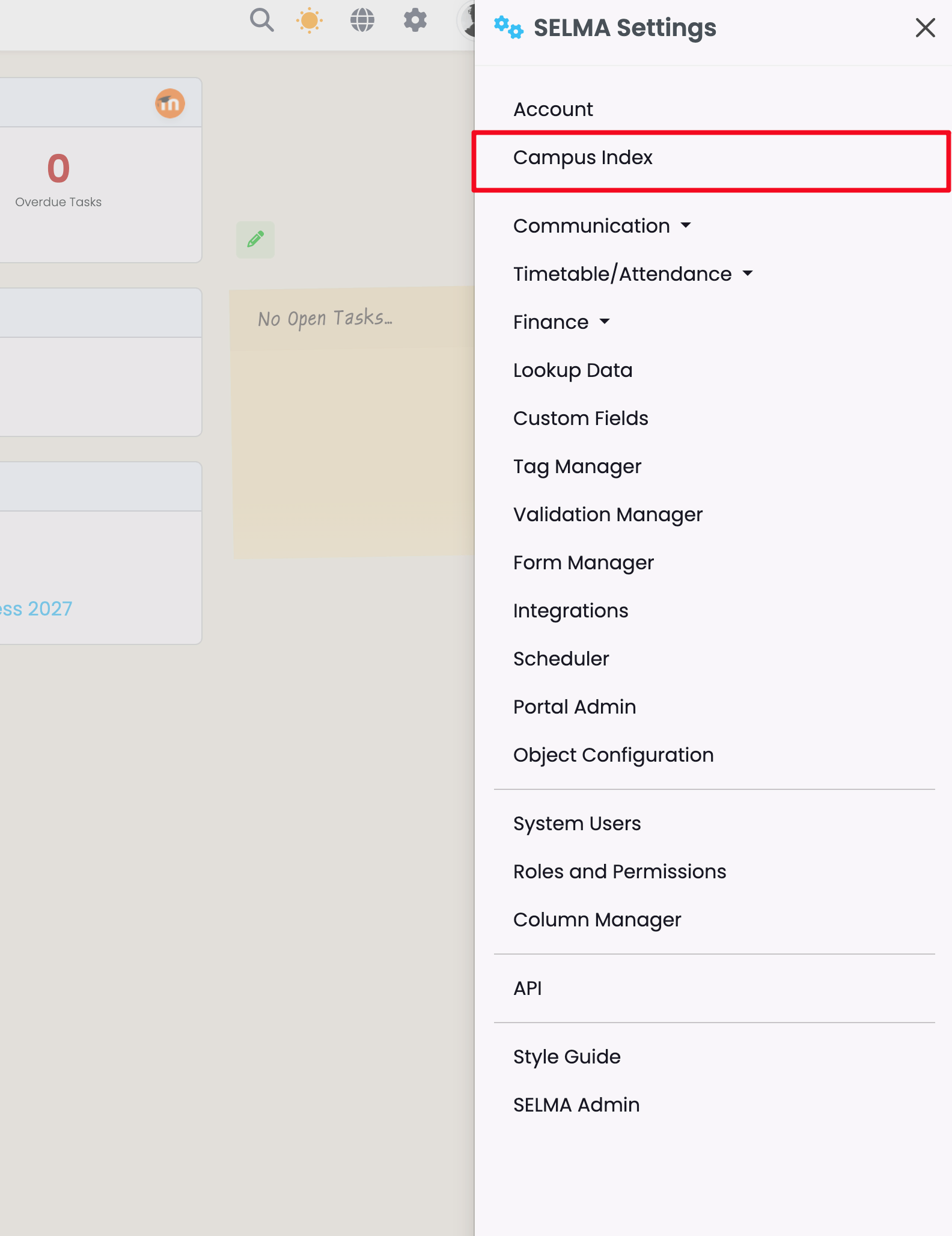
Click "Campus Index".
Add a New Campus
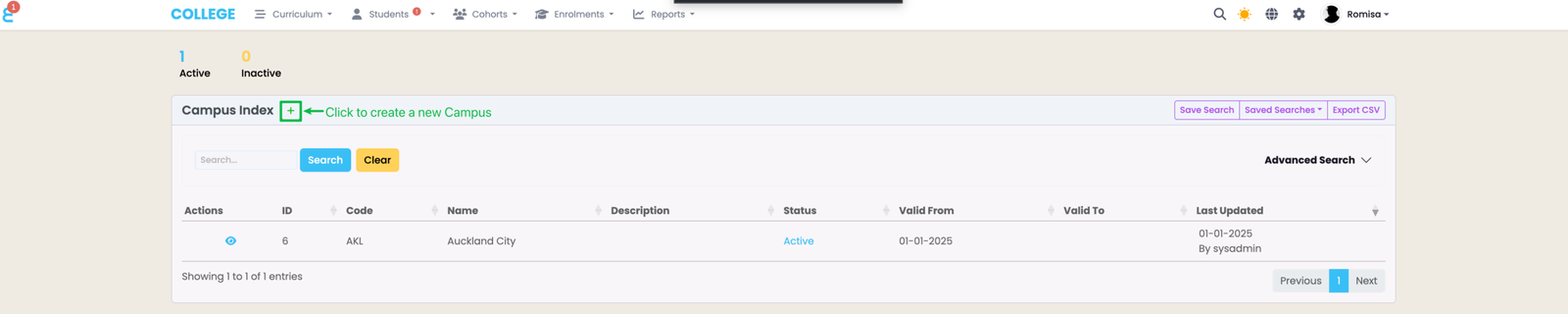
Here, you can add new Campuses for your school, and view and manage them all in one place.
Click on the green plus sign to add a new campus.
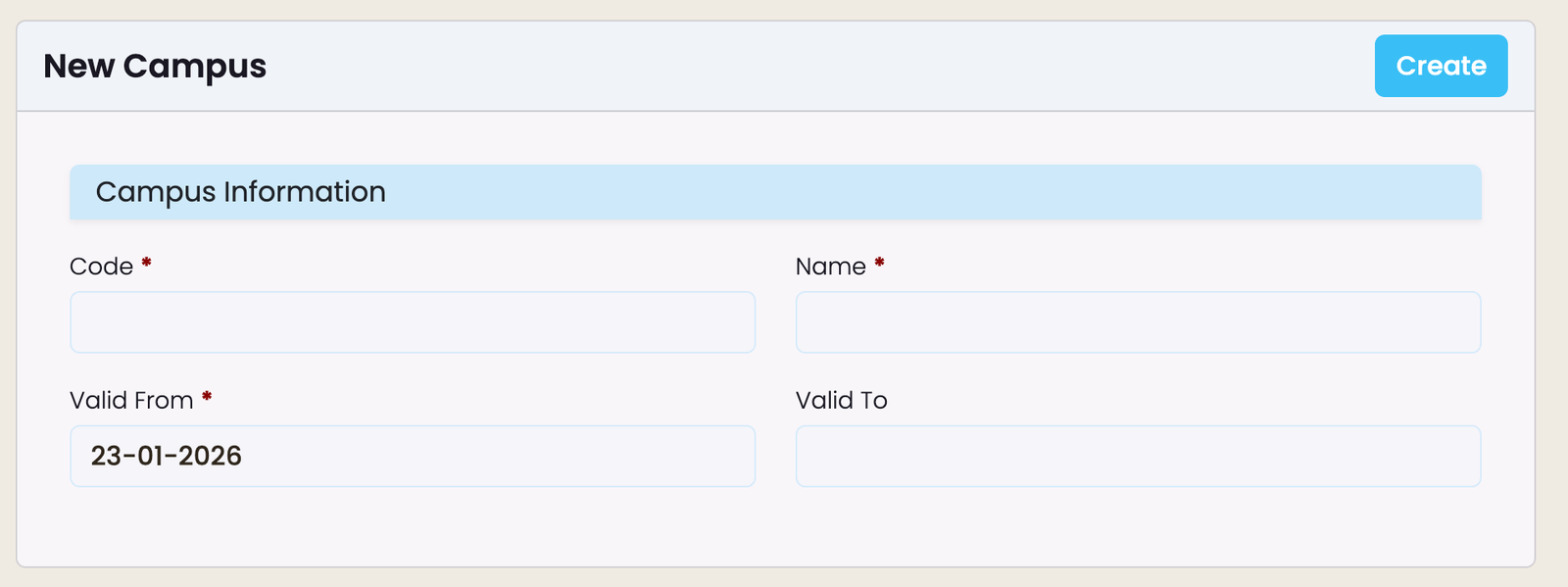
Add the required details, as indicated by red asterisks. Note: the Campus "code" will be used to generate Intake codes.
View and Edit Campus Details
Click on the eye icon to view and edit the campus details as well as compliance requirements if applicable.

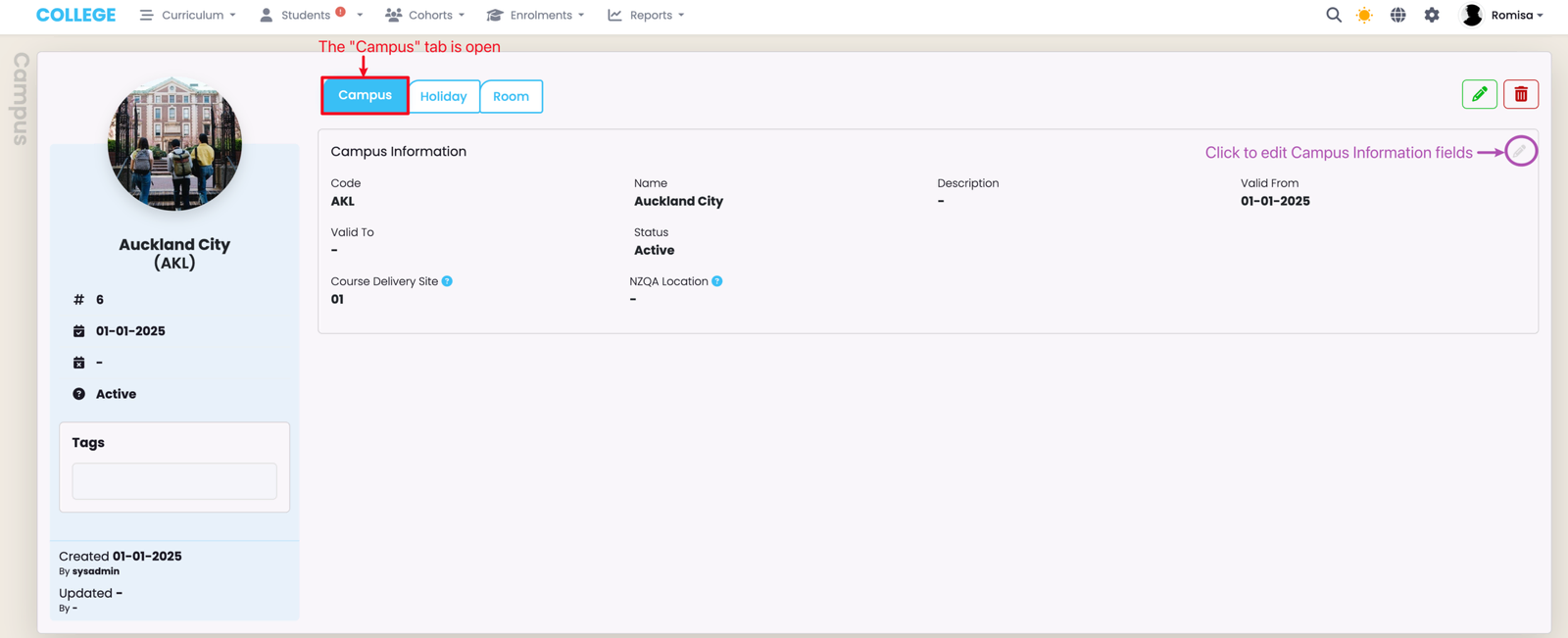
Campus Tab
Editable field details on the Campus tab.
AUS Compliance Tab
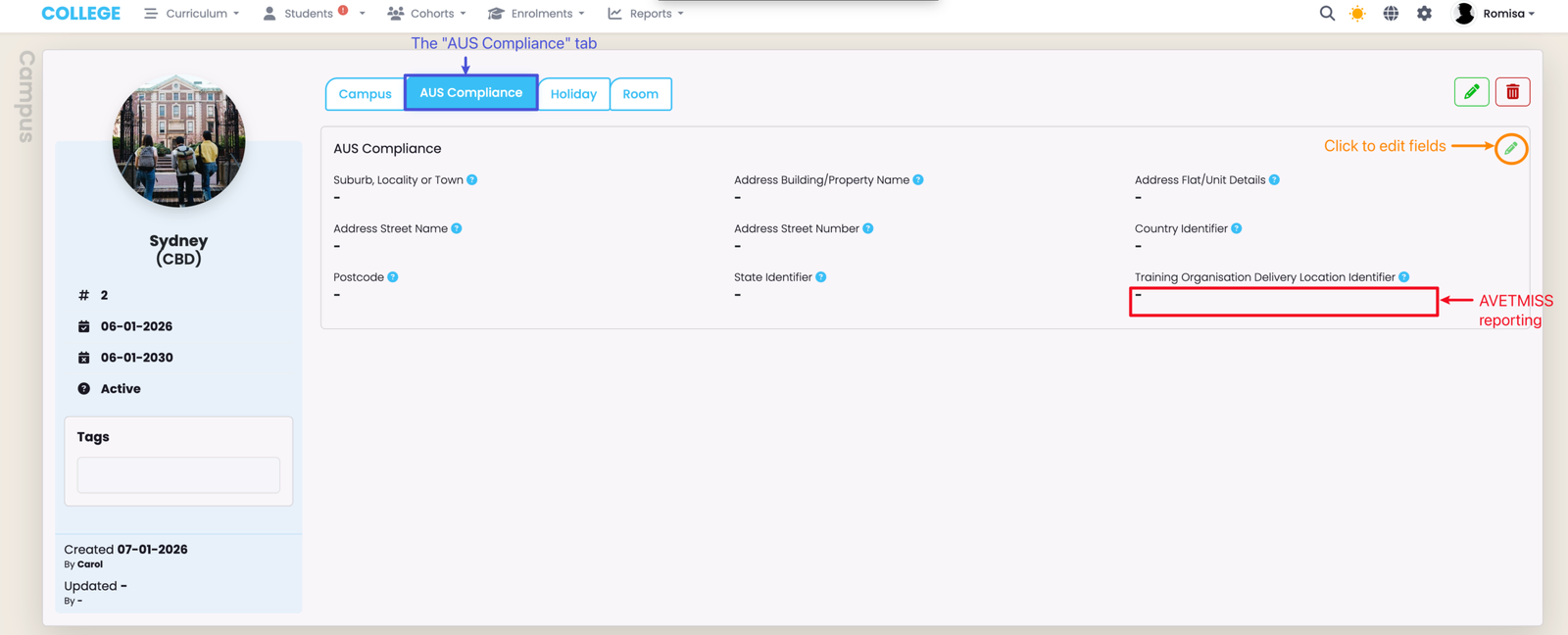
The "AUS Compliance" tab is available on the Campus profile for Australian providers only.
Details on AUS Compliance tab:
Holiday Tab
Campus holidays automatically block the ability to mark attendance on the dates provided, and improve the accuracy of attendance marking.
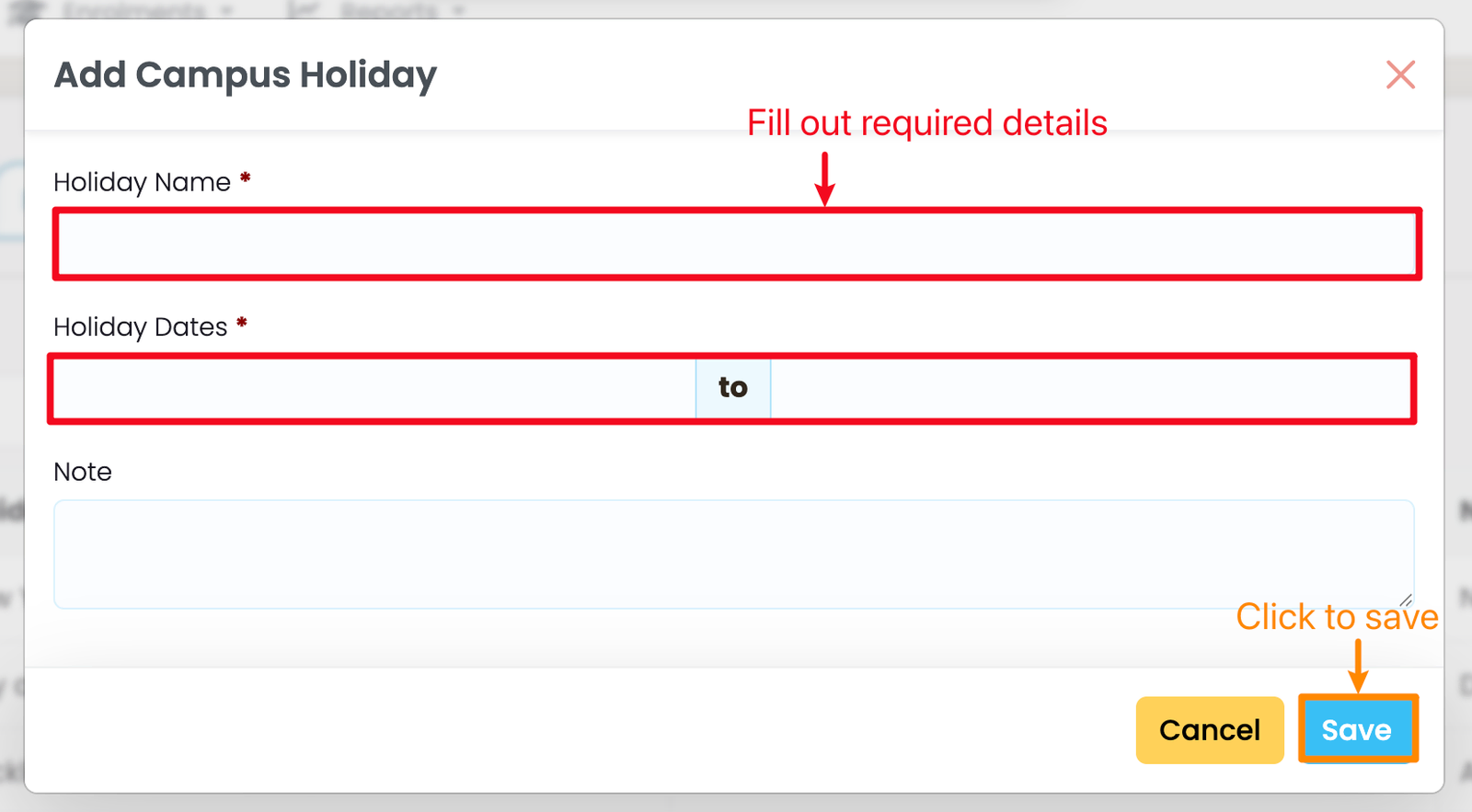
To create a new holiday, click on the "+Add" button (orange).
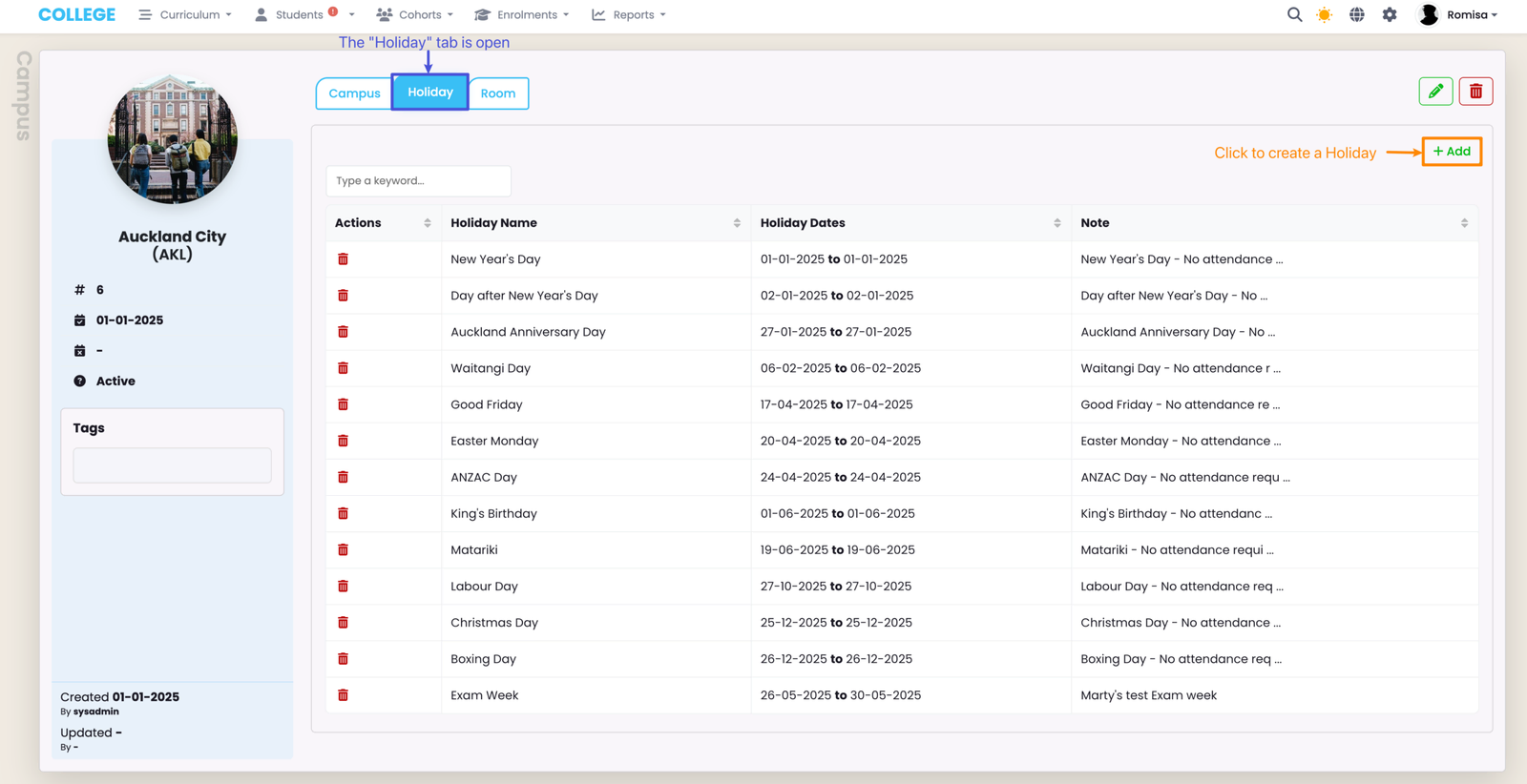
Editable field details on the Holiday tab.
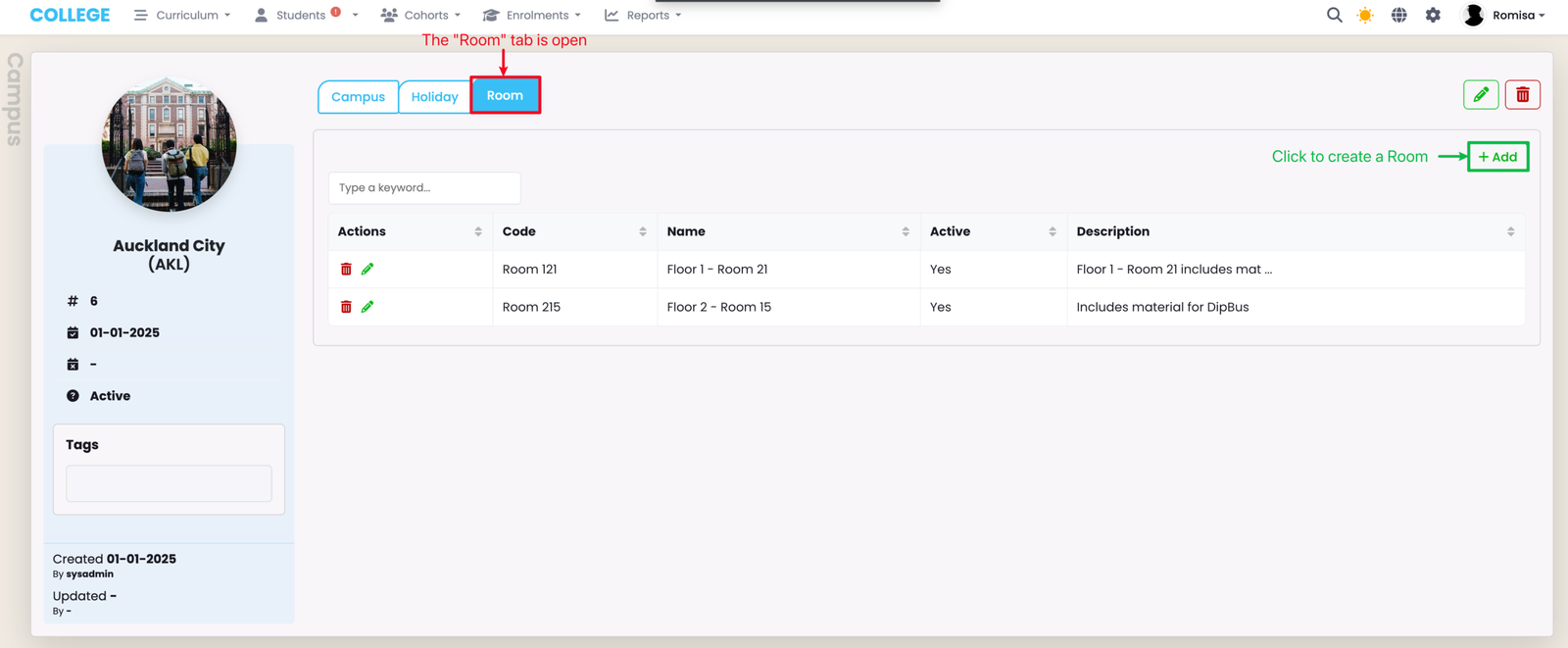
Room Tab
Rooms may be used on timetables, and are created and managed for each Campus.
Last updated