
Updated on
Stripe and Discount Codes
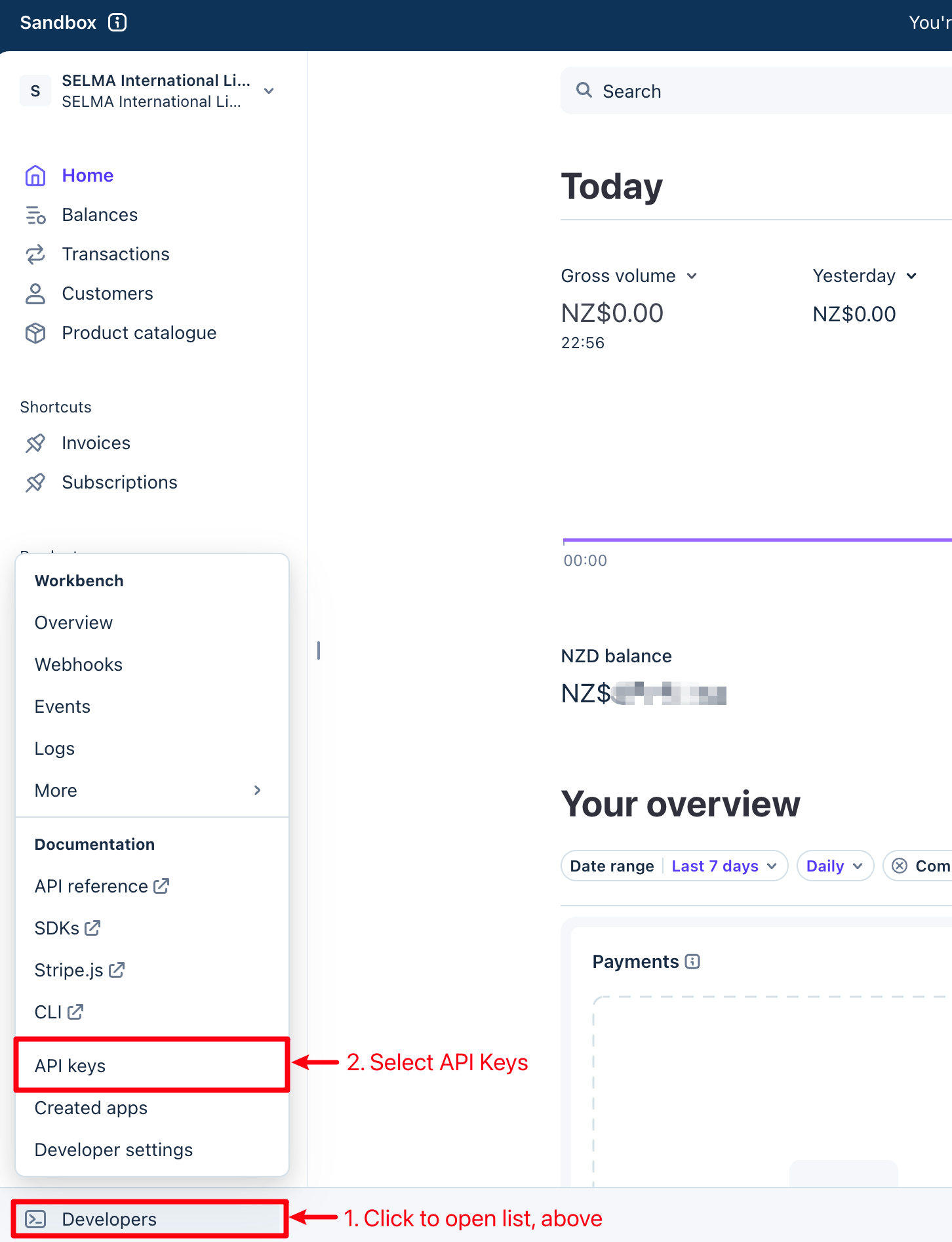
Please navigate to your Stripe Account, and click "Developers" on the bottom left of your dashboard screen.
Stripe is a payment gate-way that you can integrate with your SELMA Enrolment form. This integration allows Student applicants to make payments, seamlessly, as they record their details with SELMA.
Stripe Configuration
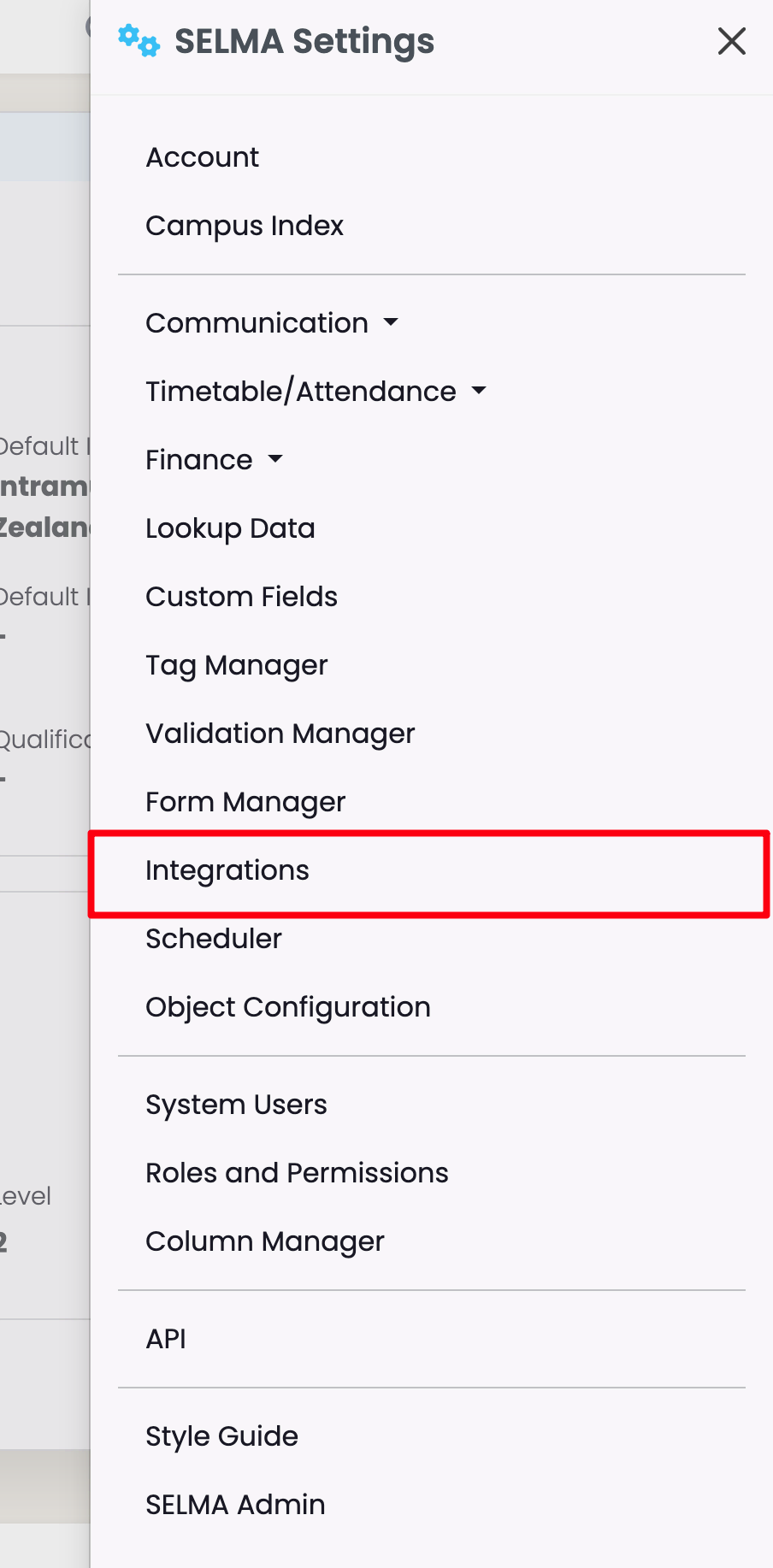
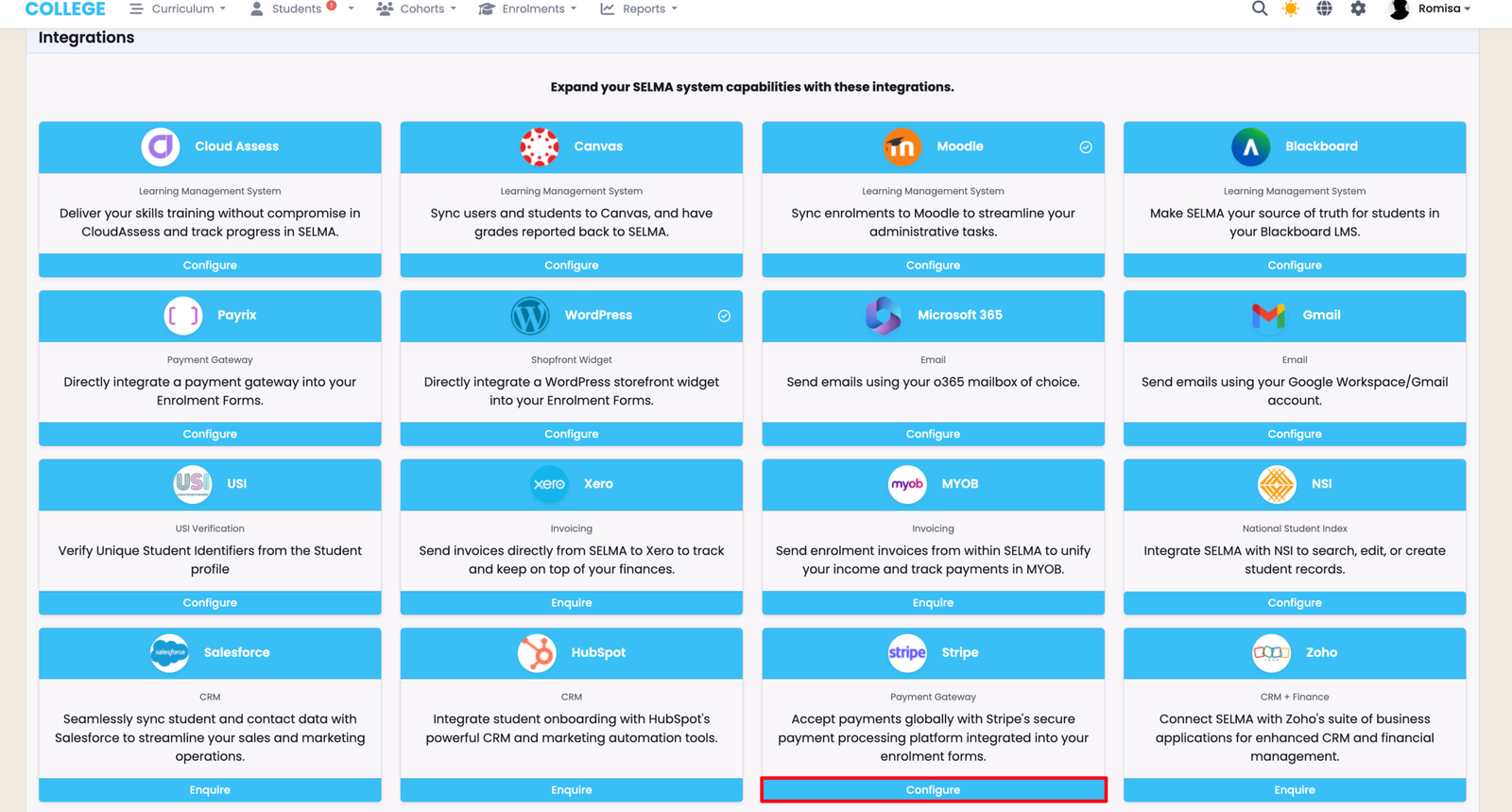
Scroll to find the "Stripe" Integration, and click "Configure" to select it.
Please navigate to your Stripe Account, and click "Developers" on the bottom left of your dashboard screen.
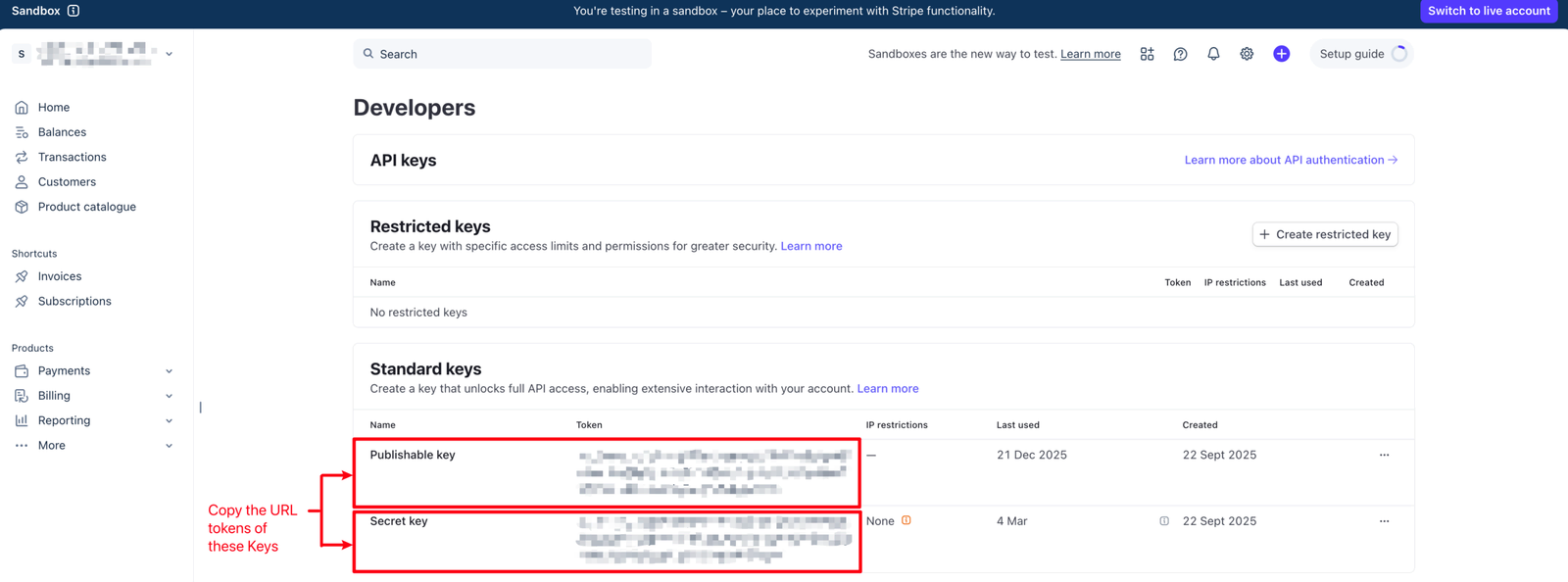
Copy the indicated API keys to paste into SELMA, in the subsequent step.
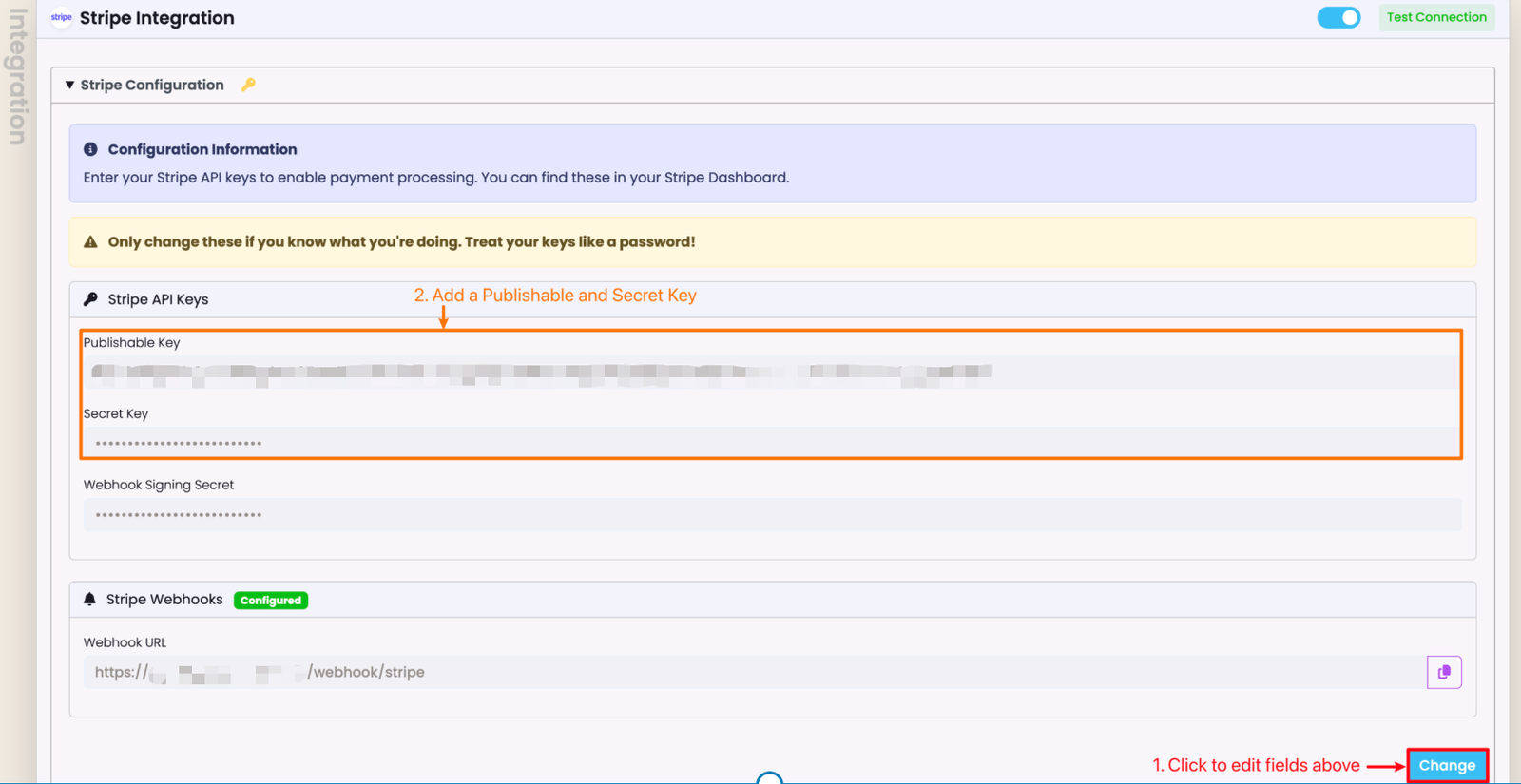
Paste the Publishable Key and Secret Key URL tokens from Stripe into SELMA. You will need to click "Change" to edit the page, first.
- Note: Once you have pasted the API Keys into SELMA, remember to click "Save", (this button appears after editing).
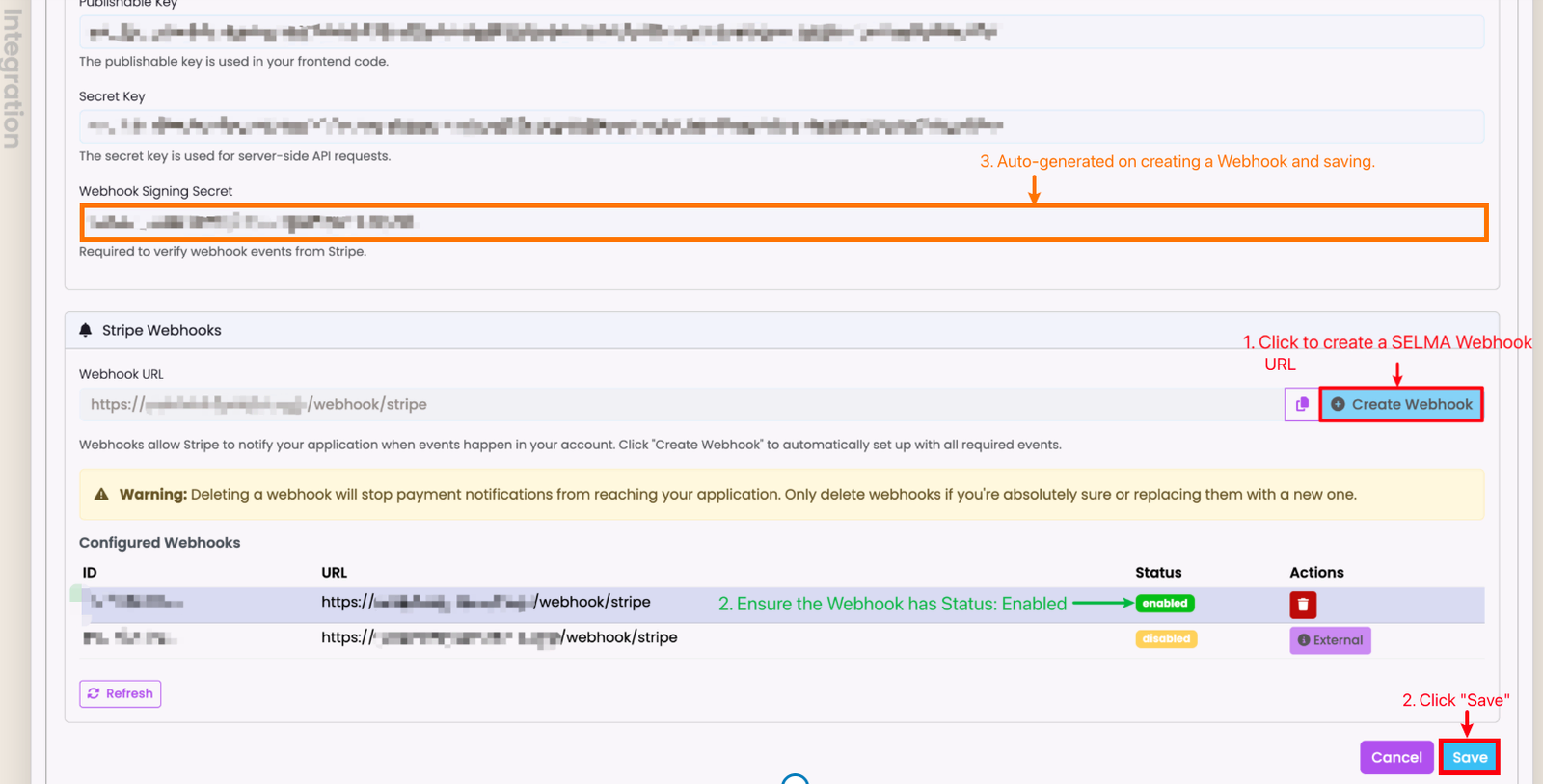
Create a SELMA Webhook URL. This will be the Endpoint URL you enter into Stripe.
- Note: The Webhook Signing Secret Key will be auto-generated when you click "Save".
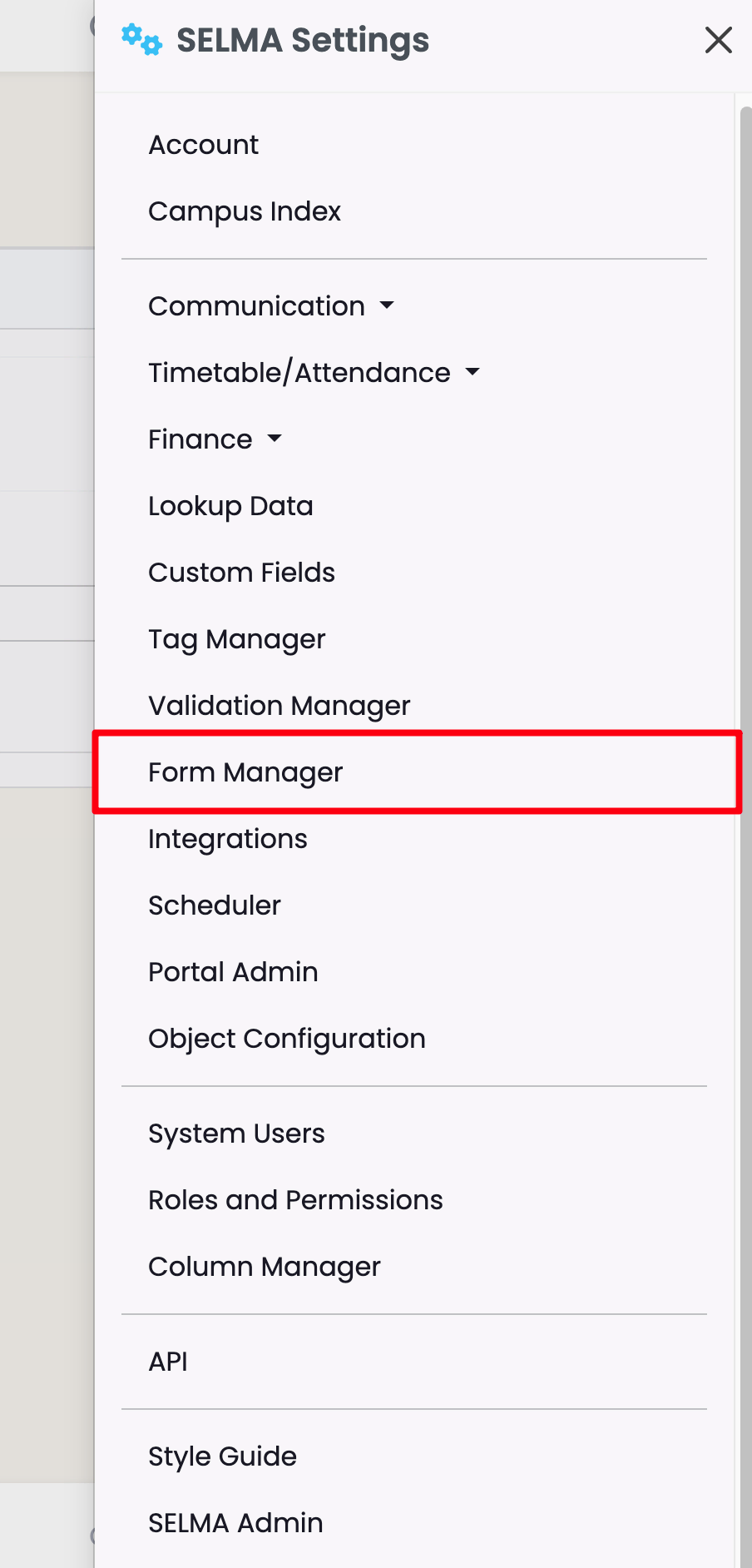
Stripe Activation - Form Manager
The following identifies how the Stripe Integration works on the Form builder:
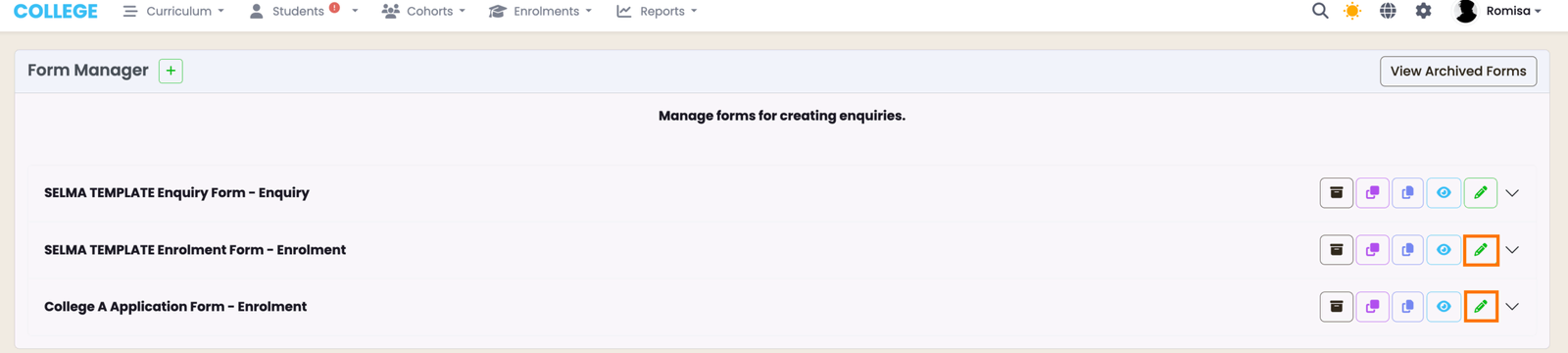
Click to edit an Enrolment form, and access the Form Builder.
Note: Only an Enrolment form can be embedded with a payment gateway, such as Stripe.
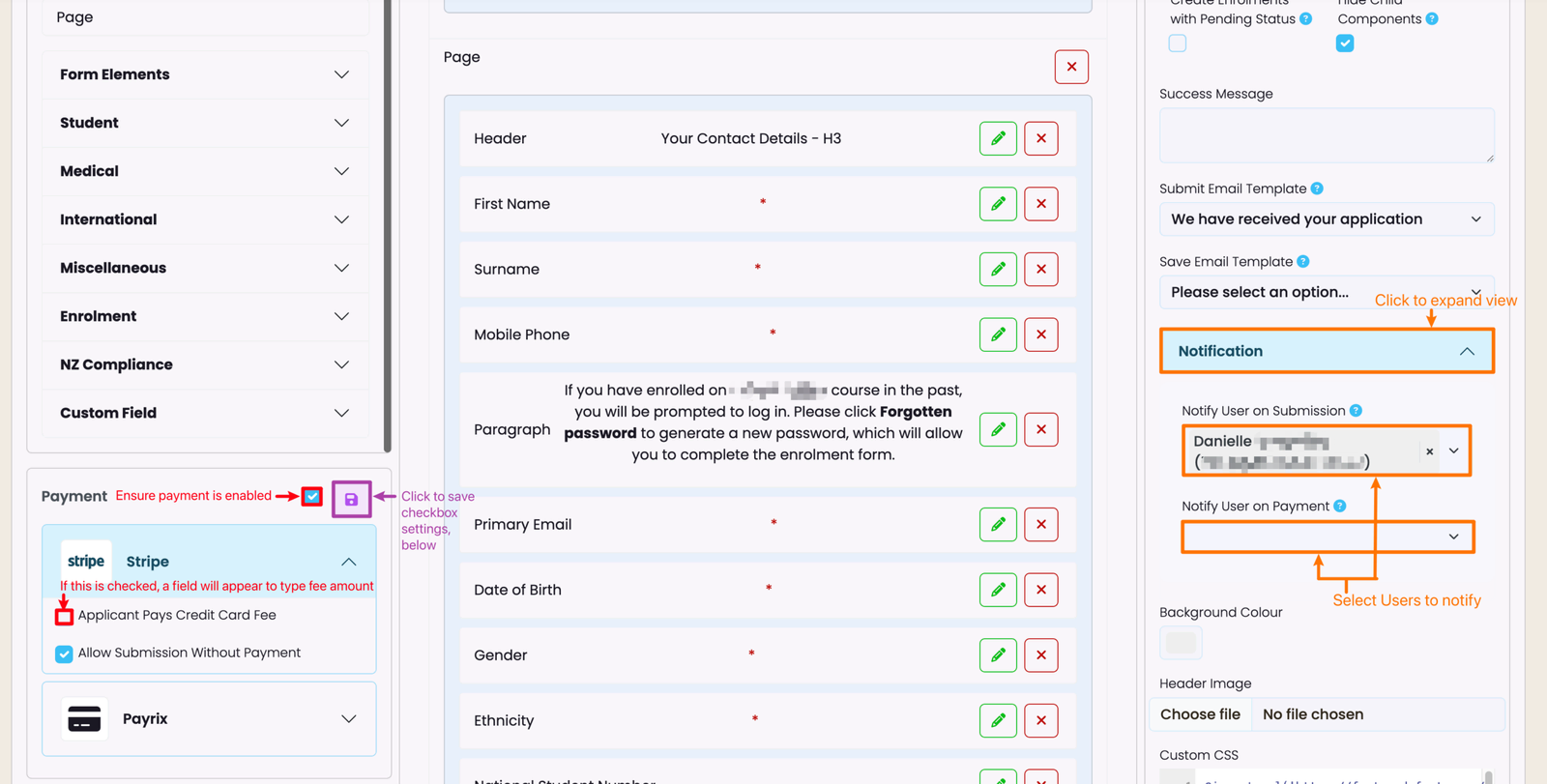
Configure the Stripe Payment settings on the left, making sure that you activate the payment (top, red), and save your changes (purple). Select the Users you want to send notifications to, on form submission or payment, on the right (orange).
Discount Codes
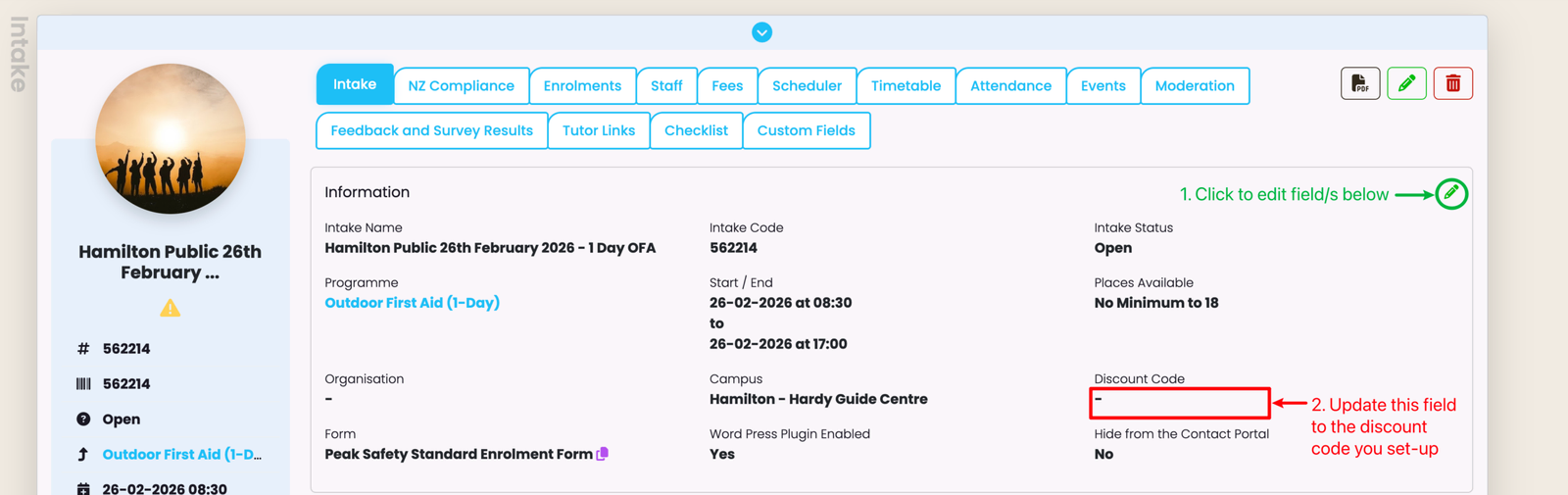
Intake tutition fees can be discounted if Student applicants are given a valid discount code to use on payment, before submission.
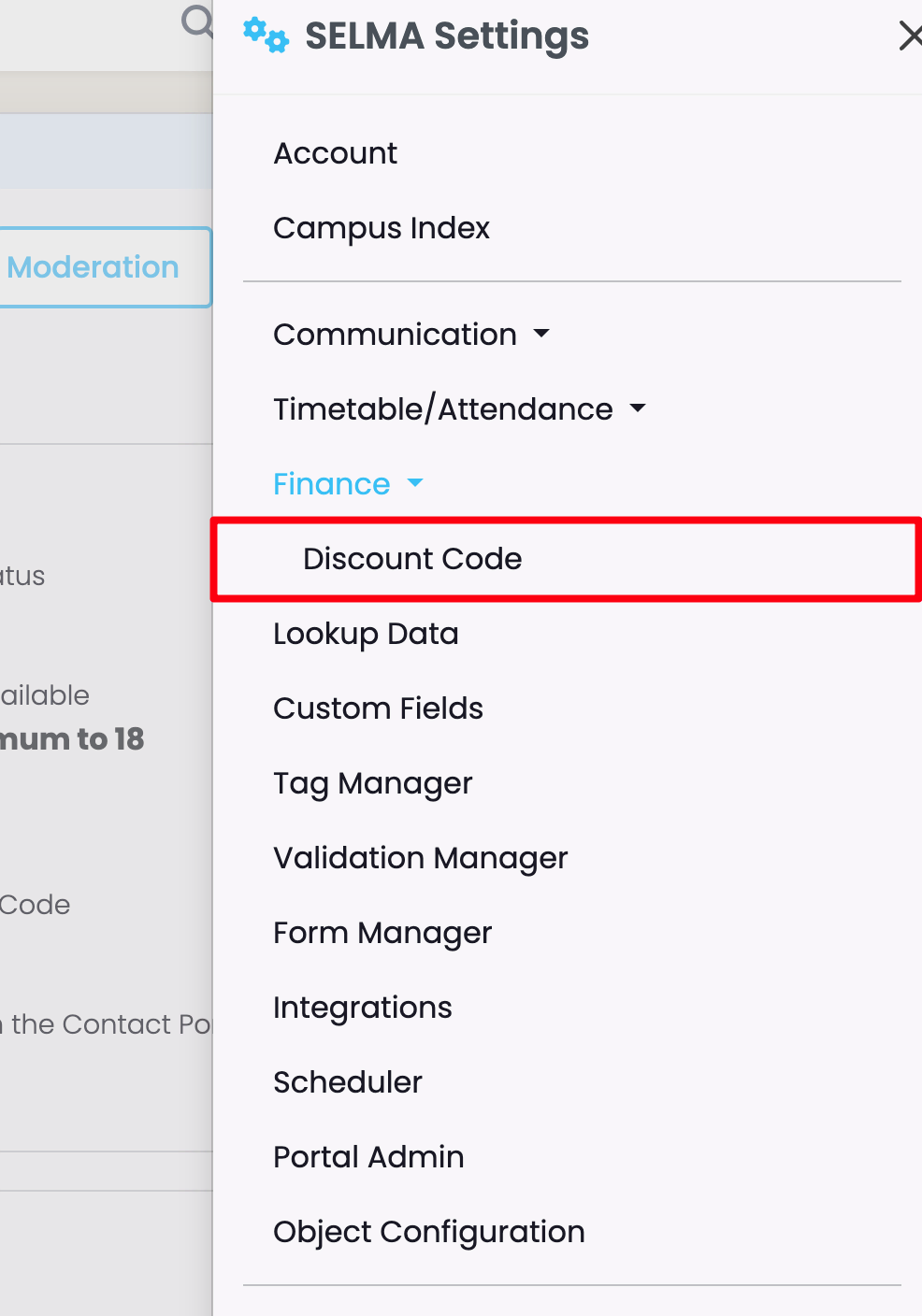
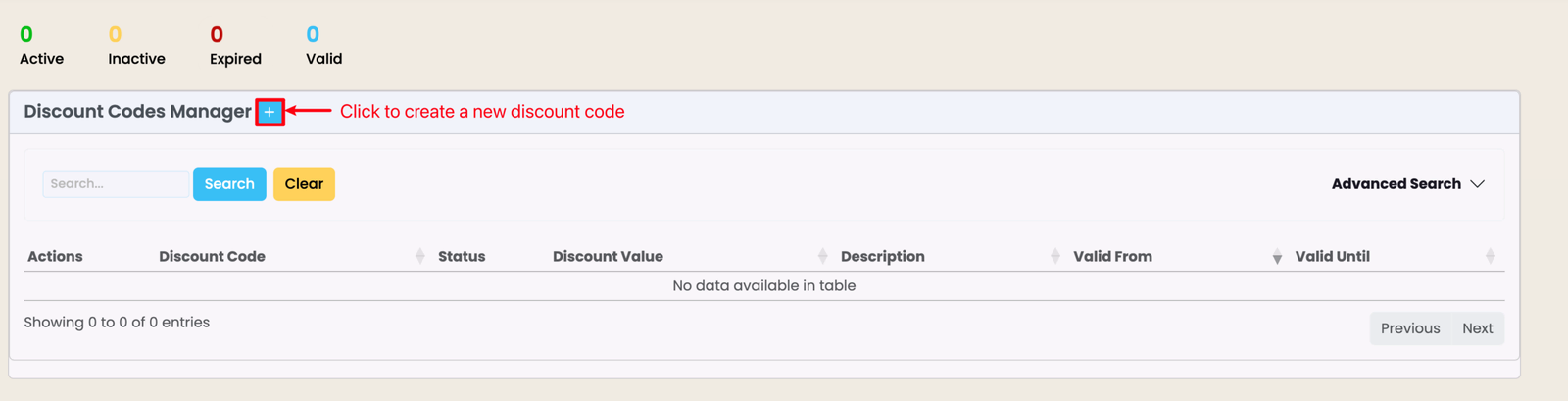
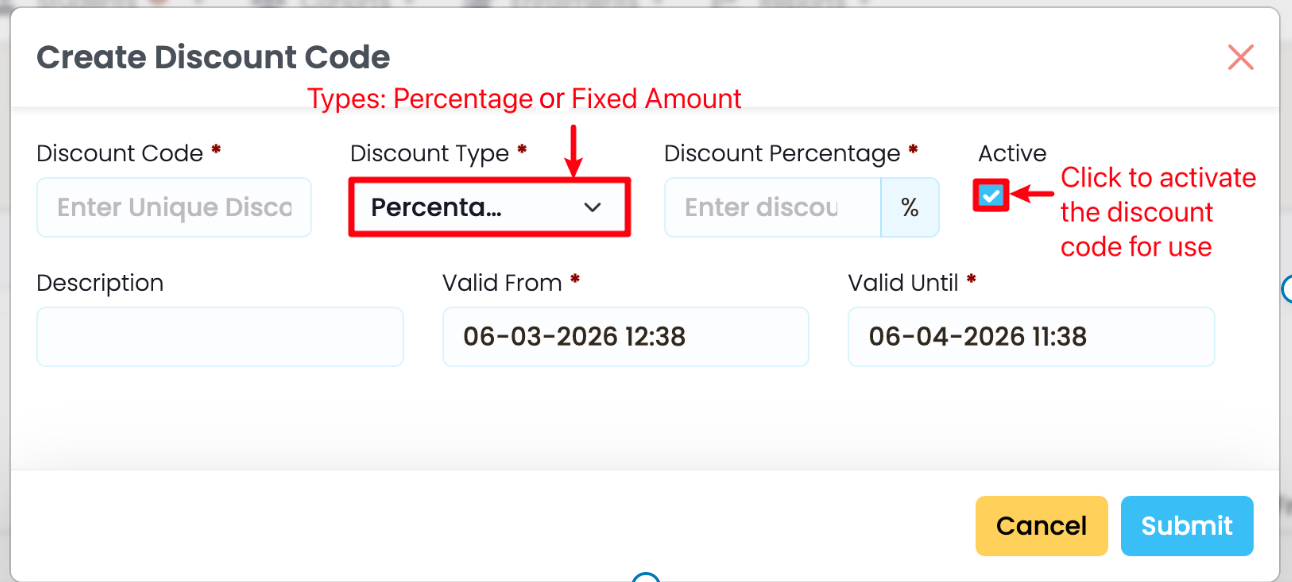
Fill in the required fields, as indicated by red asterisks, and make sure to activate the Discount Code, if you want it to be used by applicants.
Note: The Discount Code is only valid (functional) during the period you indicate, here.
Last updated
Moodle Set-Up (In SELMA)
The Endpoint will be your unique Moodle URL (e.g. https://moodle.yourdomain.com), and the Token will be the Web Service Token you created and saved,…
Student Portal (For SELMA Users)
The Student Portal is a paid feature which grants Students access to SELMA to review their information, upload submissions and download documents.