
Updated on
1. Organisation Index & Search
The Organisation Index displays a quick overview of a list of Organisations recorded in SELMA, and allows you to access select records.
Organisation Index and Search
The Organisation Index displays a quick overview of a list of Organisations recorded in SELMA, and allows you to access select records.
The basic search feature allows you to find specific records quickly, and produces results that match your criteria the closest.
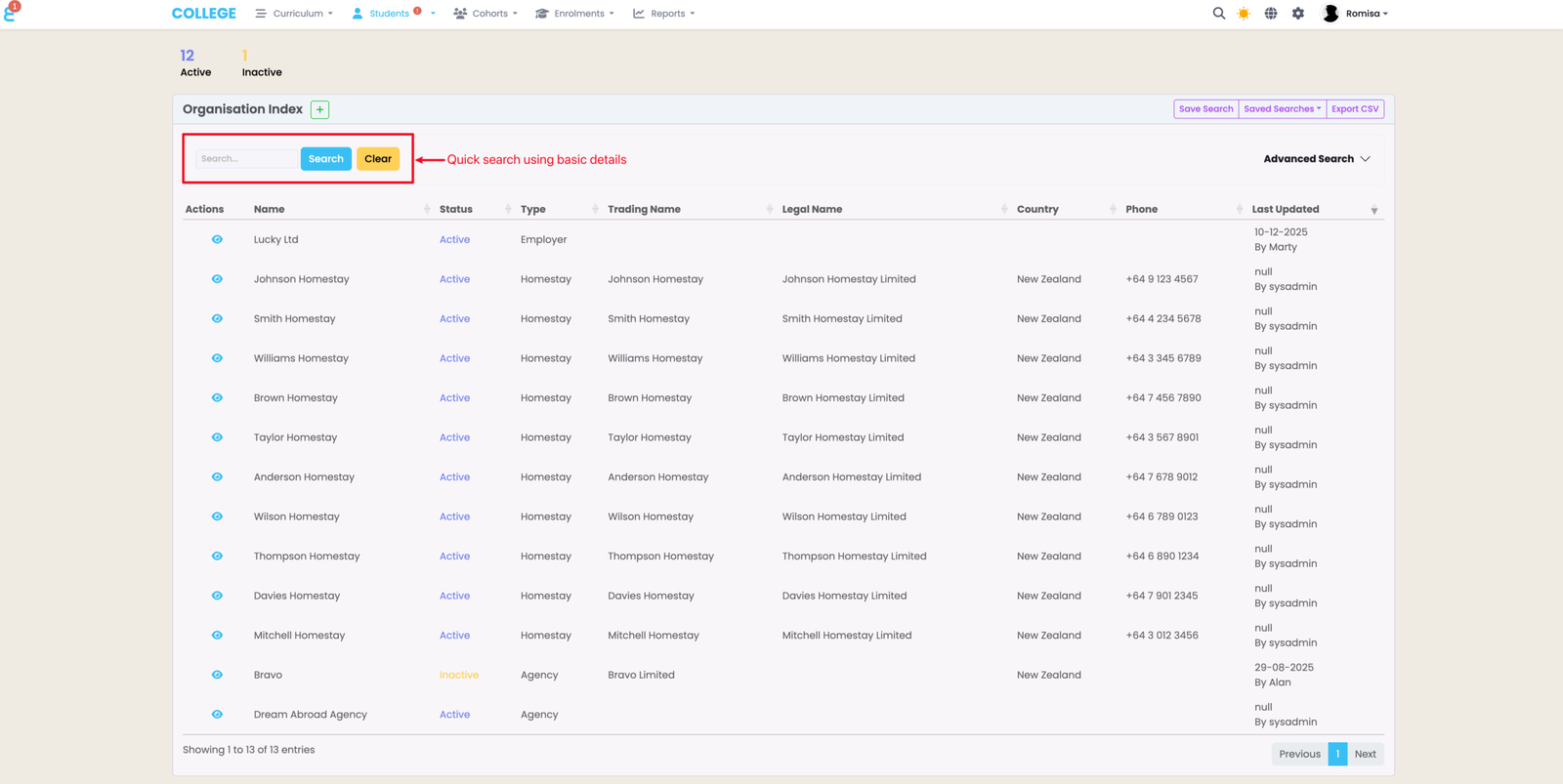
Advanced Search and Saved Searches
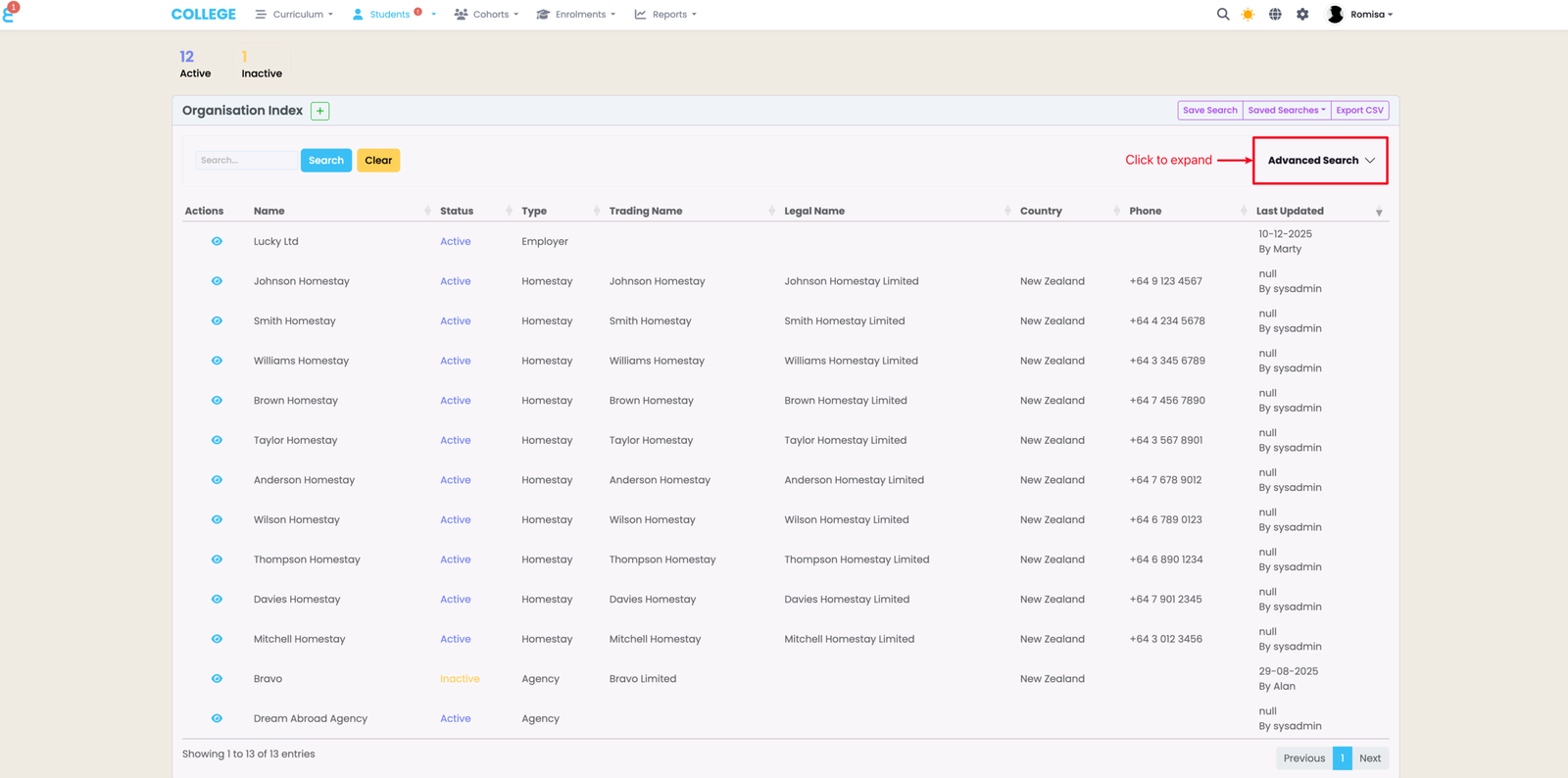
Advanced Search
The Advanced Search is hidden by default, and can expand to reveal multiple fields where you can filter for specific Organisation details.
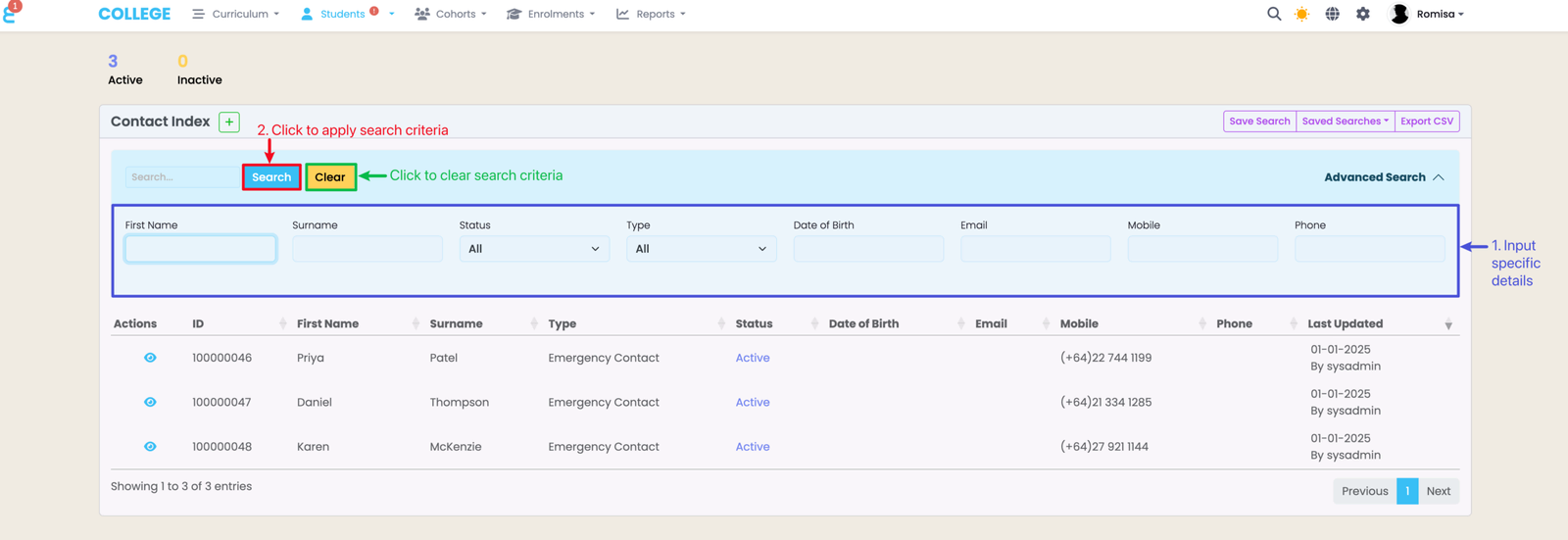
Choose your filters (blue), then click the buttons above the Advanced Search fields to apply your criteria to the Organisation Index (red), or clear your criteria from the search fields (green).
Saved Searches
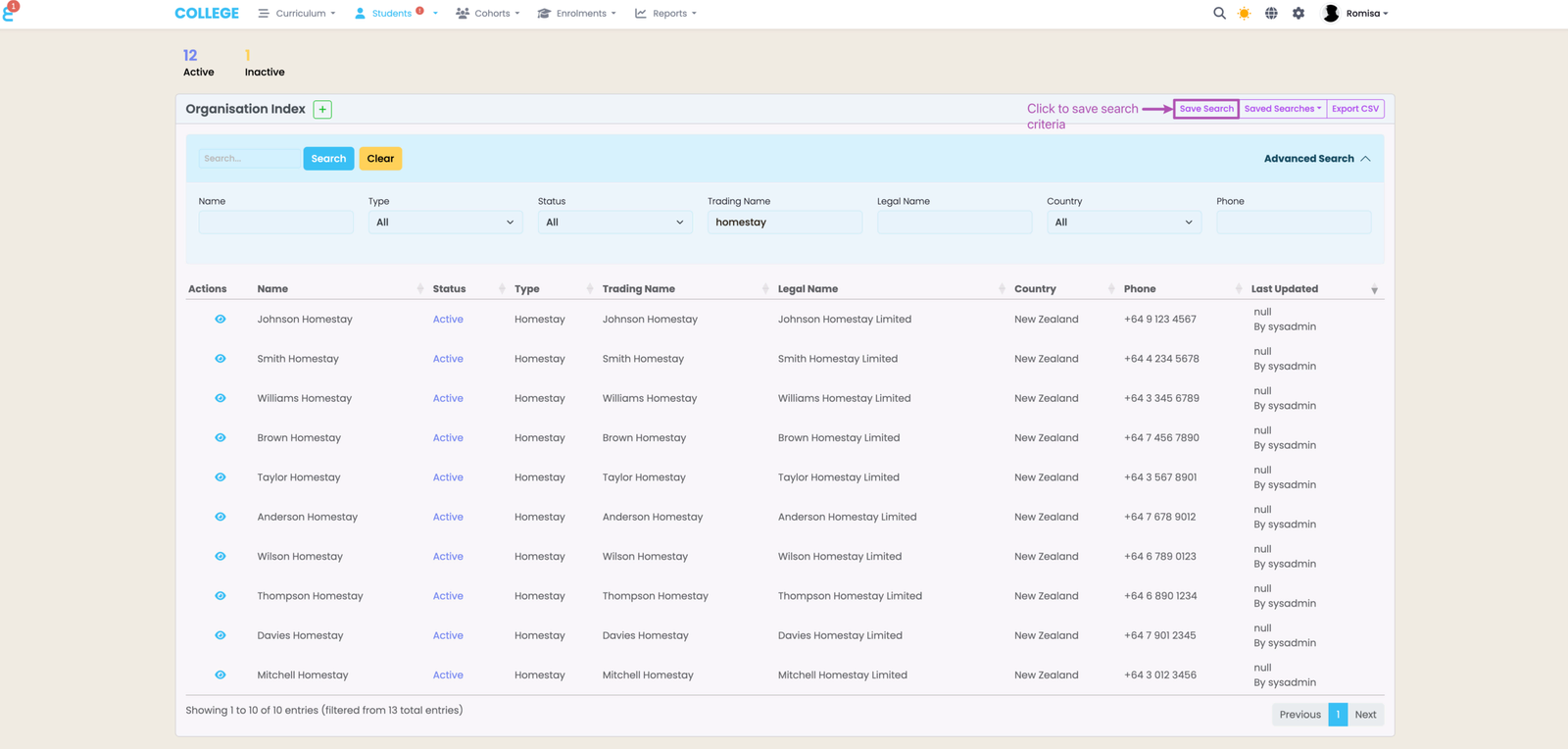
If there are search criteria that you use often, you can save them as a “Saved Search” to access again, without manually typing up your search parameters.
Set-up your search criteria by filling out the Advanced Search fields, and click “Save Search”.
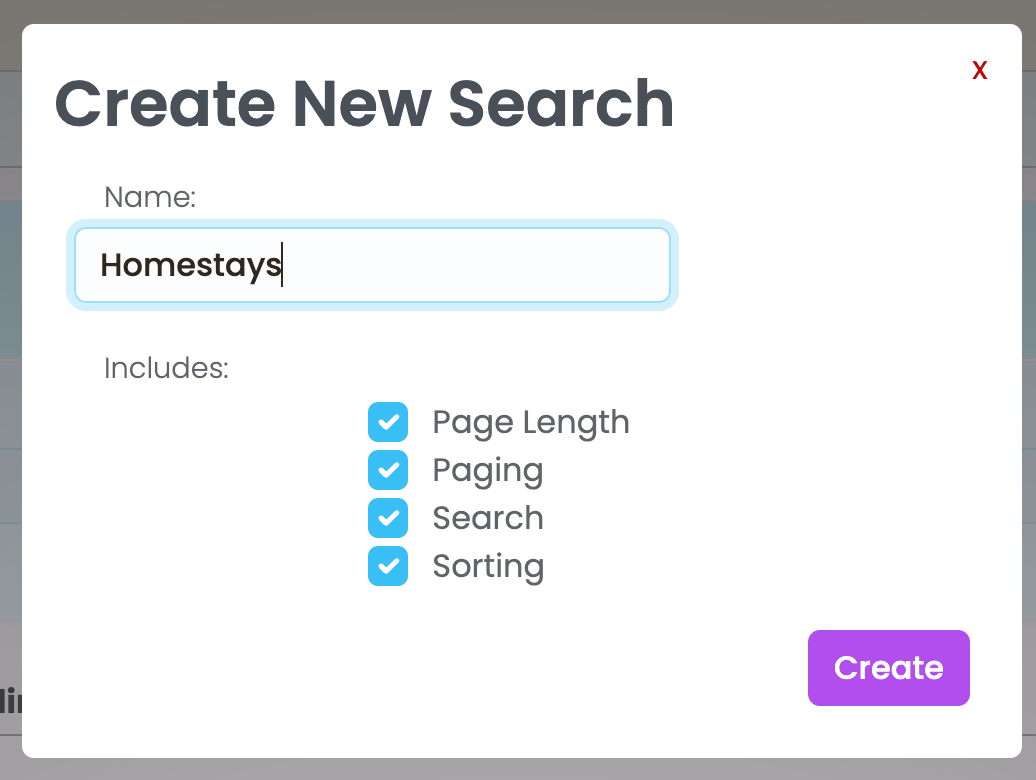
Name the new search you are saving, and click the purple “Create” button. You can also save the search results’ page length, sorting etc.
Access and Manage Saved Searches
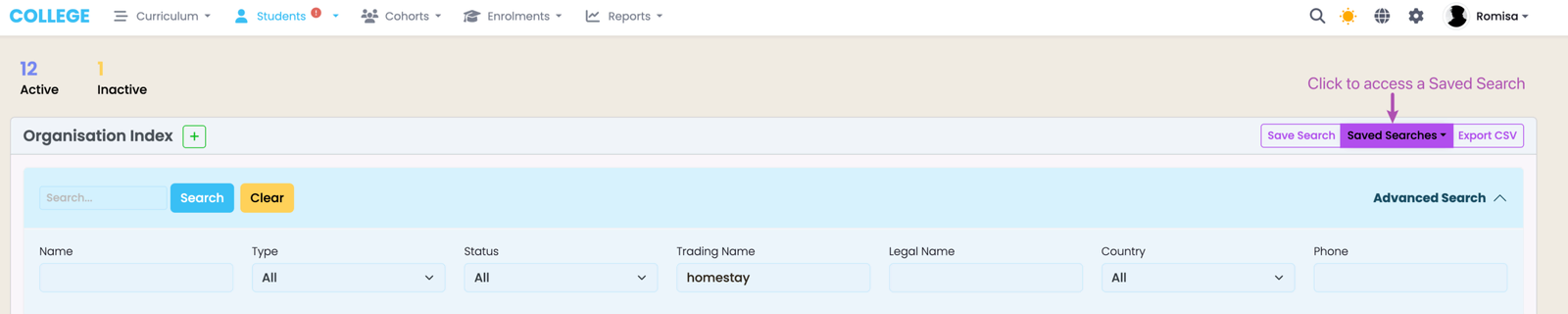
Click the button “Saved Searches” to find and apply a Saved Search.
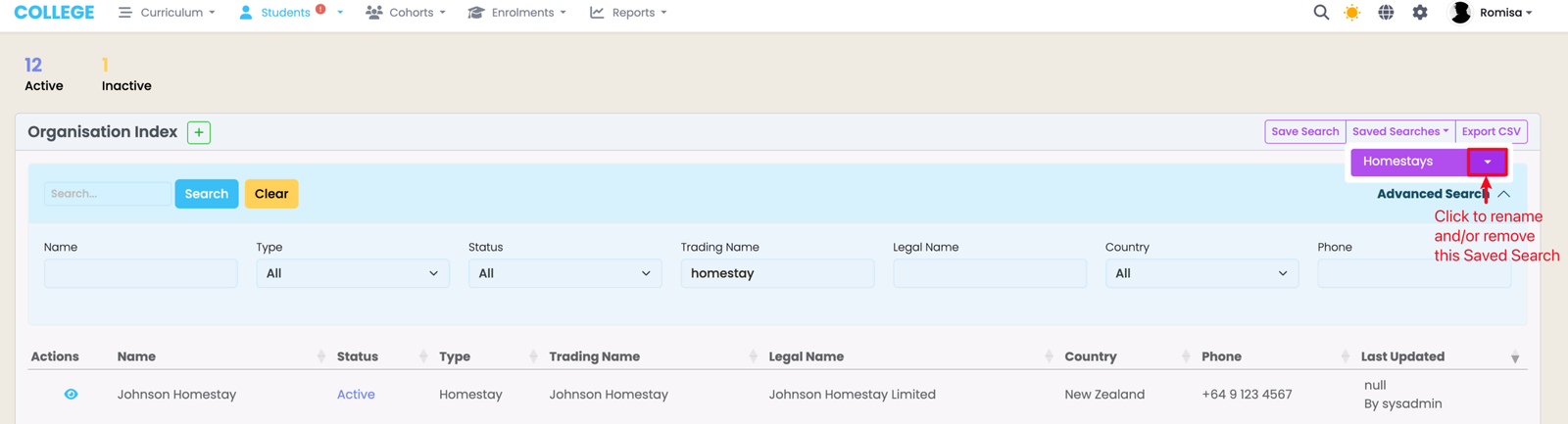
Click the drop-down arrow beside a Saved Search to rename and/or remove it.
Download Search Results
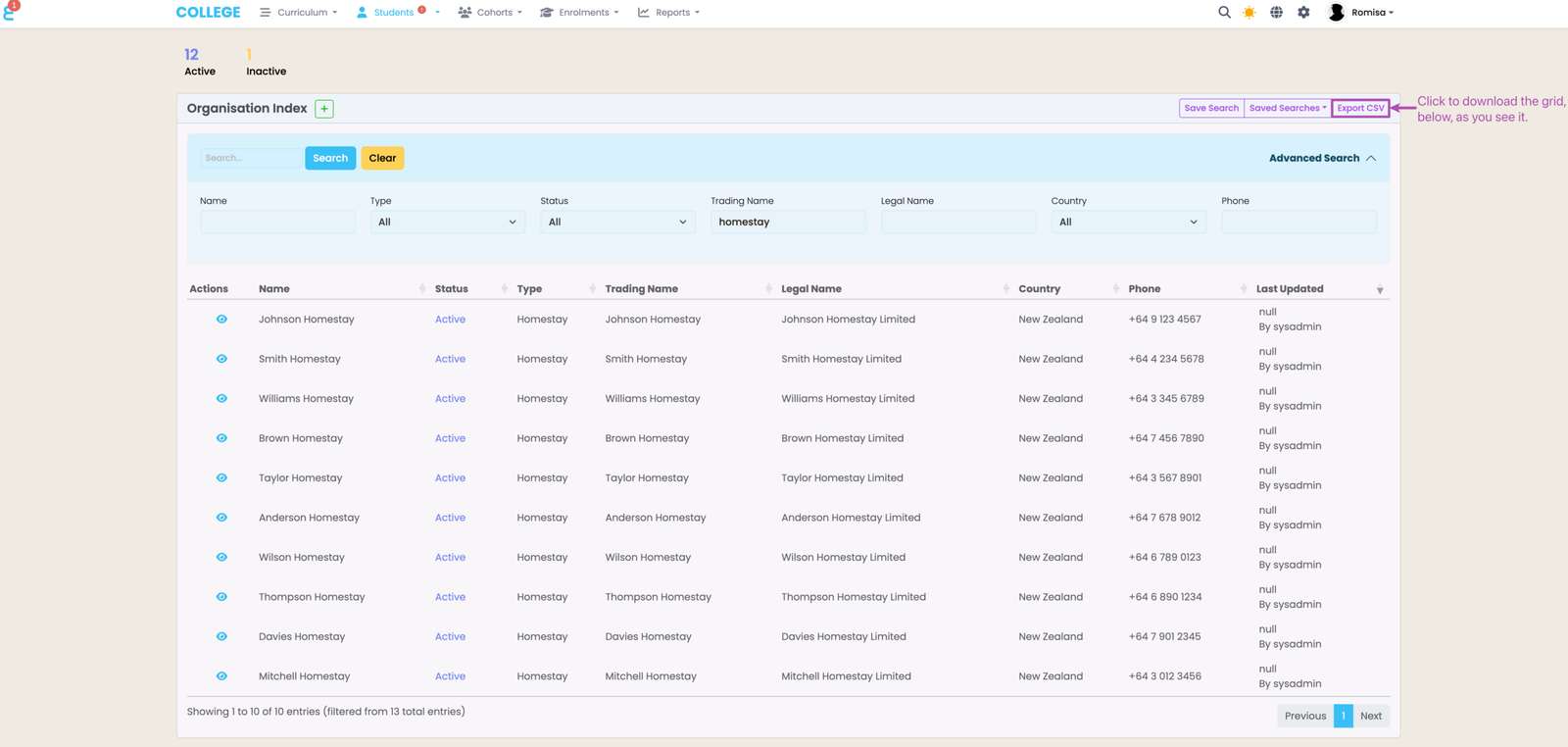
To download your search results as a CSV file, click on the button “Export CSV”.
Last updated