
Updated on
09. UIP Report
The Tertiary Education Commission (TEC) requires Unfunded International Provider (UIP) Reports from New Zealand providers who deliver Programmes to…
The Tertiary Education Commission (TEC) requires Unfunded International Provider (UIP) Reports from New Zealand providers who deliver Programmes to primarily International Students, and do not receive funding.
- Note: If you are an unfunded provider that caters to both International and Domestic Students, the UIP report should include Domestic Students.
The UIP report includes all student enrolment and delivery data for Domestic Full Fee-Paying and International Fee-Paying students, and must be submitted twice per year to the UIP portal: https://uip.education.govt.nz.
Purpose of UIP Report
The TEC uses the UIP Report from you to:
- Monitor the performance and quality of education provided to International and Domestic students
- Ensure compliance with the Education (Pastoral Care of Tertiary and International Learners) Code of Practice 2021
- Collect data for policy development, immigration monitoring, and sector planning
UIP Reporting Periods
Period 1: For enrolments from January 1 to June 30
- Due: End of July
Period 2: For enrolments from 1 July to 31 December
- Due: End of January (following year)
NOTE: Failing to submit accurate and timely UIP data may result in compliance issues, or impact your registration status as a Private Training Establishment (PTE).
Prepare SELMA for UIP Reporting
There are some key data you should set-up before you can generate a UIP Report.
Set a Programme's Return Type
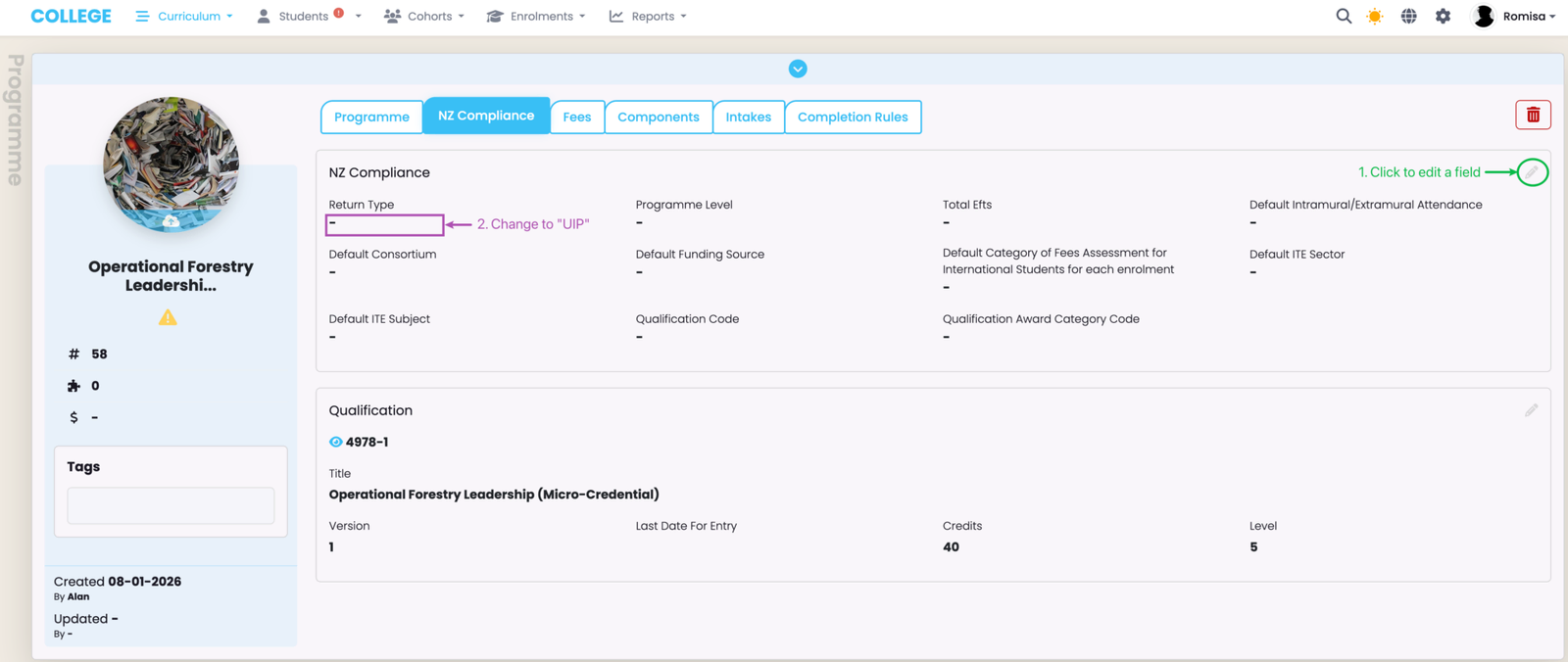
Navigate to the "NZ Compliance tab" of the relevant Programme, and set the "Return Type" to "UIP". Note: You can set the return type at the Intake level, too.
Set Key Student Details
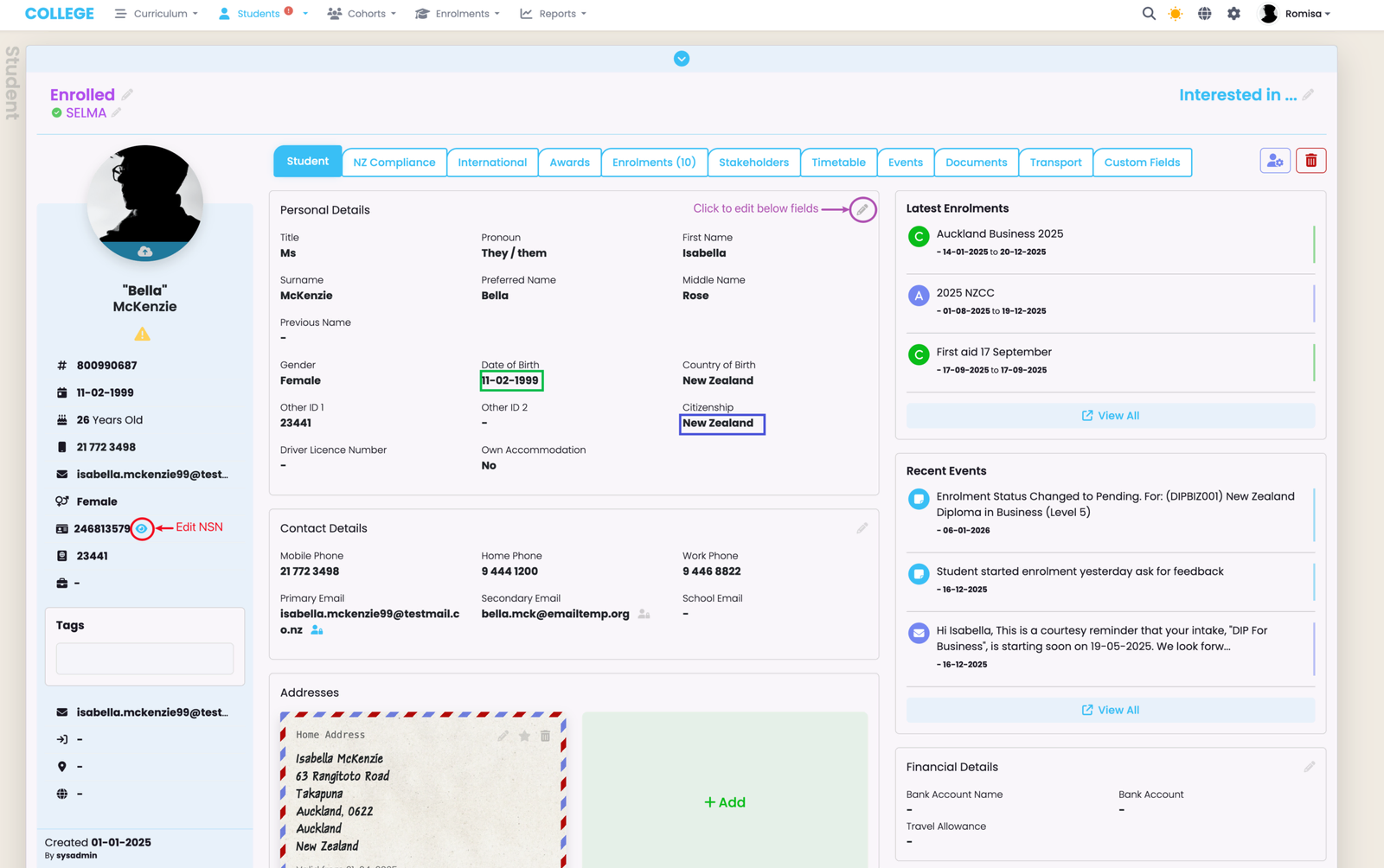
Set a valid NSN, Date of Birth, and Gender. Set "Citizenship" to the appropriate country (not "New Zealand").
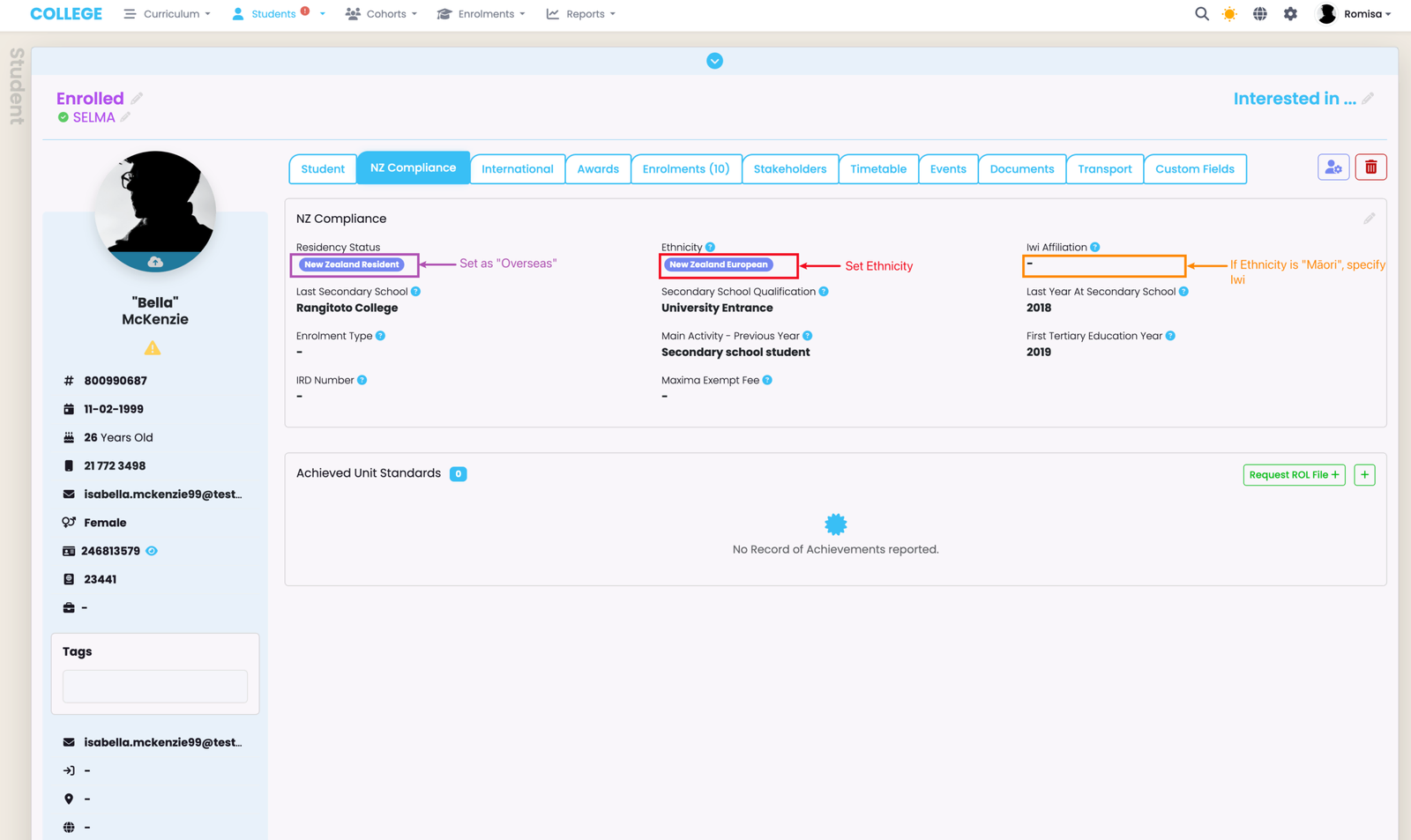
Set the "Residency Status" as "Overseas" (purple), and select the relevant "Ethnicity" (red); (if the student is Māori, you must specify the "Iwi"(orange)).
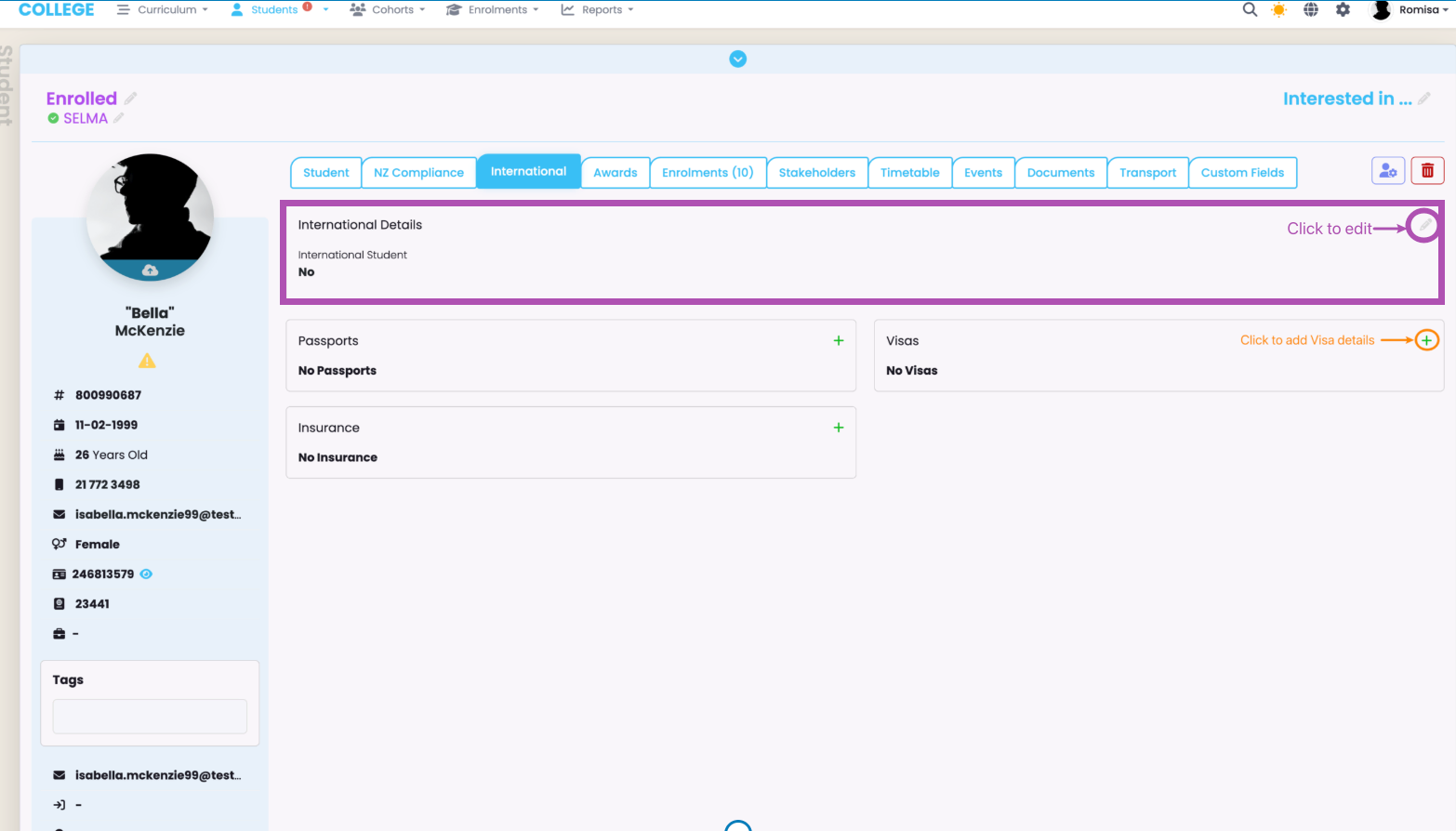
Make sure to check the "International Details" as "Yes", if it applies to the Student, and provide a valid "Visa Type" (orange).
Enrolment Requirements
To be included in UIP Reporting, the following must apply:
- Enrolment Statuses must be Active, Withdrawn or Complete
- An Enrolment must contain at least one Enrolment Component
- Funding Source must be set to International Fee-Paying or Domestic Full Fee-(Paying)
Delivery Site Requirement
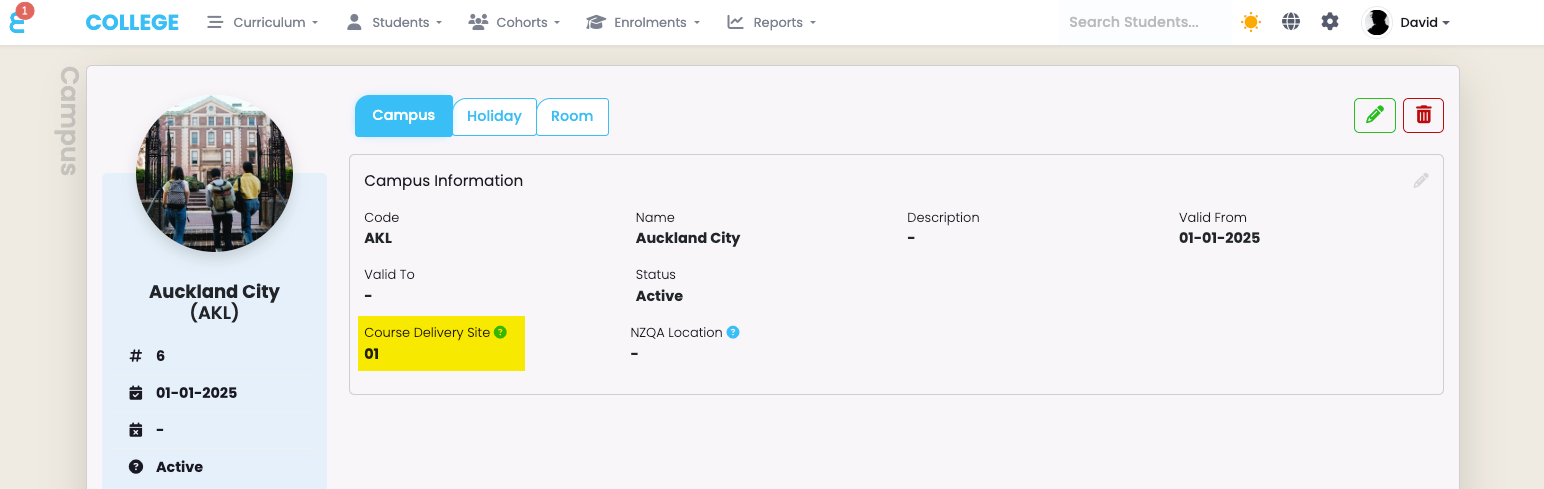
Set a valid “Course Delivery Site”, for all relevant Campuses, as issued to you by the TEC.
Organisation Requirement
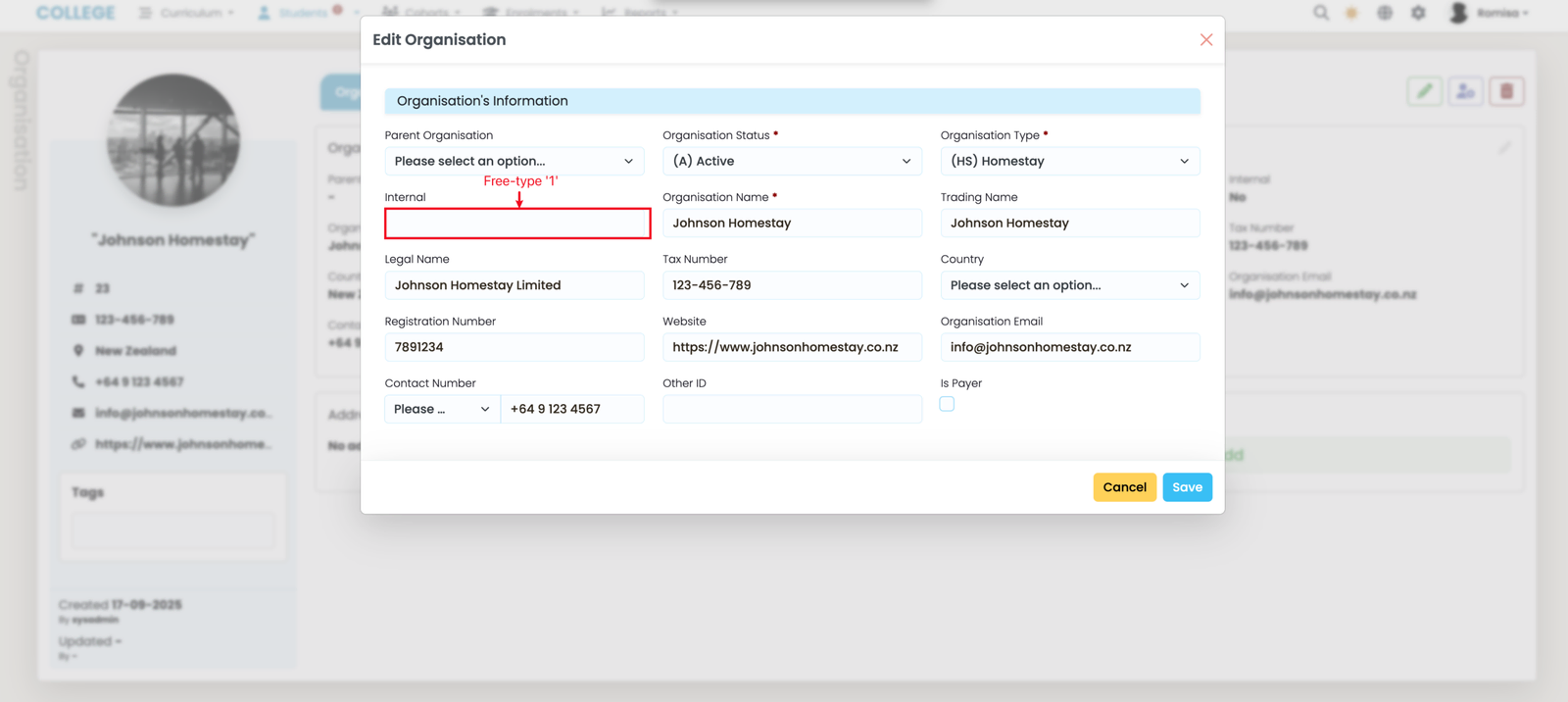
A conglomerate provider should record their internal organisations in SELMA. To do so, navigate from Students > Organisations, then select an Organisation profile and edit it's details: type in the number "1" in the "Internal field" (blue).
Extracting the UIP Report
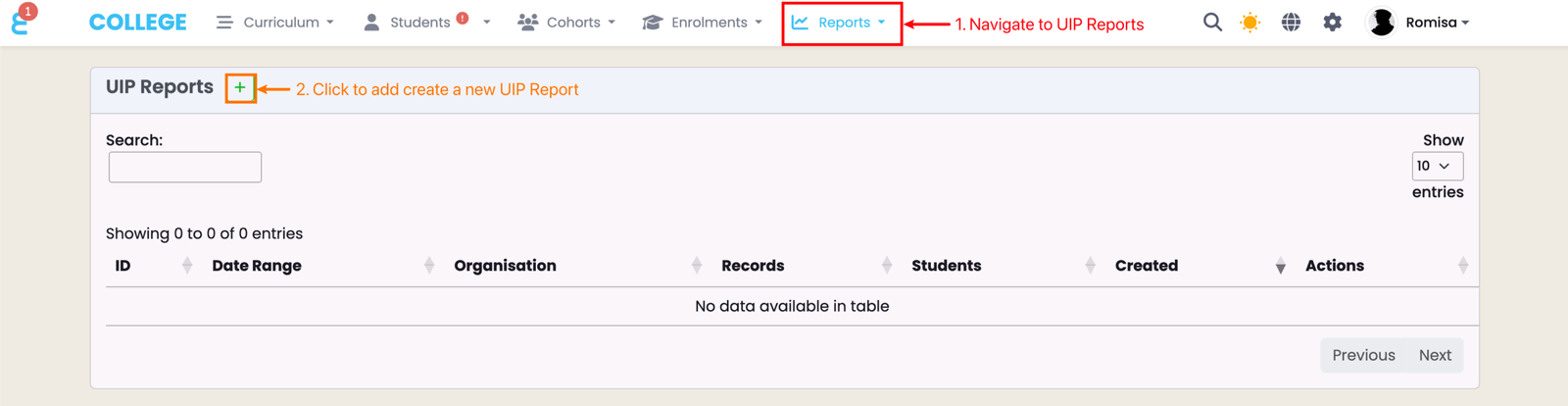
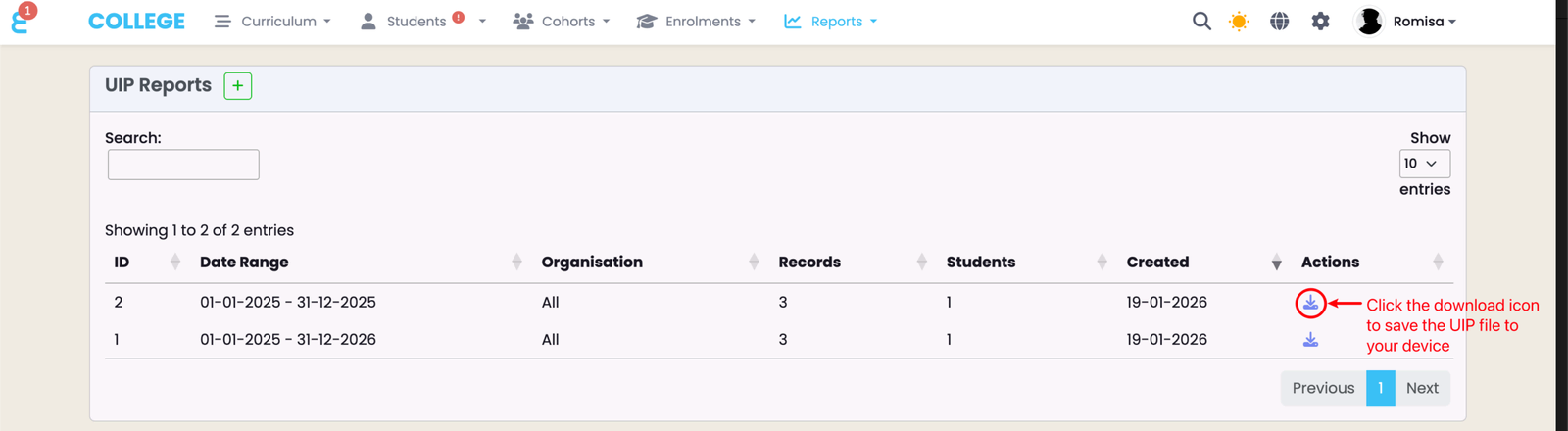
Generate a UIP Report from SELMA, and upload it to the New Zealand Ministry of Education’s UIP Portal.
Click the "+" icon to create a new UIP Report (orange).
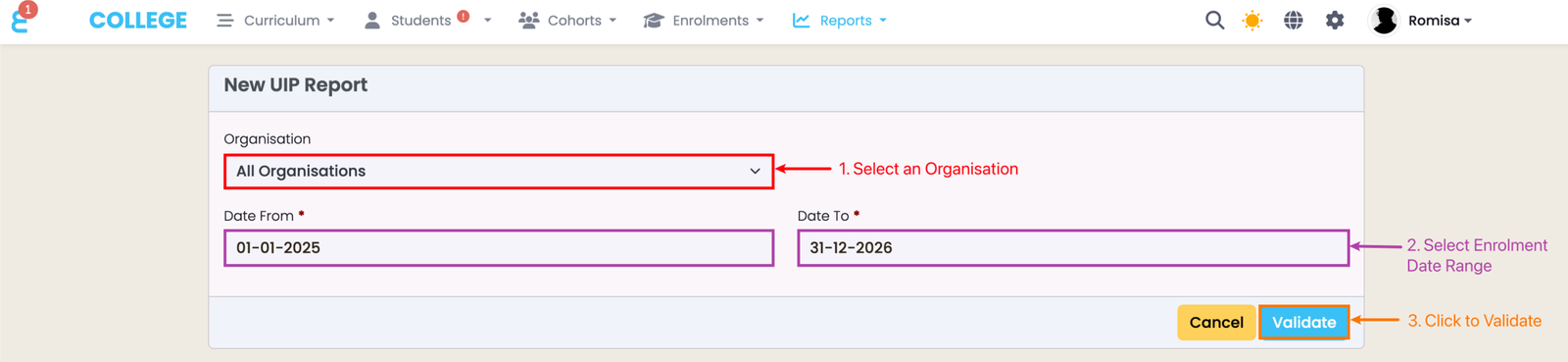
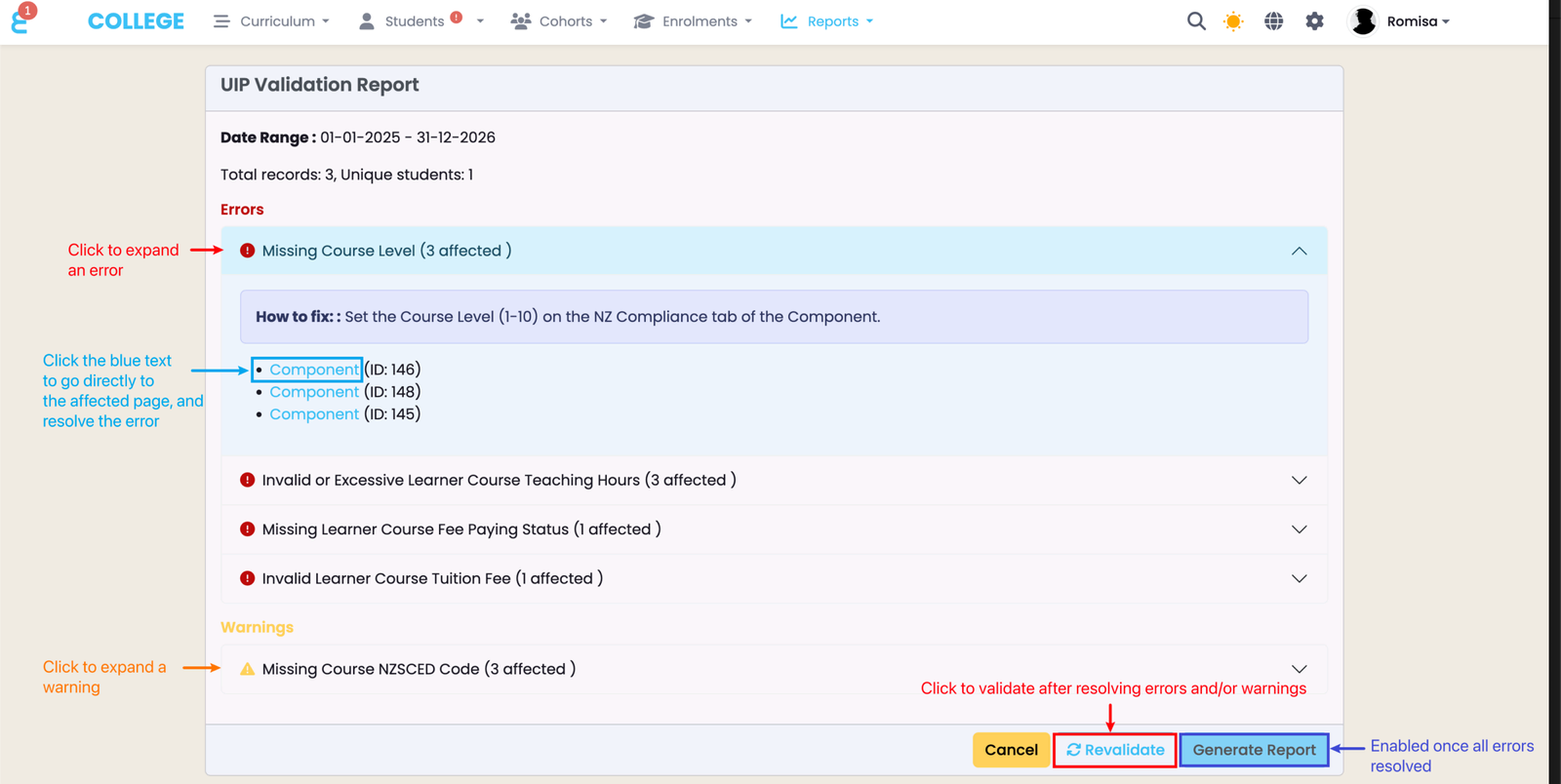
Expand error and warning messages, and click the corresponding hyperlinks to be taken to the affected page for resolution. While while warnings are optional, all errors must be resolved before the "Generate Report" button is enabled; revalidate the report to check.
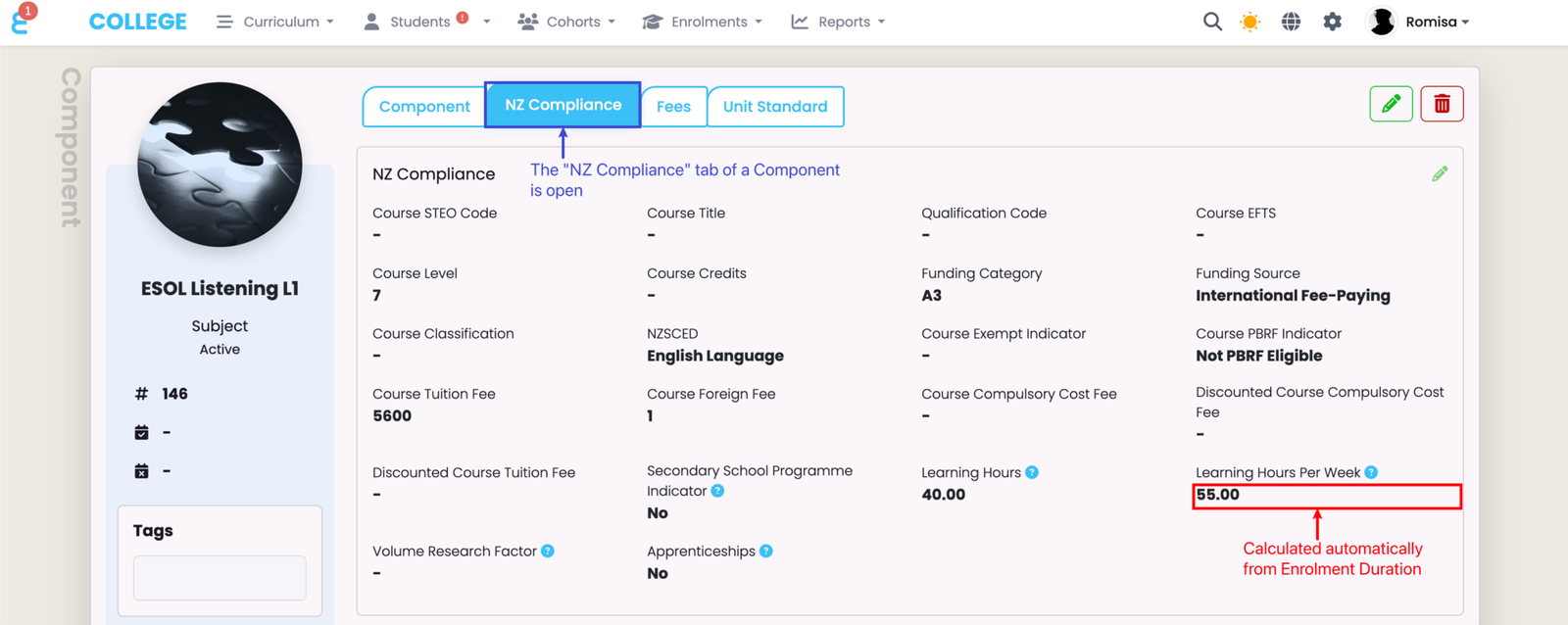
Learning hours per week varies per Enrolment, and is**** calculated from Enrolment duration.
Submit Report to the UIP Portal
Login to the UIP Portal site, using your provider credentials: https://uip.education.govt.nz , then read the following steps:
- Select Submit Data
- Upload the UIP .txt file
- Review any error messages shown in the portal
Resolve Errors
If your submitted UIP report returns errors in the UIP Portal, perform the following steps:
- Go back to SELMA
- Use the UIP Validation Report to resolve Errors
- Re-validate to check for remaining Errors and/or Warnings
- Generate a new UIP Report
- Re-submit the UIP Report via the UIP portal
Important Considerations
- Always retain a local copy of the uploaded file for audit purposes
- Run the export as close as possible to the submission deadline to ensure data is current
- Contact SELMA support if you require mapping customisations or encounter persistent formatting issues
- Do not submit a UIP report if you already submit SDR reports.
- If any Students are funded by the TEC, you must submit an SDR report of all Students - including unfunded International Students. Similarly, you must submit a UIP report if you have solely unfunded Students, including International and Domestic Students.
- Please read important information in the UIP Portal Guidelines as outlined by the TEC.
Last updated
08. National Student Index (NSI)
The NSI is New Zealand's national database of student identity data, and the way in which a unique identifier, termed the National Student Number…
10. ILN, WLN, ACE Reports
For New Zealand education providers delivering programmes funded under the Intensive Literacy and Numeracy (ILN), Workplace Literacy and Numeracy…