
Updated on
6. WBT Training Plan
A Training Plan is a formal document required for all NZ Apprenticeship (NZA) enrolments in NZ Work Based Training.
A Training Plan is a formal document required for all NZ Apprenticeship (NZA) enrolments in Work Based Training. It outlines the learning and development structure for the apprentice and is synced with DXP Ngā Kete.
- Linked to a Training Agreement (the contract with the employer and TEO).
- Created only for NZA study type enrolments (not Industry Training or Trades Academies).
- Required before Training Plan Visits (workplace supervision/assessment events) can be recorded.
Before a Training Plan can be created, you must have:
- A WBT-enabled student — Work Based Training checkbox ticked on Student > NZ Compliance.
- An active Training Agreement — signed and synced with the student’s employer.
- An enrolment with Study Type Code set to NZA (New Zealand Apprenticeship).
- Enrolment is linked to a Training Agreement, both are synced to DXP.
Create Training Plan
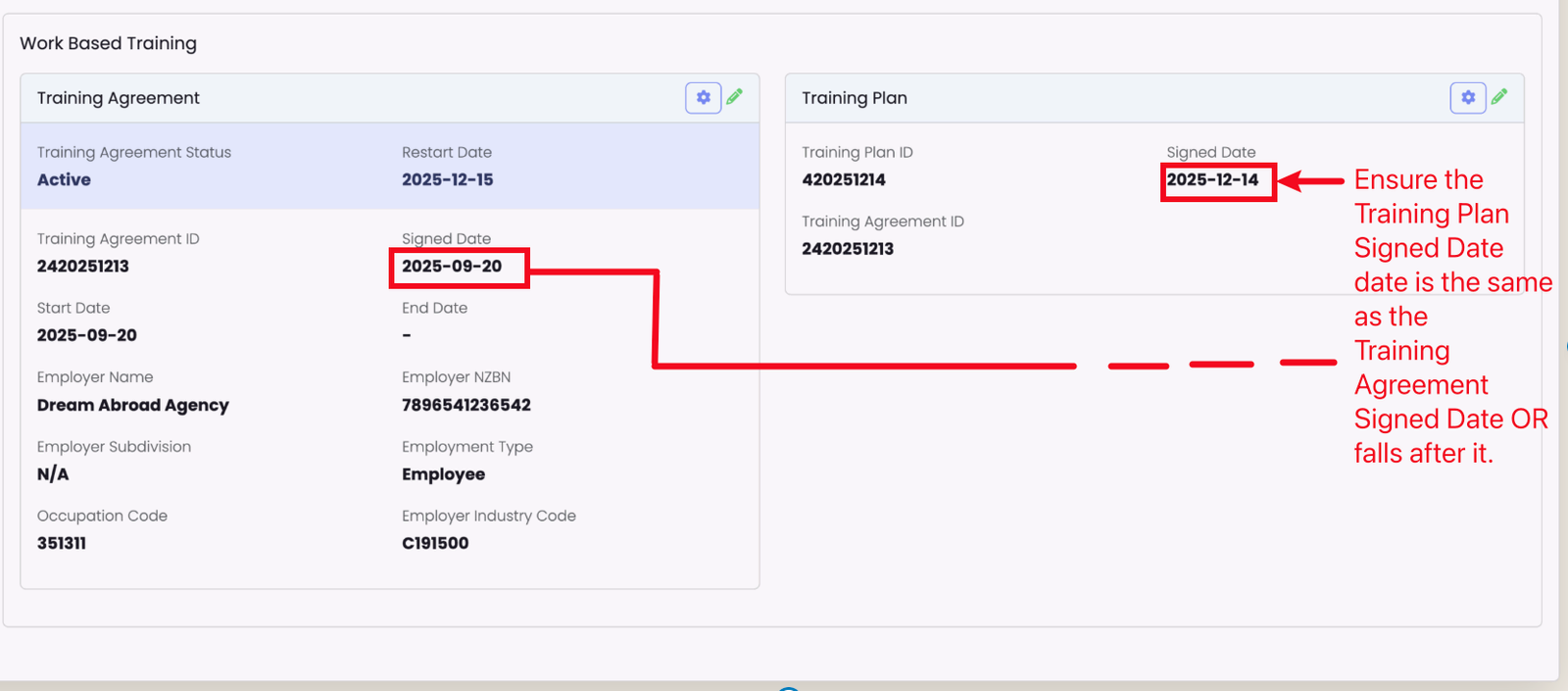
The Training Plan is displayed on the Student profile page, adjacent to the Training Agreement.
On the Student:
- Navigate to Student > NZ Compliance tab and locate the Training Plan card (adjacent to Training Agreement).
- The student must have a current, valid NZA Enrolment and Training Agreement in WBT before a Training Plan can be created.
- Use the cog icon to:
- Create TP — pushes the Training Plan to DXP. Training Plan Signed Date must be on or after the associated Training Agreement Signed date.
- Update TP — pushes edits to DXP.
- Fetch TP — pulls the DXP copy back into SELMA.
Alternatively, on the Enrolment:
- Open the Enrolment > NZ Compliance tab.
- Click Create Training Plan.
- Set the Signed Date (defaults to the enrolment start date if left blank).
- Click Save.
Create Training Plan Visits
Once a Training Plan is created, you can record Training Plan Visits, which are formal workplace supervision or assessment events.
To create a visit:
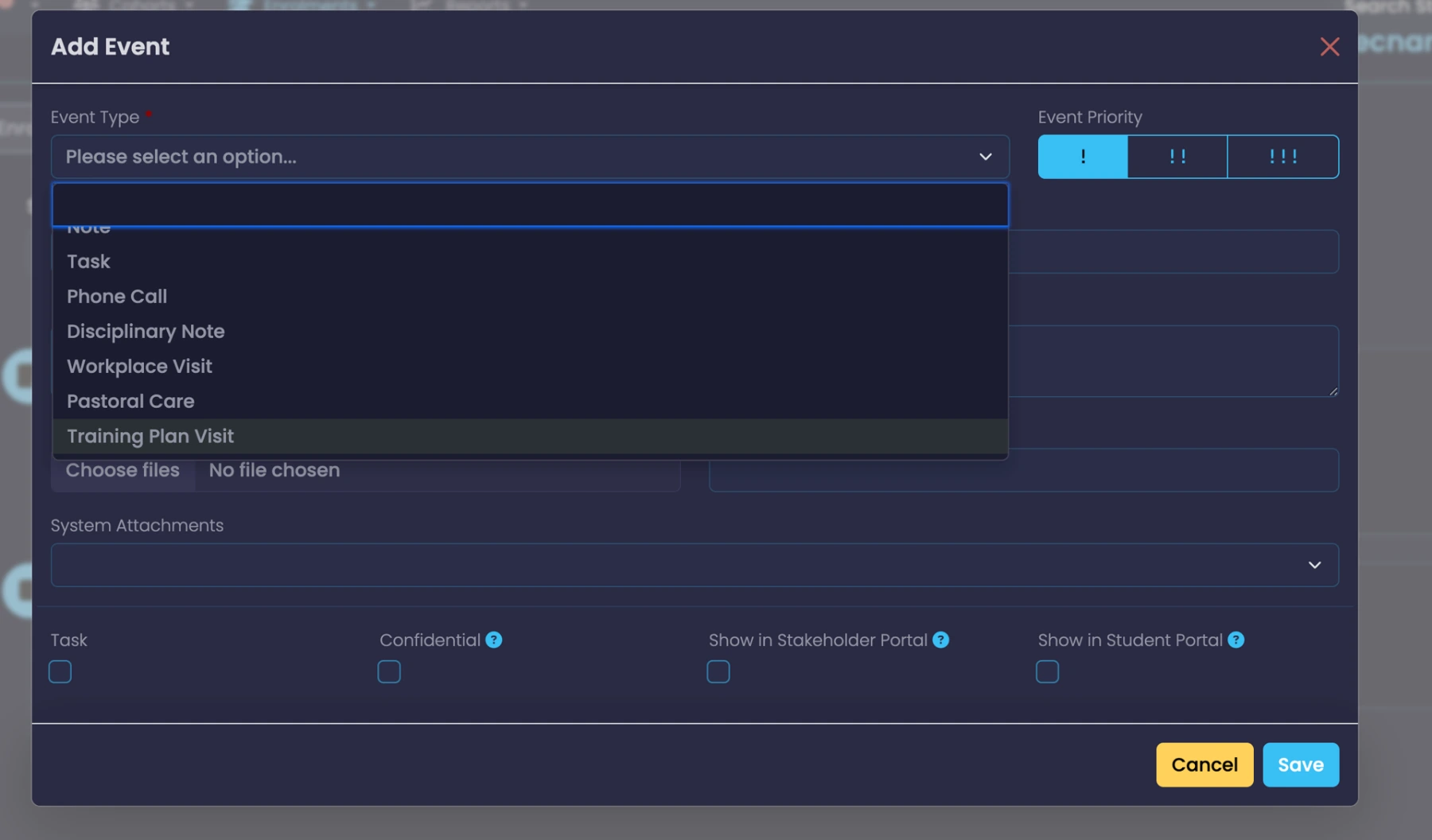
- Navigate to the Enrolment > Events tab. Click on “+ Add Event“.
- Create a new event and select Training Plan Visit as the type.
- Visit Date defaults to the date when event is created in SELMA.
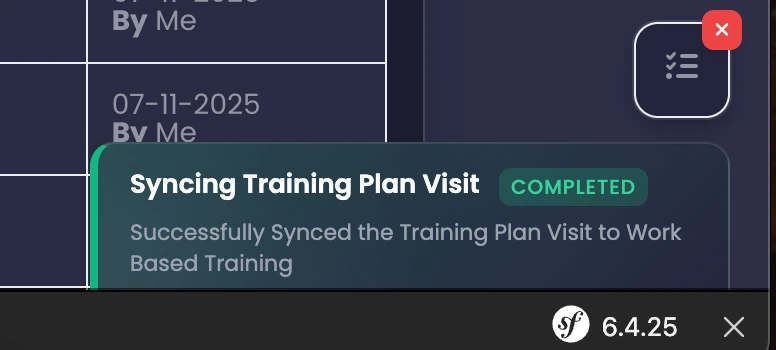
- Enter all necessary details and Save: SELMA sends this to WBT in the background. You’ll see a Pending → Success / Error notification status.
- If an error occurs, check the Integration Logs, fix the issue, then re-save the event. SELMA will handle create vs. update automatically without duplication.
Key Constraints
- Multiple visits on the same date not allowed — only one visit per learner per calendar day.
- One active Training Plan per NZA enrolment — you cannot have multiple training plans for the same apprentice.
- Training Plan Signed Date must be signed on or after Training Agreement Signed Date
- Visits must be within the Training Plan date range — a visit date cannot be before the plan start or after the plan end date.
Last updated
Was this page helpful?