7. Tag Manager

A tag manager in a student management system is a tool that allows administrators, teachers, and other staff to assign and manage tags (or labels) to students, courses, or other entities within the system.

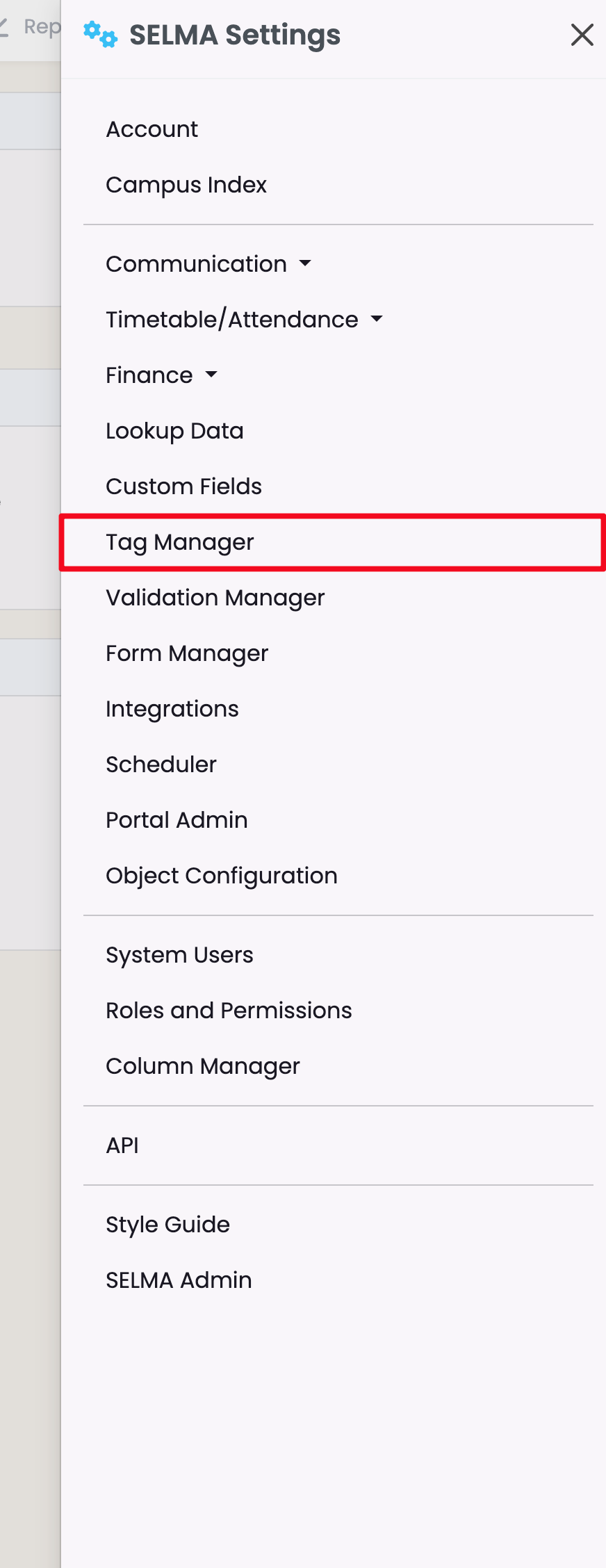
To access the Tag Manager in SELMA click on Settings -> Tag Manager

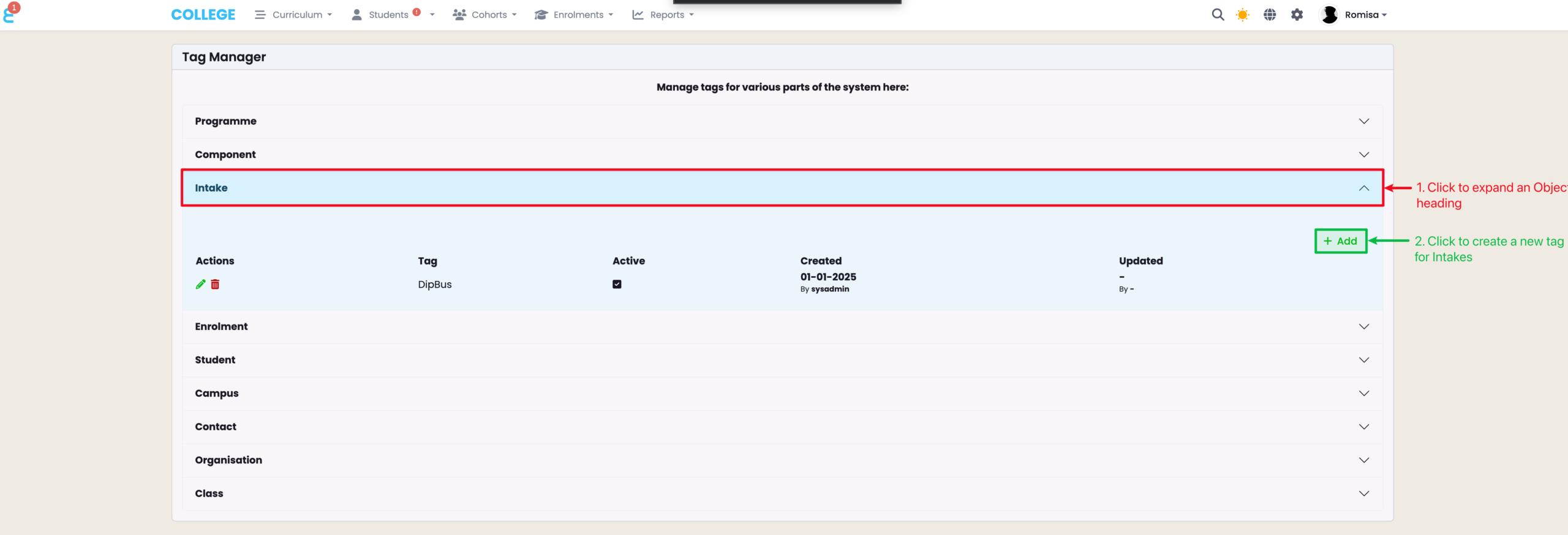
From here tags can be managed for various parts of the SELMA system. Tags are used to classify certain batches of information and is also used as an additional search method.

To add a tag click on the relevant section and then click on ‘Add’

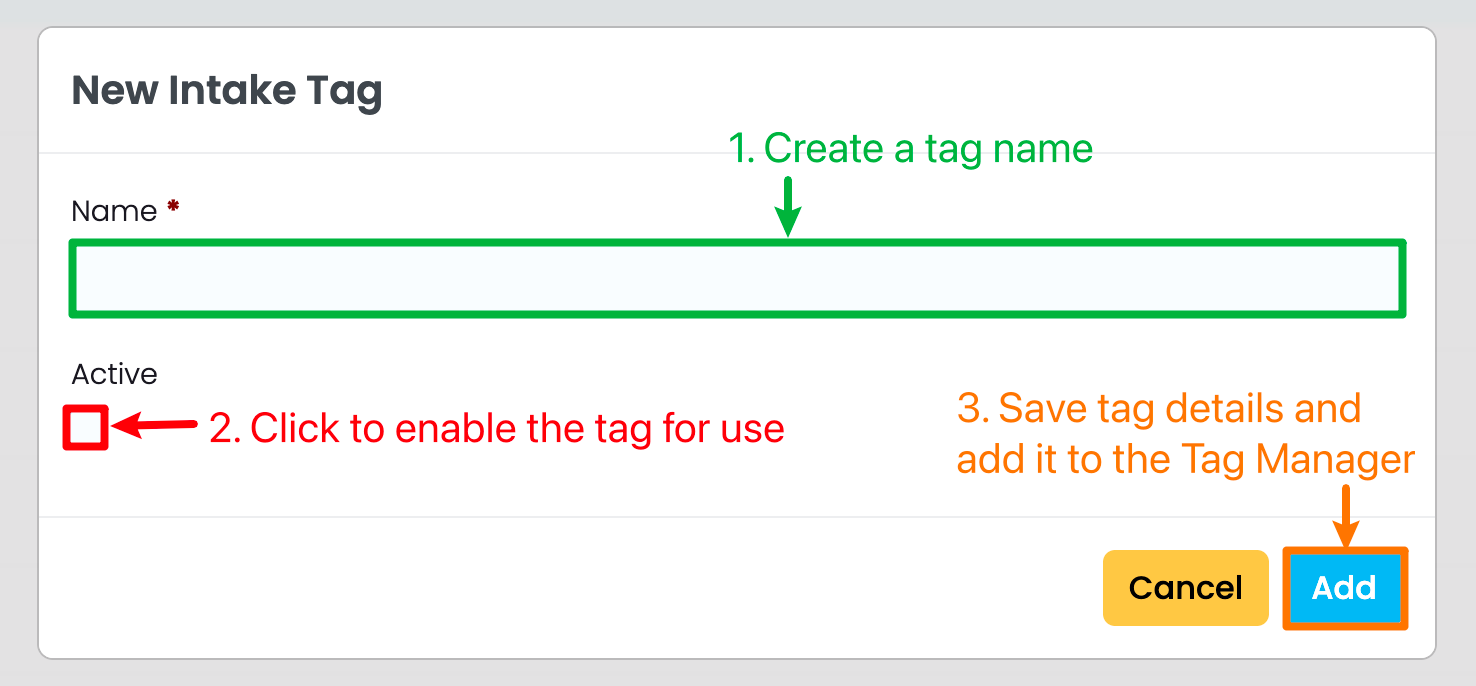
Fill in the Tag details, ensure that you have made it active and then click on ‘Add’

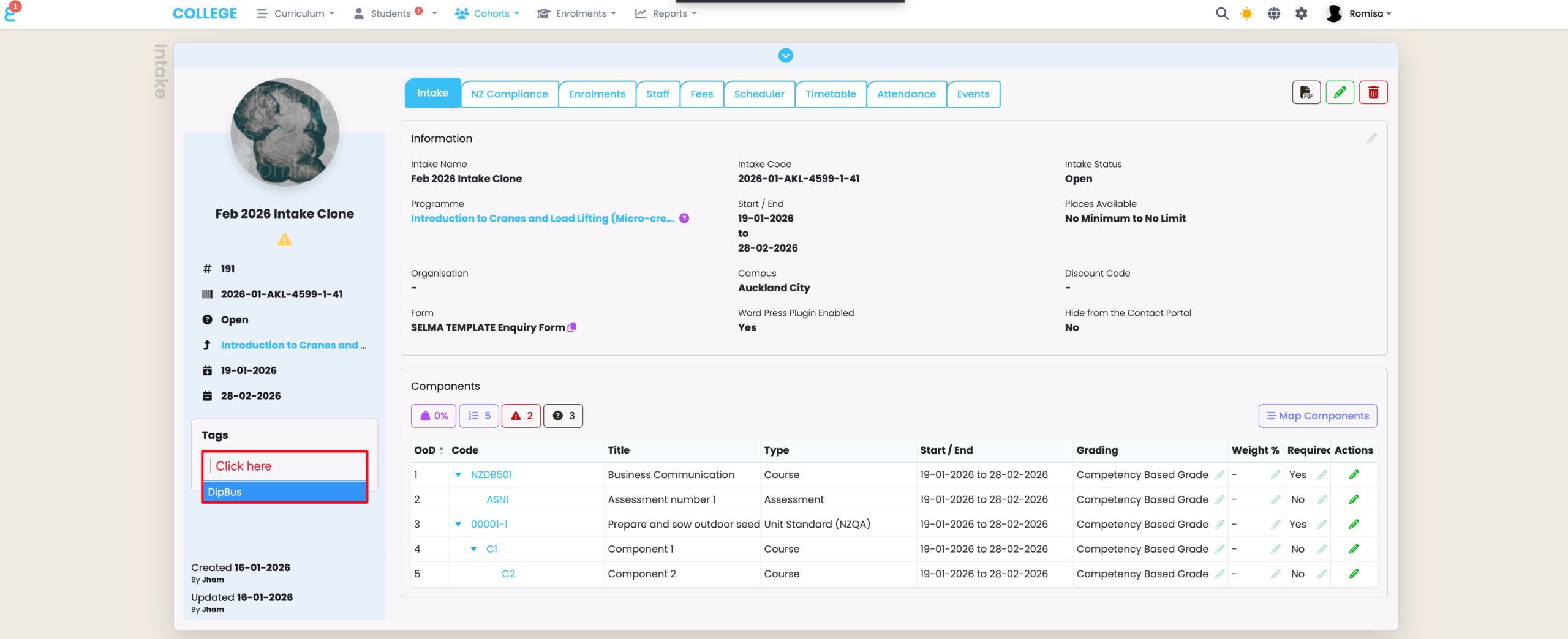
The tag created in this example – Payment Plan – can now be accessed and added to Student Profiles –

Related Articles

9. Form Manager

In this Section: Access the Form Manager The Form Builder is an additional paid feature to your SELMA subscription plan. Figure 1. Navigation Bar Click the cog icon in the top navigation bar. Figure 1ii. Settings Panel Click “Form Manager“. Form Manager Overview The Form Manager allows you to create and store Enquiry and Enrolment …

1. Account

In this Section: Find your Account Details Figure 1. Navigation Bar Click the cog icon in the top navigation bar (red). Figure 1ii. Settings Panel Click “Account“. Account Tab The Account tab is where you can make changes to the basic details set-up by SELMA. Figure 2. Key Details Set-up key parameters such as your …

2. Campus Index, Rooms and Holidays

In this Section: Access the Campus Index Figure 1. Navigation Bar Click the cog icon in the top navigation bar. Figure 1ii. Settings Panel Click “Campus Index“. Add a New Campus Here, you can add new Campuses for your school, and view and manage them all in one place. Figure 2i. Create New Campus Click …

6. Lookup Data

Navigate to Settings (Cog) -> Lookup Data This section allows you to manage lookup data in drop down lists available across multiple functions in SELMA, such as “Contact Types” or “Withdrawal Reasons”. The following lookup data tables are available for configuration: Items represented by a tool icon are system default values and cannot be deleted …