
On this page:
Curriculum Overview
At a high level, SELMA manages two different Curriculum items – Programmes and Components.
Programmes are structured pathways through which learners can develop specific skills and receive recognised certification from your institution. A programme can be:
- Your qualifications on offer
- A course you sell
→ Click here to read about Programmes and NZ Compliance
In New Zealand, programmes and courses can be officially reported to DXP Ngā Kete (as of early 2025) through Single Data Return (SDR).
SELMA gives you the option to indicate exactly which items must be reported by selecting a return type “SDR” when creating a course and/or programme.
Or else, if a certain assessment or course offered is irrelevant for SDR purposes, it can be excluded from the reporting by selecting “No Return”, remaining in SELMA as an internal tracker for the education provider. Further details are covered on the chapter Programmes.
Components make up the structure of a Programme and are organised to deliver specific learning outcomes. A component can be:
- A Course or Module (similar naming alternatives can be applied)
- A Unit Standard (NZQA-specific component)
- A subject
- An assessment
Manage Curriculum
The curriculum is created and maintained by anyone who is assigned a “Registrar” role in SELMA.
However, to find the Curriculum Index all users can navigate to Curriculum > Curriculum Index.
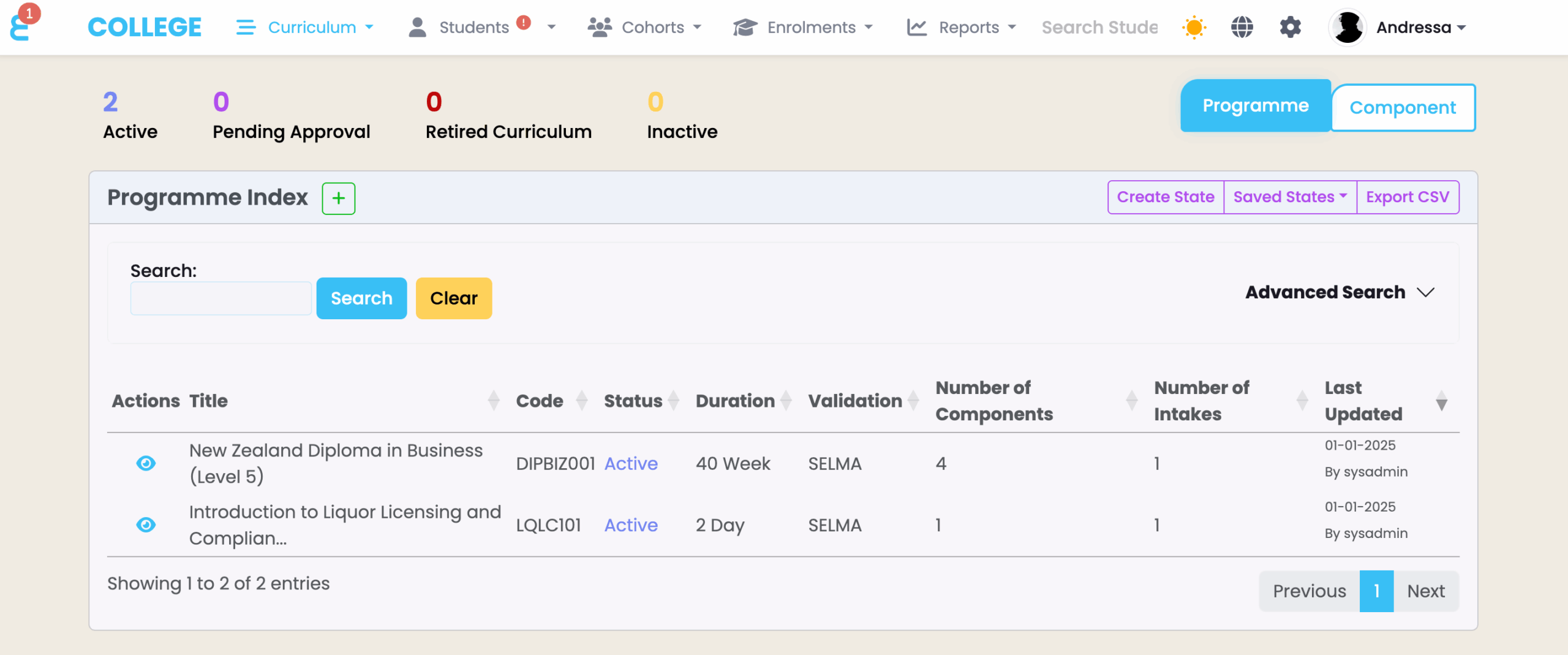
There, you can see a grid-style table containing all curriculum items i.e. Programmes and Components (Figure 1.).
Please refer to Tips and Tricks for Using SELMA Productively to better understand how to use grid displays in SELMA.
Figure 1. Programme Index grid display under Curriculum Index
Curriculum Setup
To set up your curriculum:
- Create a programme
- Create the components that belong to the programme
- Map the components into the programme
These steps require time and attention when being set-up for the first time.
However, once the curriculum is set-up, it typically remains unchanged throughout the academic year and ensures accurate and complete information in the long-term.
Take Caution: All information must be accurate and verified as per regulatory standards. Failing to comply could result in incorrect compliance information and reporting which may affect your institute’s permissions and/or entitlements.