
2. Campus Index, Rooms and Holidays

In this Section:


Access the Campus Index

Figure 1. Navigation Bar

Click the cog icon in the top navigation bar.
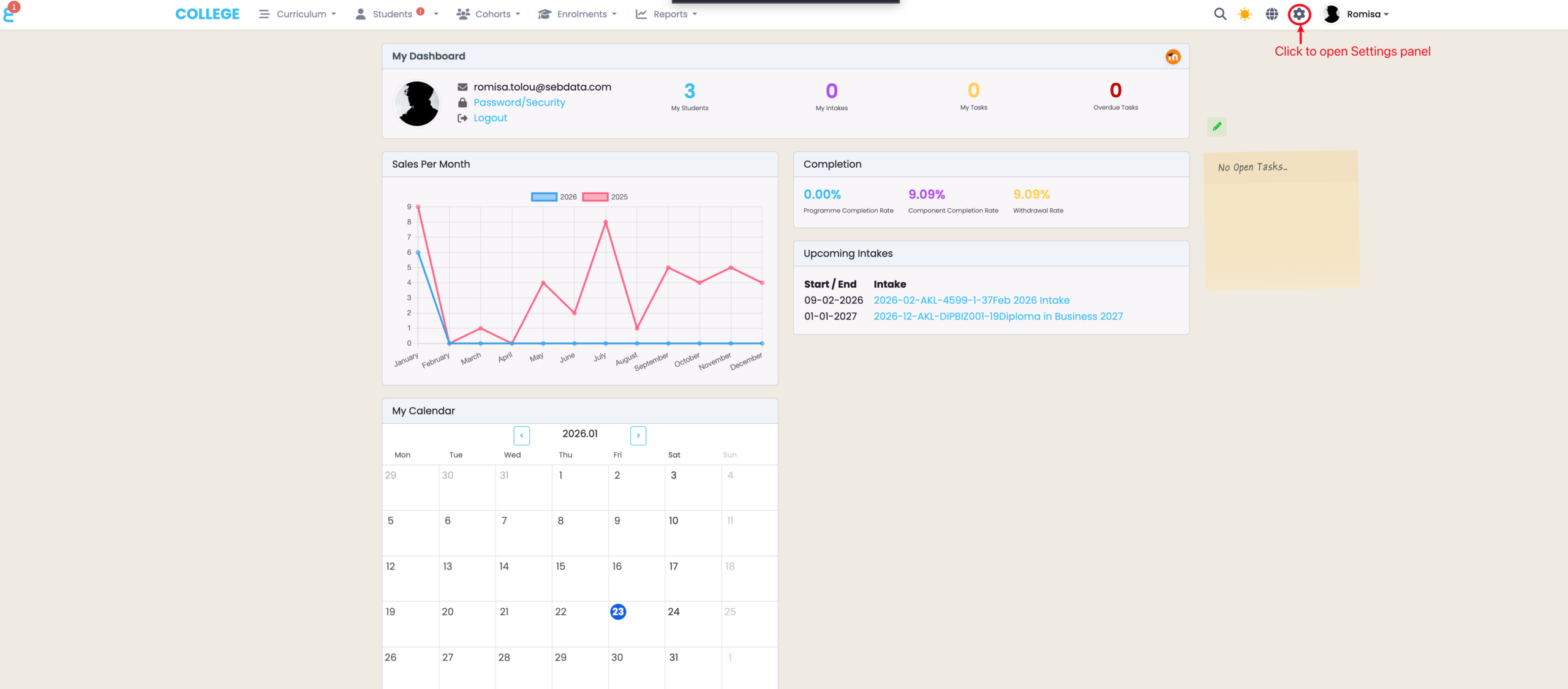
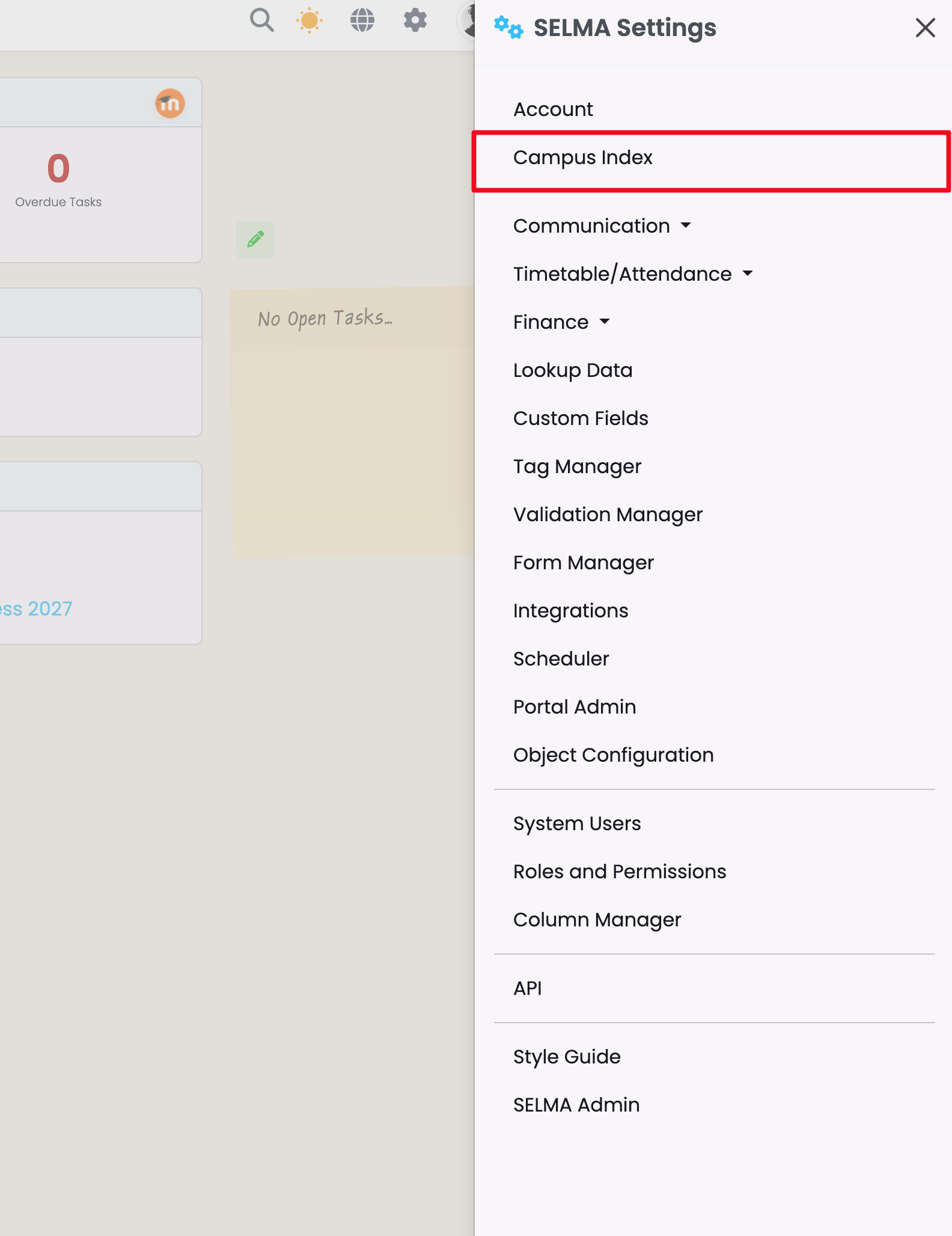
Figure 1ii. Settings Panel

Click “Campus Index“.

Add a New Campus

Here, you can add new Campuses for your school, and view and manage them all in one place.

Figure 2i. Create New Campus

Click on the green plus sign to add a new campus.
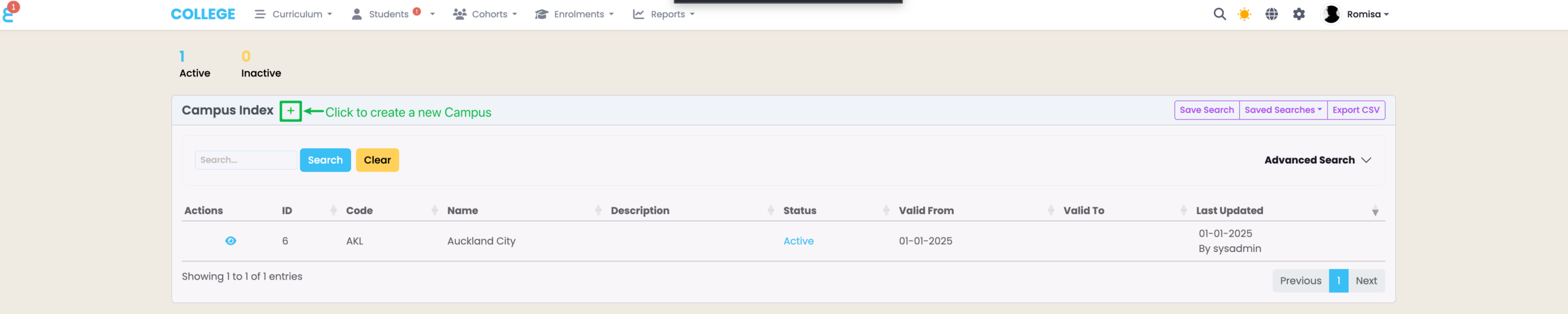
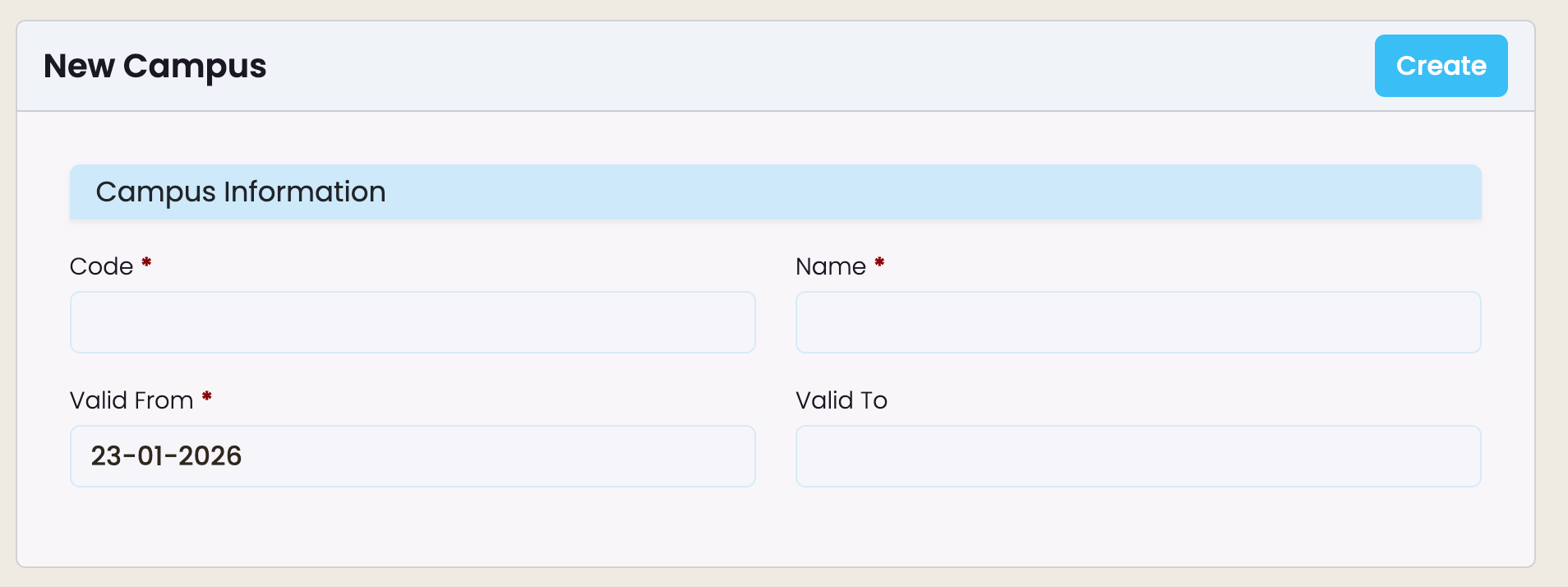
Figure 2ii. Add Campus Details

Add the required details, as indicated by red asterisks. Note: the Campus “code” will be used to generate Intake codes.

View and Edit Campus Details

Figure 4. Campus Actions

Click on the eye icon to view and edit the campus details as well as compliance requirements if applicable.


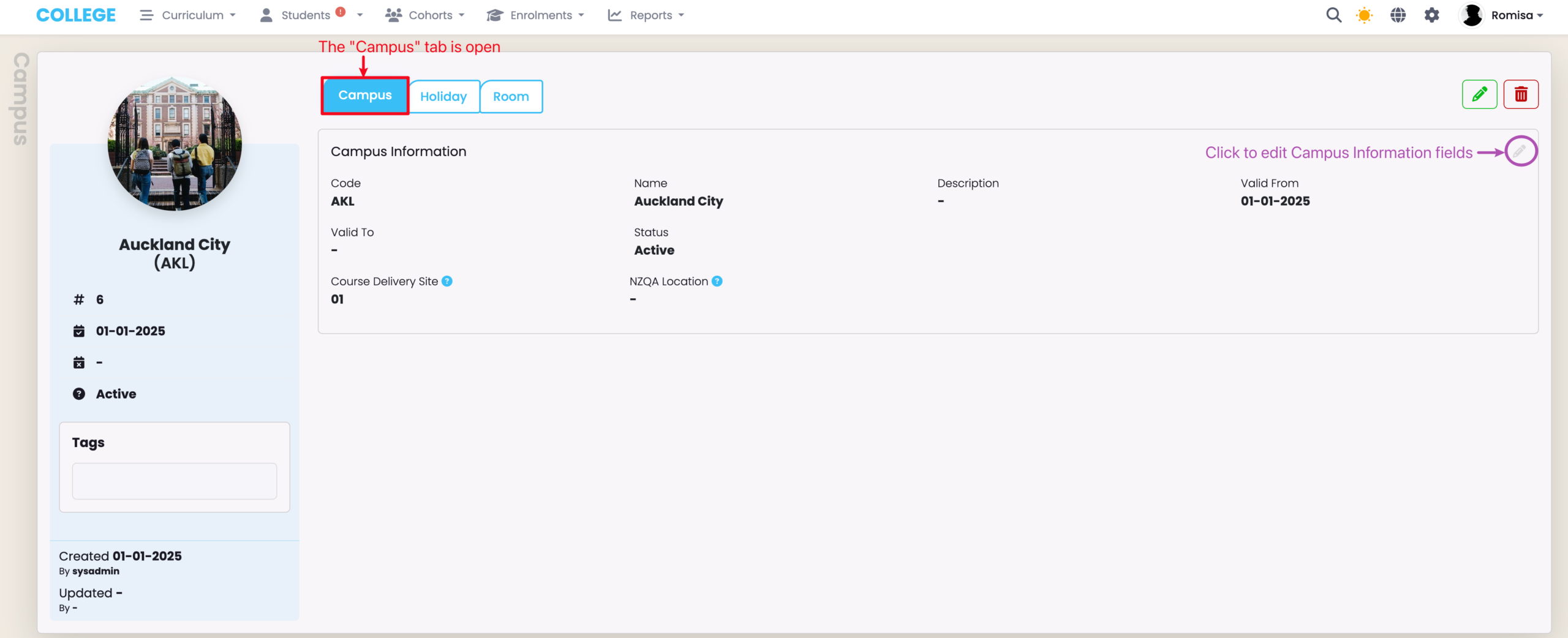
Campus Tab

Figure 5. Campus Details

Editable field details on the Campus tab.

AUS Compliance Tab

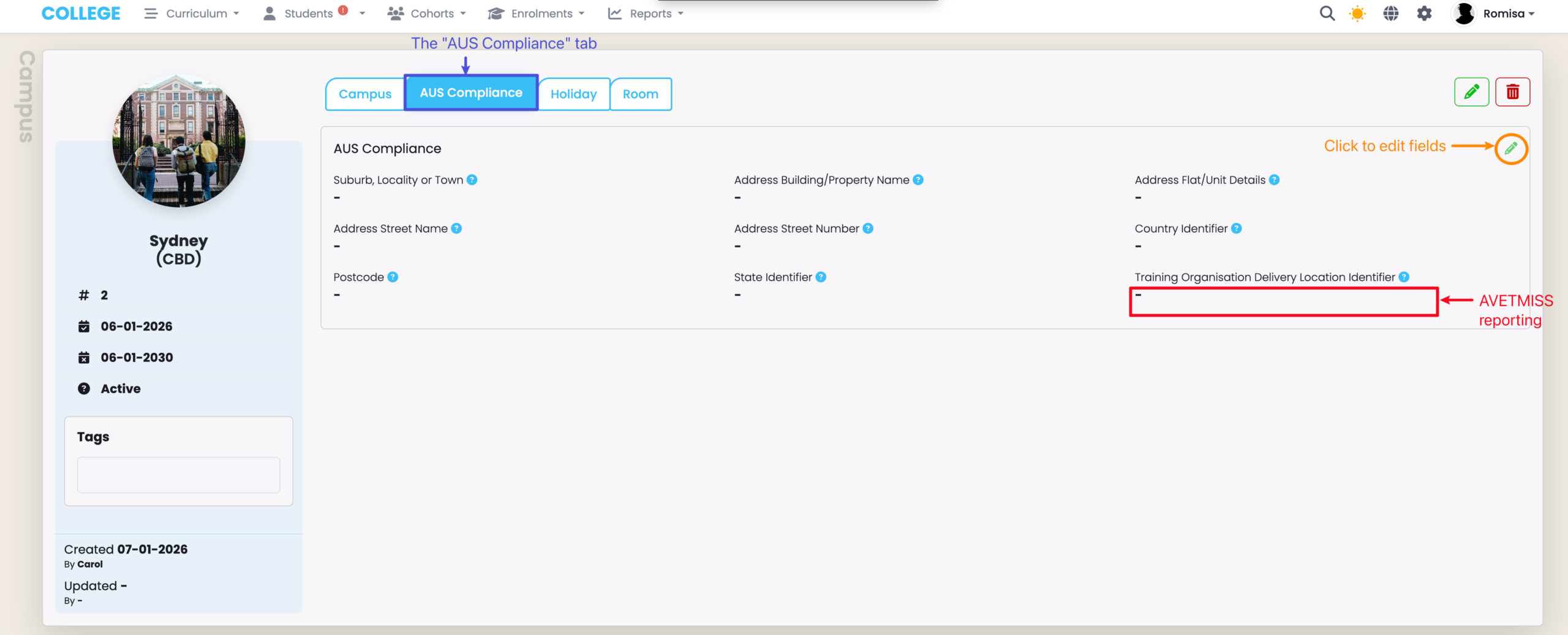
The “AUS Compliance” tab is available on the Campus profile for Australian providers only.

Figure 6. AUS Compliance Details

Details on AUS Compliance tab:

Holiday Tab

Campus holidays automatically block the ability to mark attendance on the dates provided, and improve the accuracy of attendance marking.

Figure 7i. Create New Holiday

To create a new holiday, click on the “+Add” button (orange).
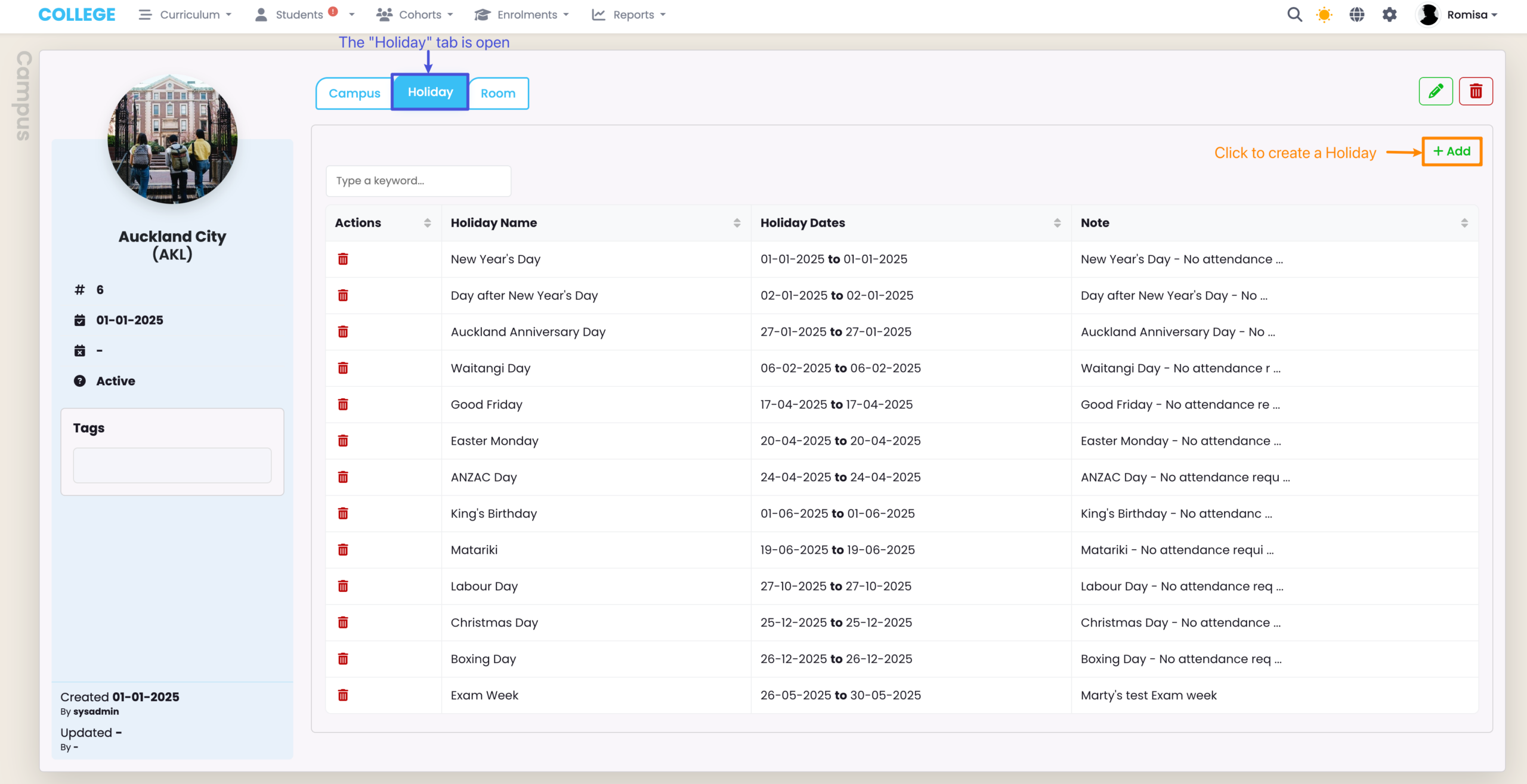
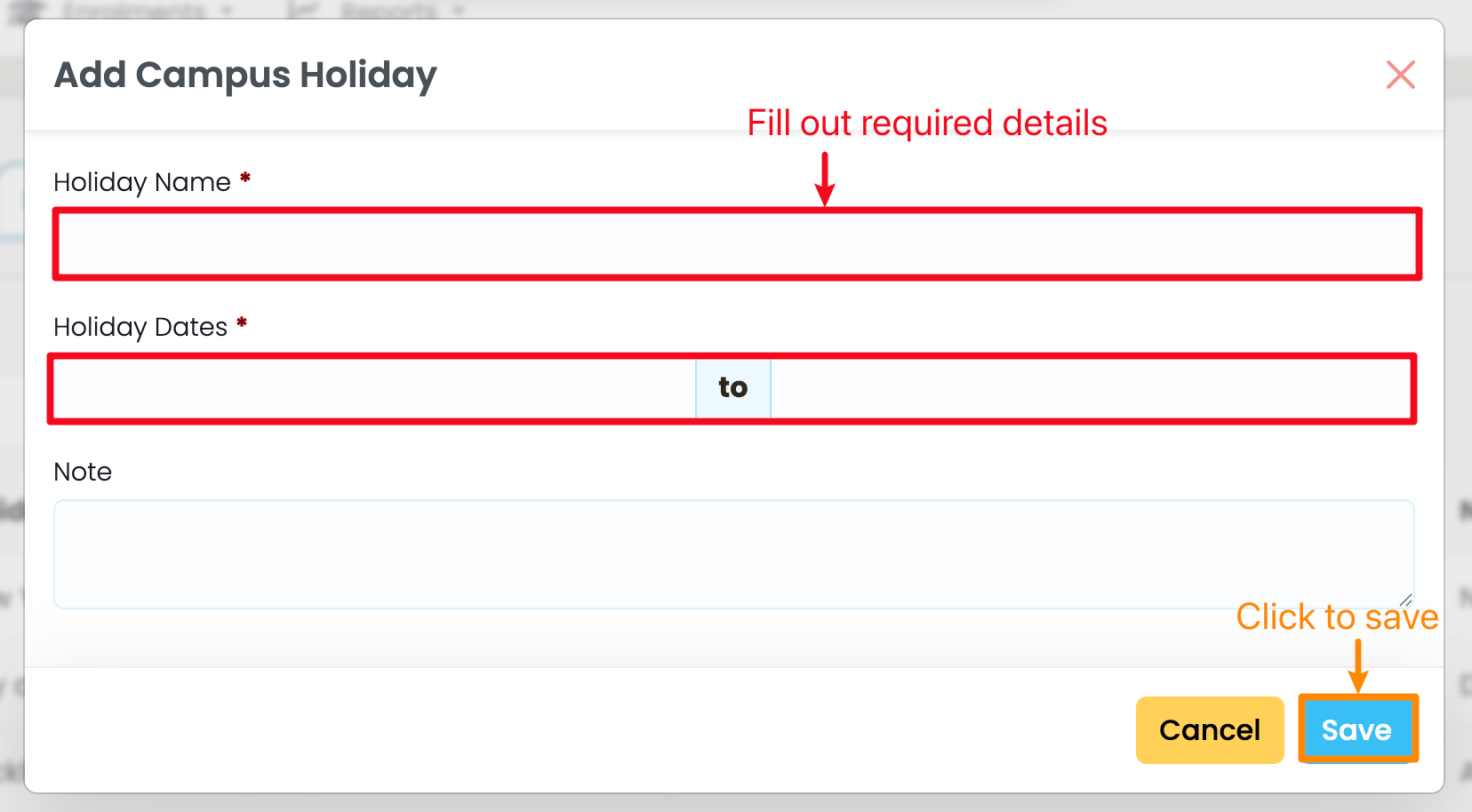
Figure 7ii. Add Holiday Details

Editable field details on the Holiday tab.

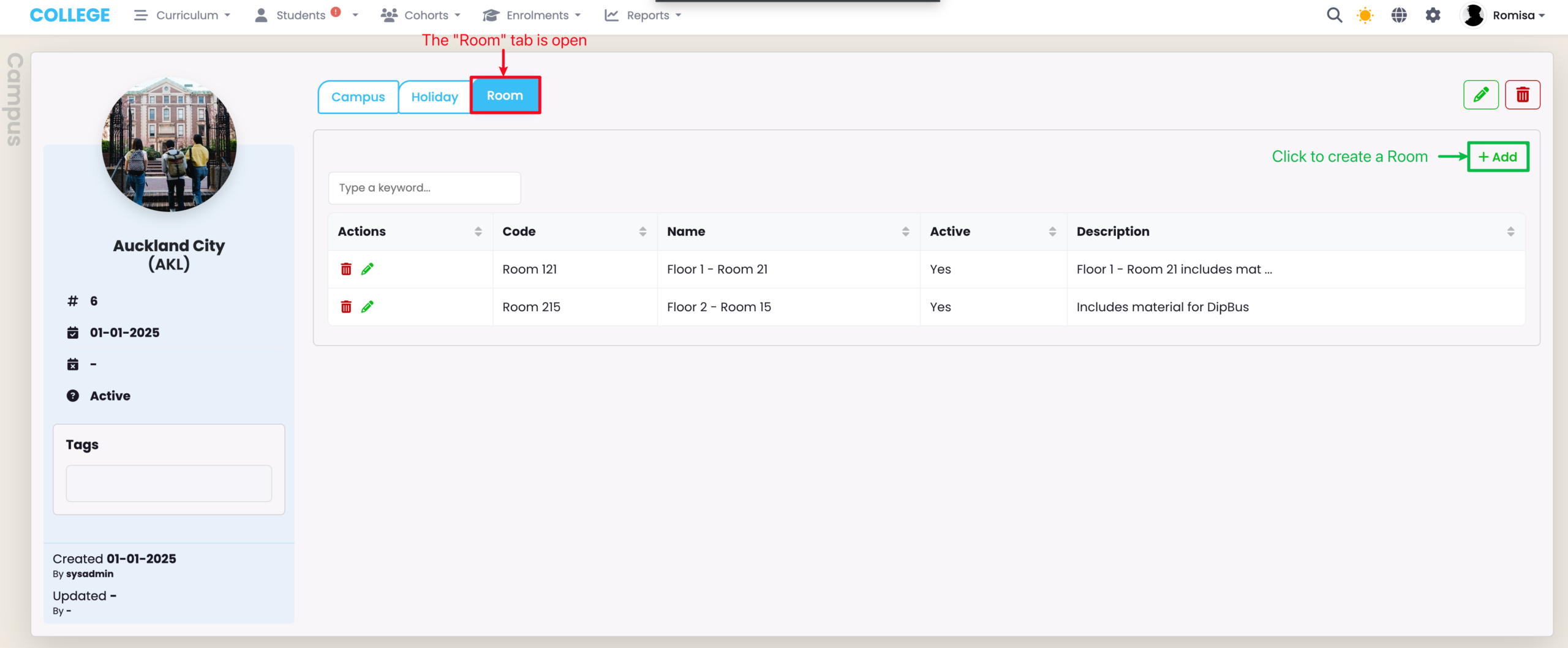
Room Tab

Rooms may be used on timetables, and are created and managed for each Campus.

Figure 9. Create a Room
Related Articles

6. Lookup Data

Navigate to Settings (Cog) -> Lookup Data This section allows you to manage lookup data in drop down lists available across multiple functions in SELMA, such as “Contact Types” or “Withdrawal Reasons”. The following lookup data tables are available for configuration: Items represented by a tool icon are system default values and cannot be deleted …

9. Form Manager

In this Section: Access the Form Manager The Form Builder is an additional paid feature to your SELMA subscription plan. Figure 1. Navigation Bar Click the cog icon in the top navigation bar. Figure 1ii. Settings Panel Click “Form Manager“. Form Manager Overview The Form Manager allows you to create and store Enquiry and Enrolment …

8. Validation Manager

Here’s the overview of the items in this wiki:  Validation Manager Set-up Add New Validation Edit Validation Rule Delete Validation Student Validation Programme Validation Intake Enrolment Validation Validation Manager Set-up Your account will come with a default validation configuration called ‘SELMA’. This can be configured based on your own specifications, or you can leave it …

3. Communication Templates

On this page: . Navigate to Settings (Cog) -> Communication Templates The most effective way of using comms in SELMA by creating templates. You can create templates for Emails, Email Attachments (PDF documents) and Text Messages. Templates are managed in sections on the comms grid where you can create, search, edit, preview or delete. To …