To submit delivery data related to Work-Based learning, you must set-up the Work Based Training Integration in SELMA. This will link the data from the TEC to SELMA, via the WBT API.
In this Section:
WBT Configuration
Figure 1i. Navigate to Settings > Integrations
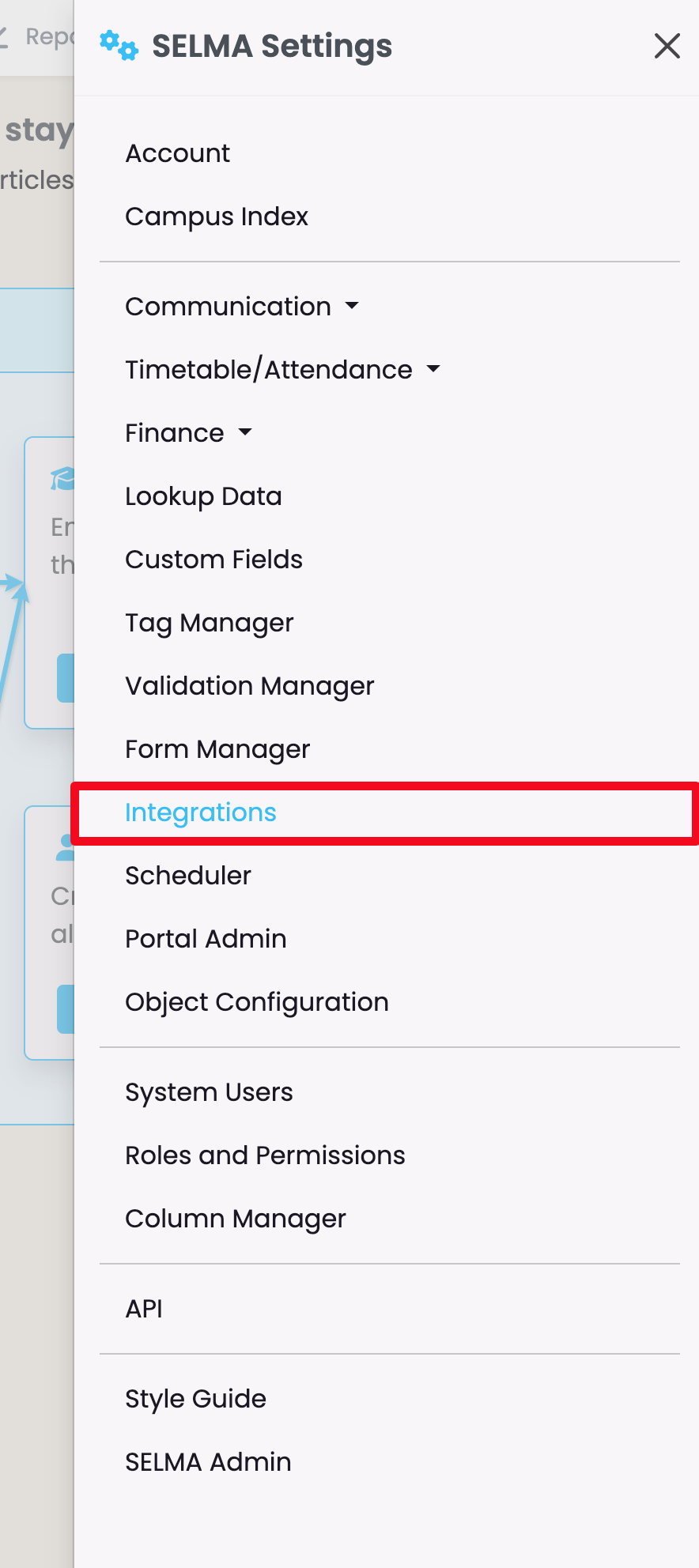
Figure 1ii. Work Based Training
Select the Integration: Work Based Training.
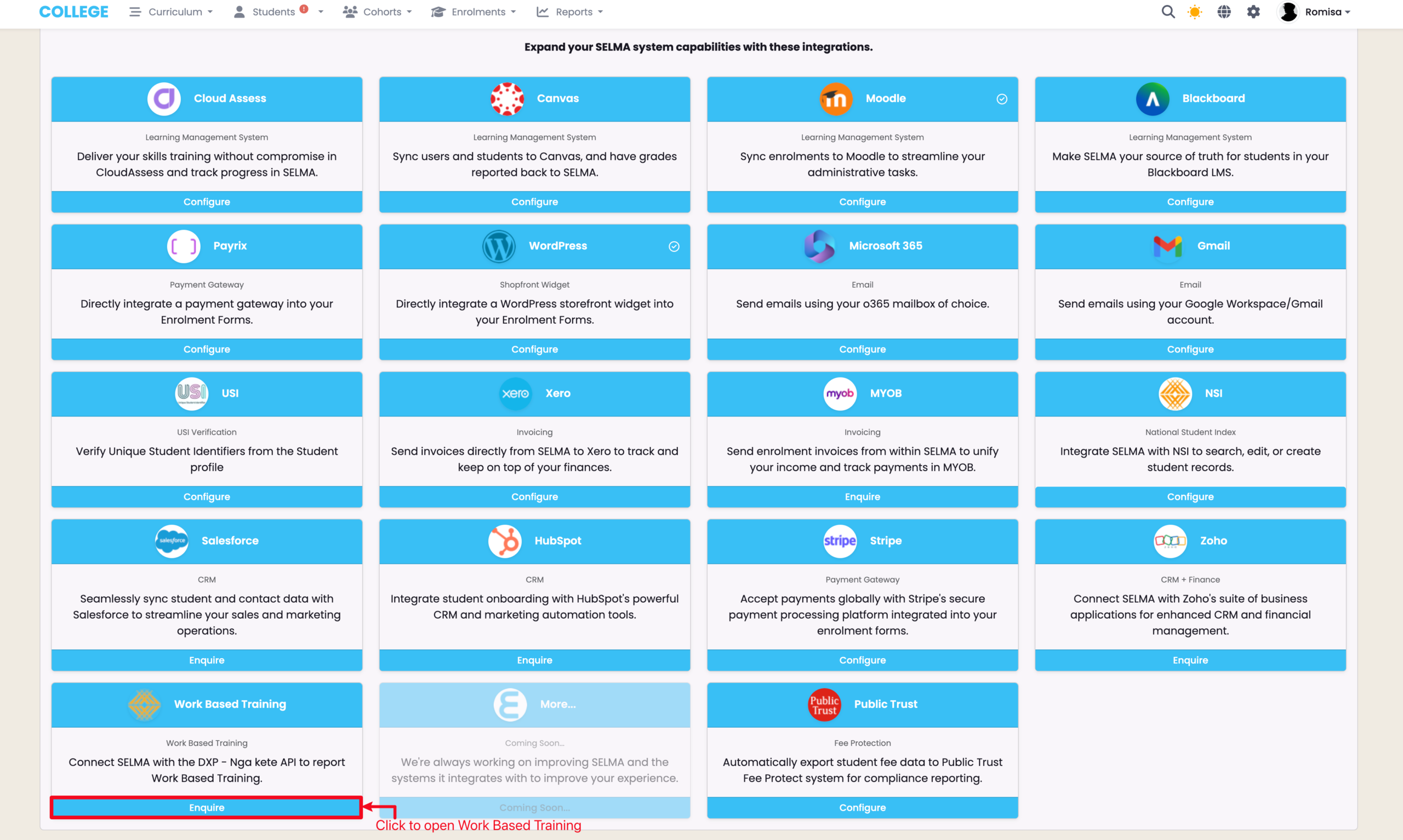
Figure 1iii. WBT Configuration
Click the heading “Configuration” to expand the drop-down.
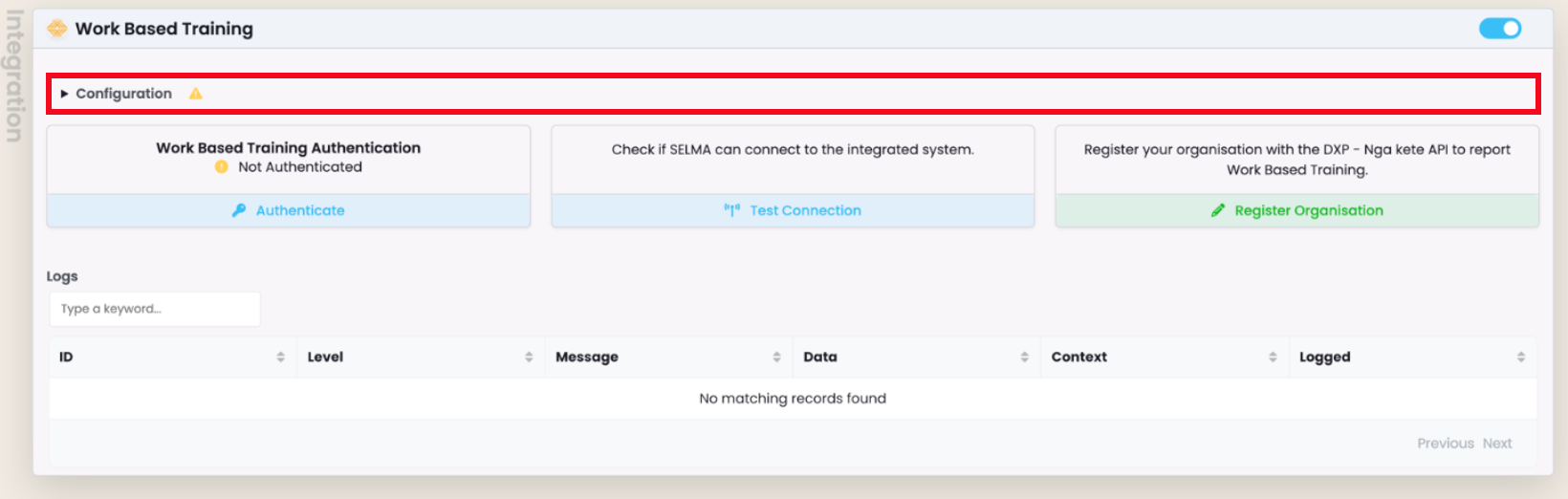
Figure 1iv. Enter Machine Account Details
Enter the relevant credentials in the fields below.* You can fetch these from your Machine Account in the DXP Ngā Kete.
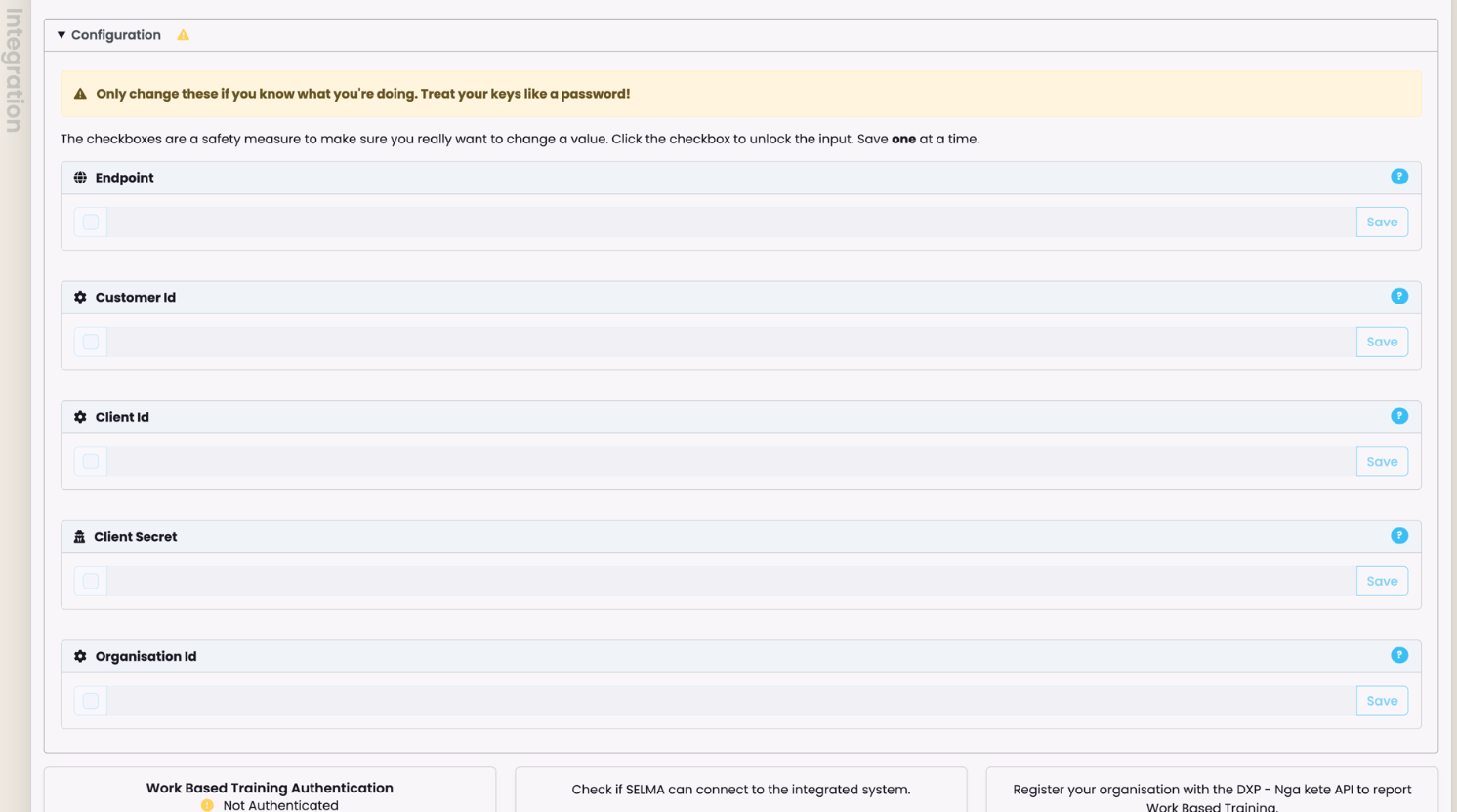
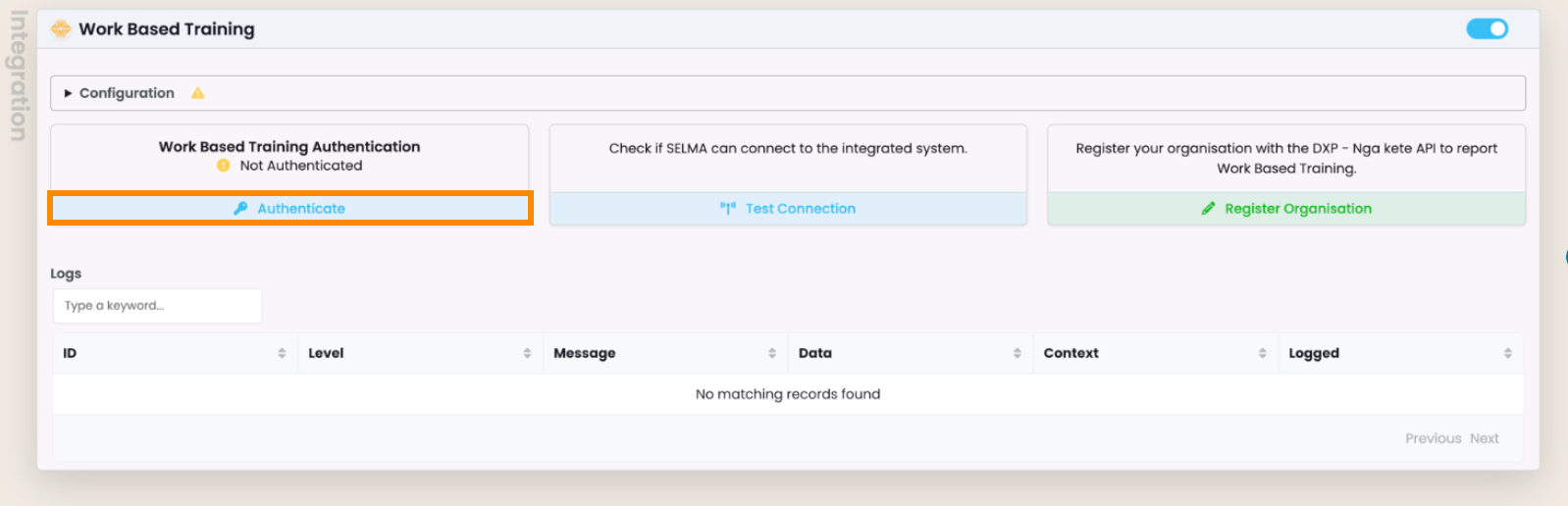
Figure 1v. Authentication Token
Click the “Authenticate” button to fetch a token to submit to the DXP Ngā Kete.
NOTE: There is a 20 minute expiry time on a newly generated authentication token. Click the “Re-authenticate” button to generate a new token.
WBT Logs
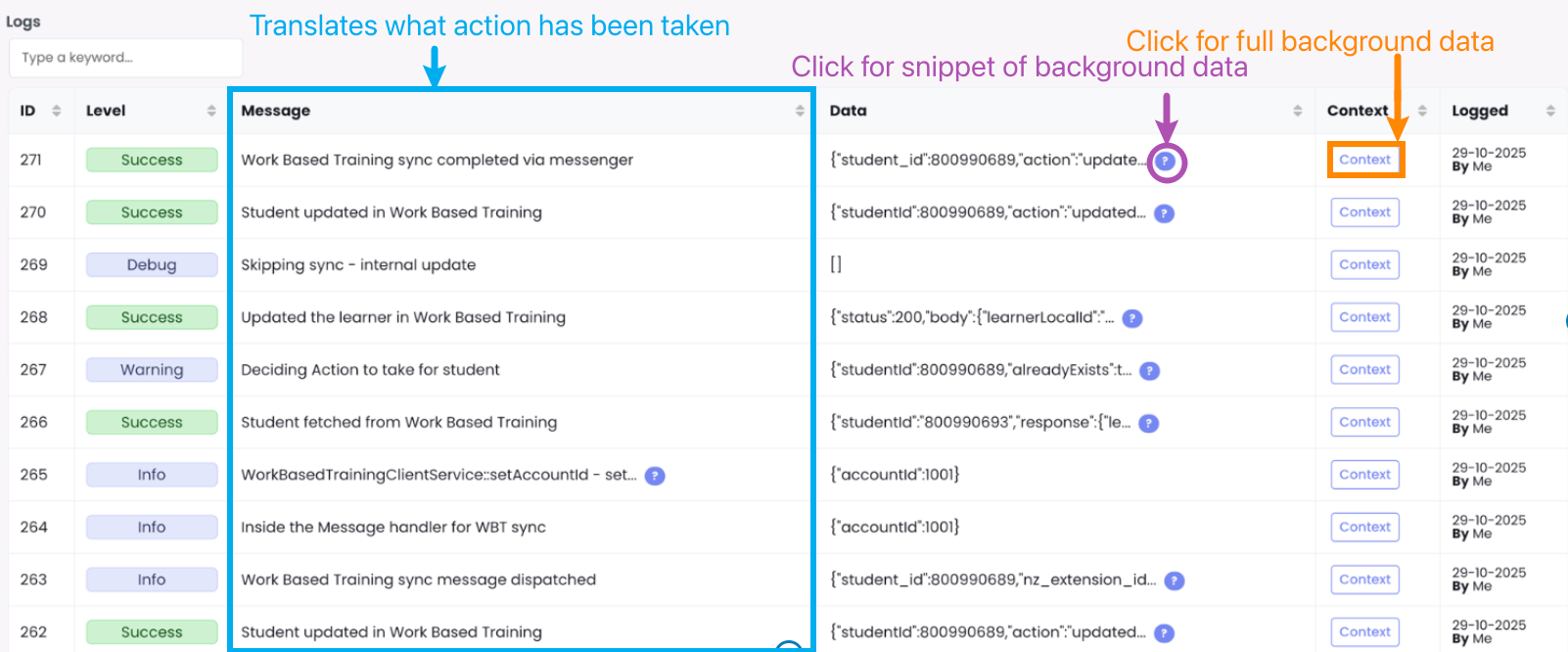
The WBT Integration logs reveal all types of actions that have been performed in SELMA in the background.
Figure 2. See System Information
Click the purple help icon to see a snippet of the raw data, or click the “Context” button to display the full code. The “Message” column is a translation of the raw data, for quick review of what’s occurred.