In this Section:
Scheduler Tab
The Scheduler tab on an Intake is used to create schedules for:
- Internal Enrolment assignments for your staff members
- Sending emails to Students using Communication Templates
- For a guide on creating a Communication Template, refer to System Settings – Communication Templates.
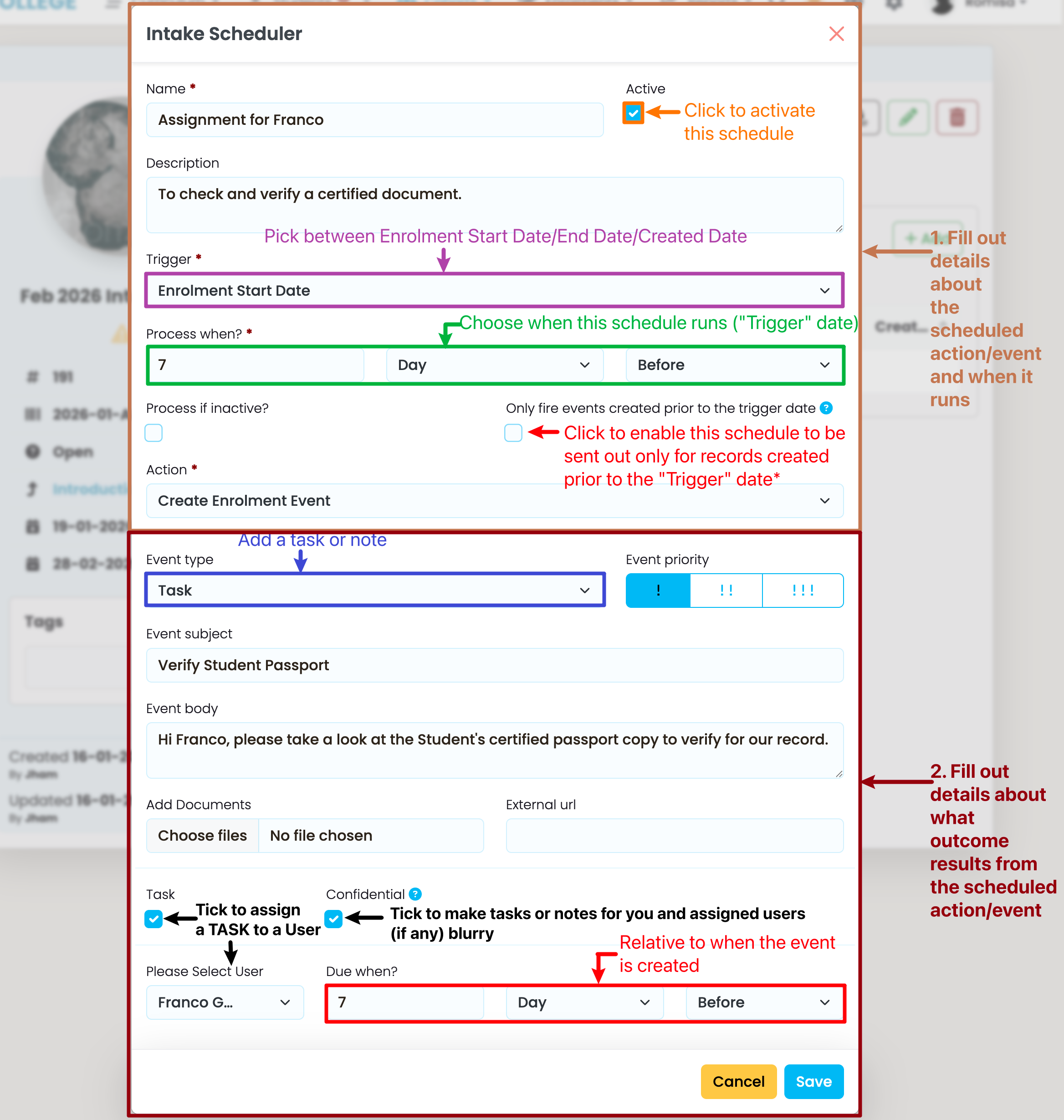
Create Enrolment Event
An Enrolment Event assigns notes and tasks to staff members, within SELMA.
Figure 1. Set Enrolment Event Parameters and Outcomes
Create an Enrolment Event by providing the details necessary for the schedule to run, and result in the necessary outcomes (Steps 1-2).
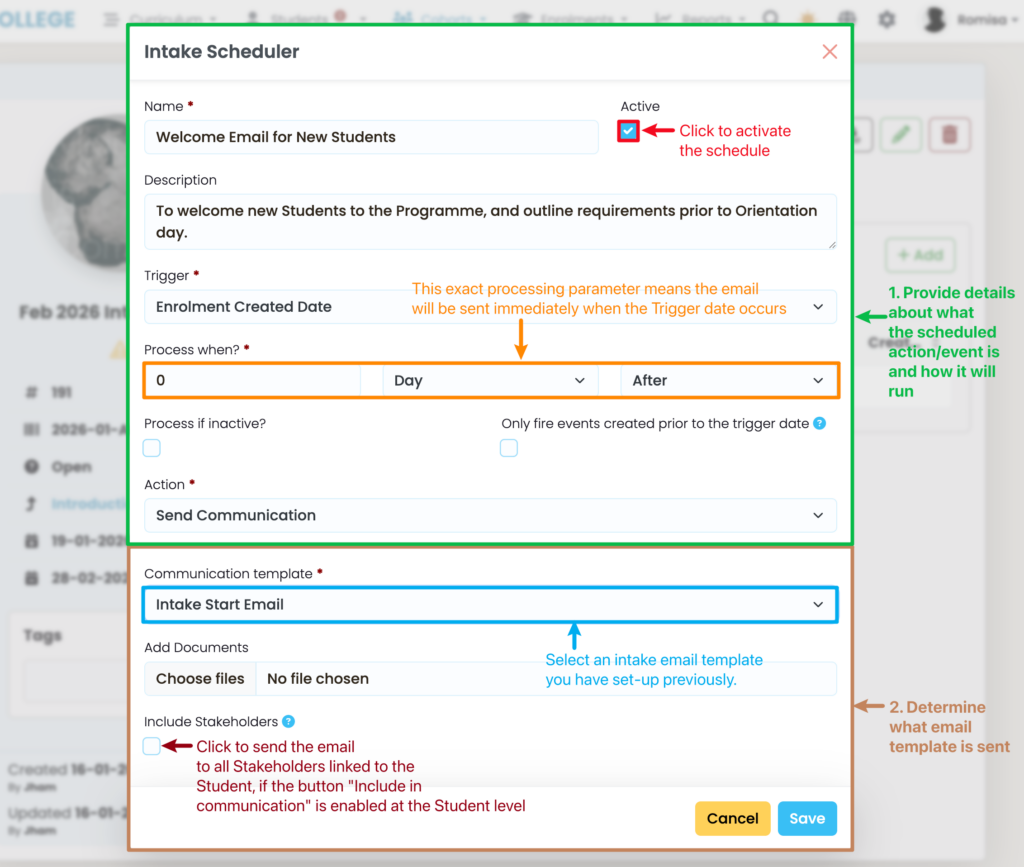
Send Communication
This action sends an email to Students enrolled within an Intake, externally.
Figure 2. Set Email Parameters and Outcomes