
Enabling the Microsoft login in SELMA allows users to authenticate themselves, using their Microsoft accounts. This improves the User Experience by allowing you to sign-in with a click of a button, as opposed to traditionally typing out your username and password.
In this Section:
Retrieve Values from Microsoft Entra
You will now need to retrieve the following credentials from Microsoft Entra:
- Client ID
- Tenant ID
- Client Secret Key
Please follow Stage 1, Stage 2 and Stage 5 in the separate linked article for a guide on how to fetch these credentials and enter them into SELMA.
Note: Please return to this article and read on once you have completed Stages 1-3, as linked above.
Test the Integration
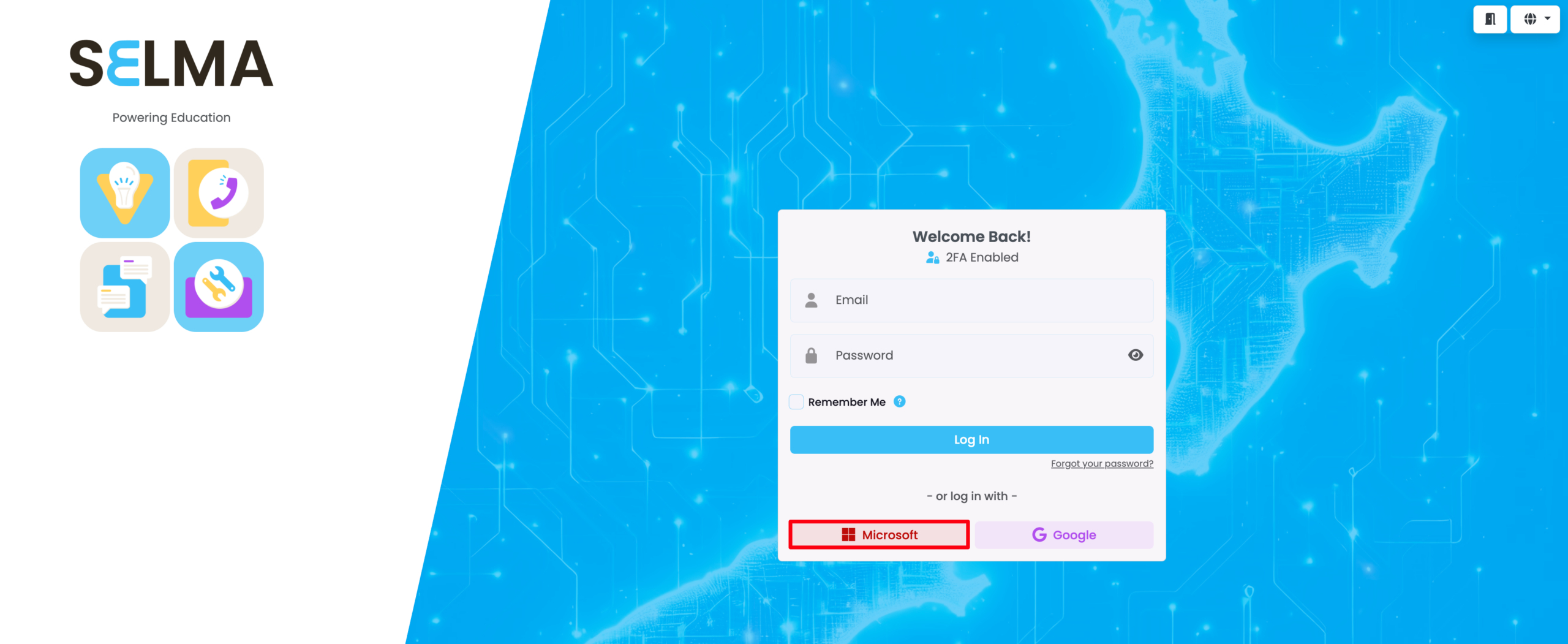
Once the SELMA team have configured the integration, Users should log out of their accounts, and sign-in using the “Microsoft” button.
Login with Microsoft | SELMA Login Screen
On the SELMA login screen, click the “Microsoft” button to sign in immediately.
Note: You may be redirected to a page to select a Microsoft account, if you have multiple.
Important Notes
- Setup Process:
- The Entra App set-up is done by your organisation, but the SELMA integration is configured by the SELMA team.
- Credentials Security:
- Store your Client ID, Tenant ID, and Client Secret Key securely before sending them to the SELMA team.
- Email Matching:
- Users must have the same email address in both SELMA and their Microsoft account for the login process to work.
- Secret Expiry:
- Remember to renew your Client Secret Key before it expires, and provide the new secret to the SELMA team.
Trouble-Shooting
- “Invalid client” error:
- Check that the correct Application ID, Directory ID, and Client Secret were provided to the SELMA team
- “Redirect URI mismatch”: Ensure the redirect URL in Entra exactly matches the format
https://subdomain.selma.app/connect/azure/check
- Secret expiry issues:
- If authentication suddenly stops working, check if the client secret has expired in Azure