The Student Portal is a paid feature which grants Students access to SELMA to review their information, upload submissions and download documents.
- Please reach out to SELMA Support for enquiries about this subscription.
In this Section:
Portal Configuration
Only Users assigned with the Role: Primary User can enable Portal settings.
- Please contact SELMA Support to assign Primary Users, bearing in mind this Role grants access to SELMA entirely.
Figure 1i. Navigate to Settings > Portal Admin
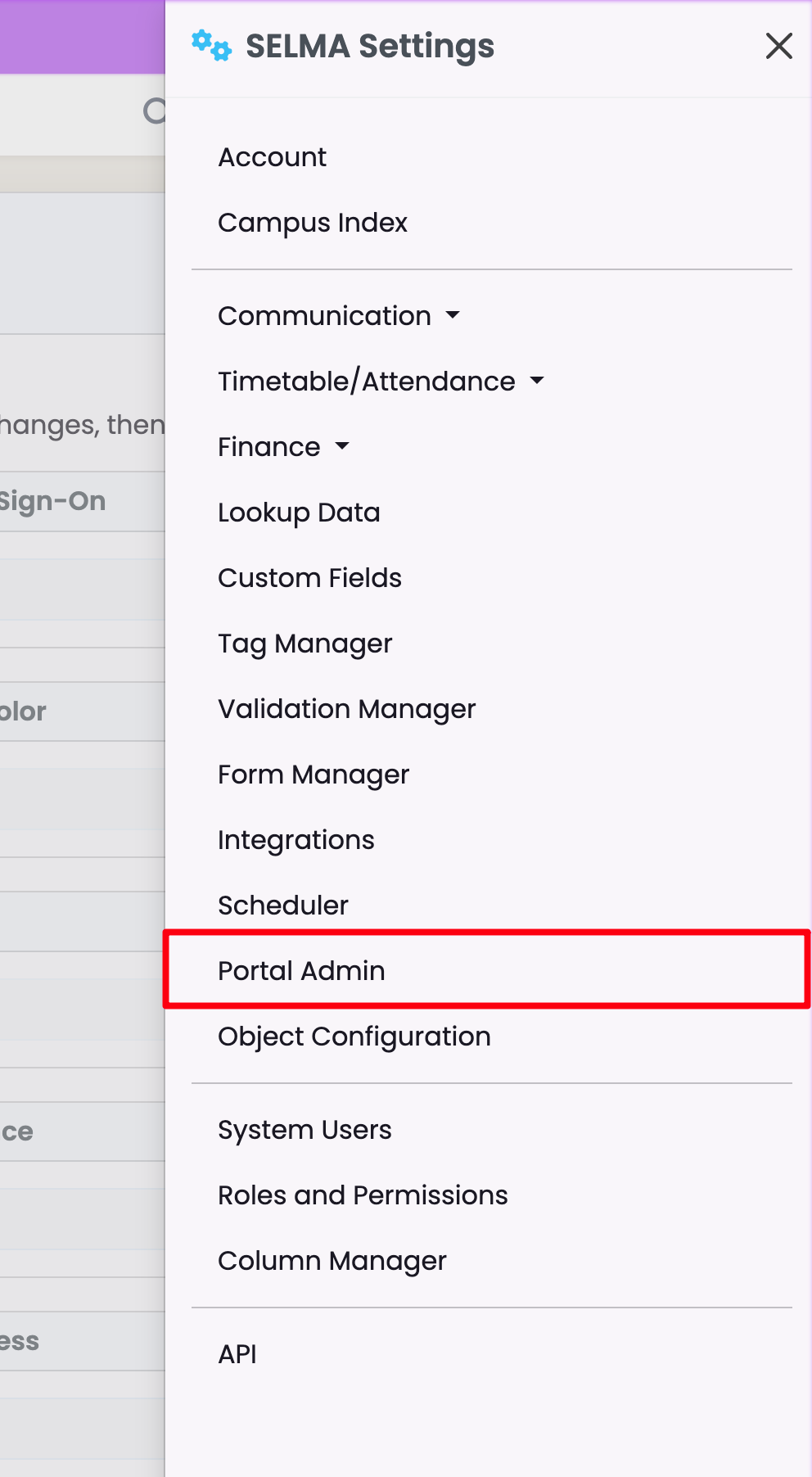
Figure 1ii. Toggle Student Portal
Please note: the Portal Configuration area allows you to enable multiple settings, such as how the Student signs-in to the Portal, via Microsoft and Google Single Sign-Ons, and what the Student sees on the Portal, such as their Addresses and Attendance. You can also allow Students to add information to their profile.
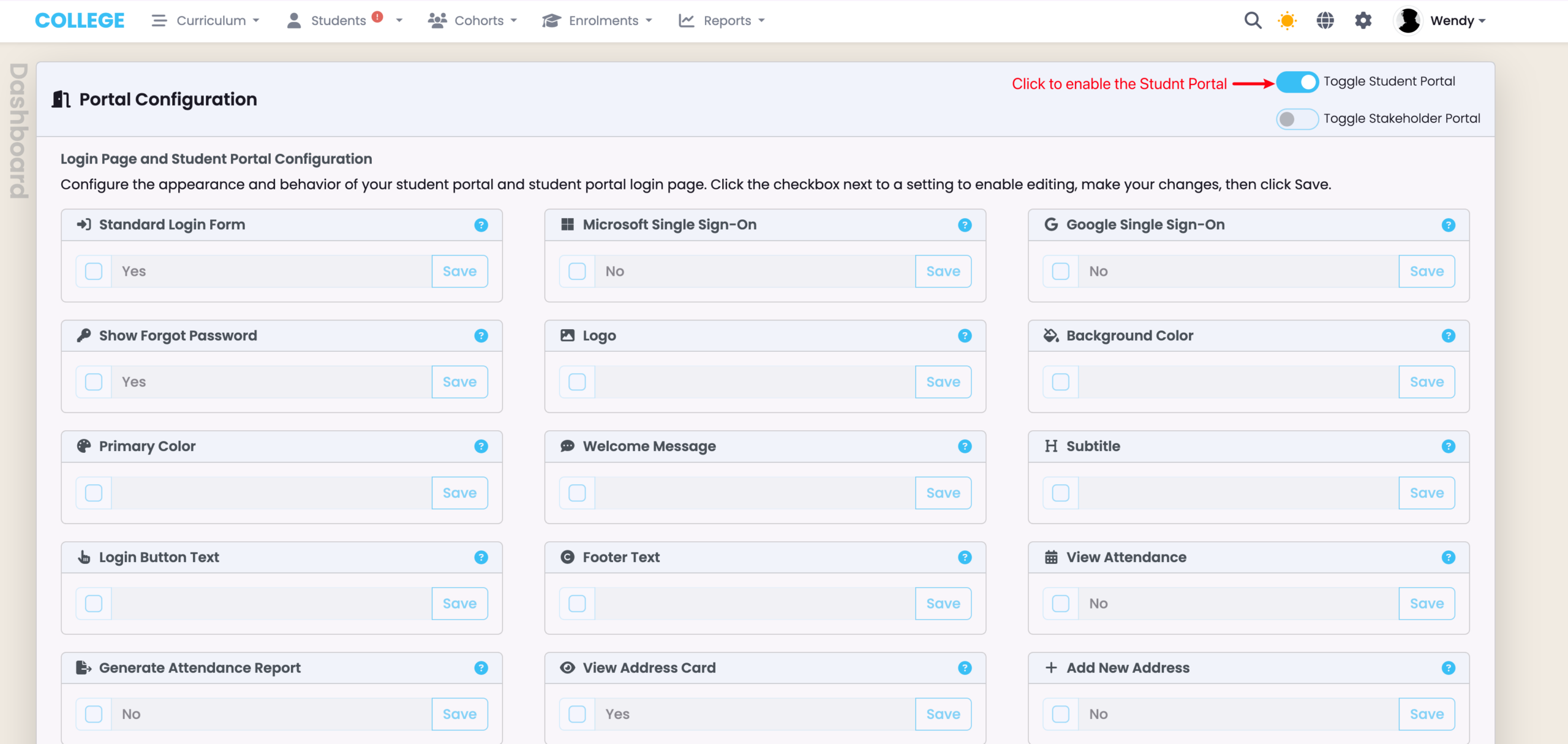
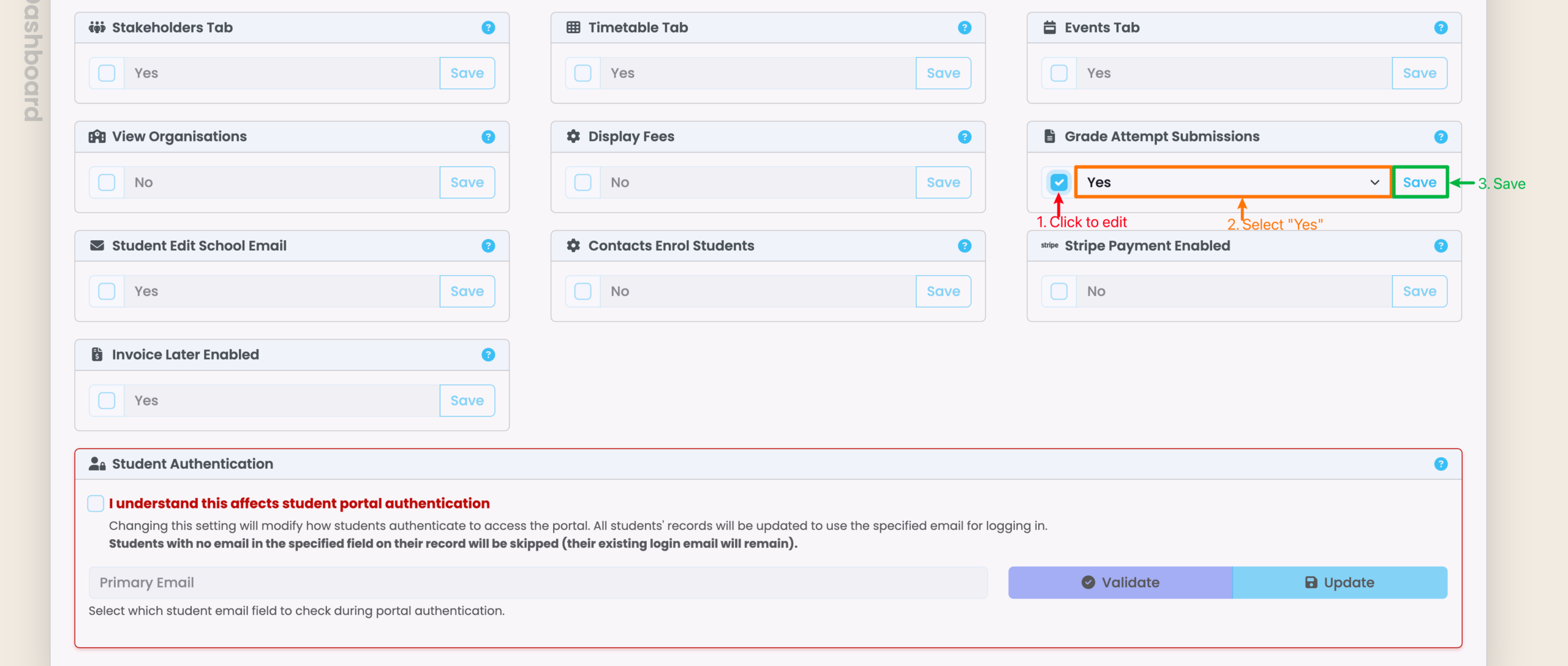
Figure 1iii. Enable Grade Attempt Submissions
Please note, for future reference, that you can only save changes on this screen one at a time.
Student Impersonation
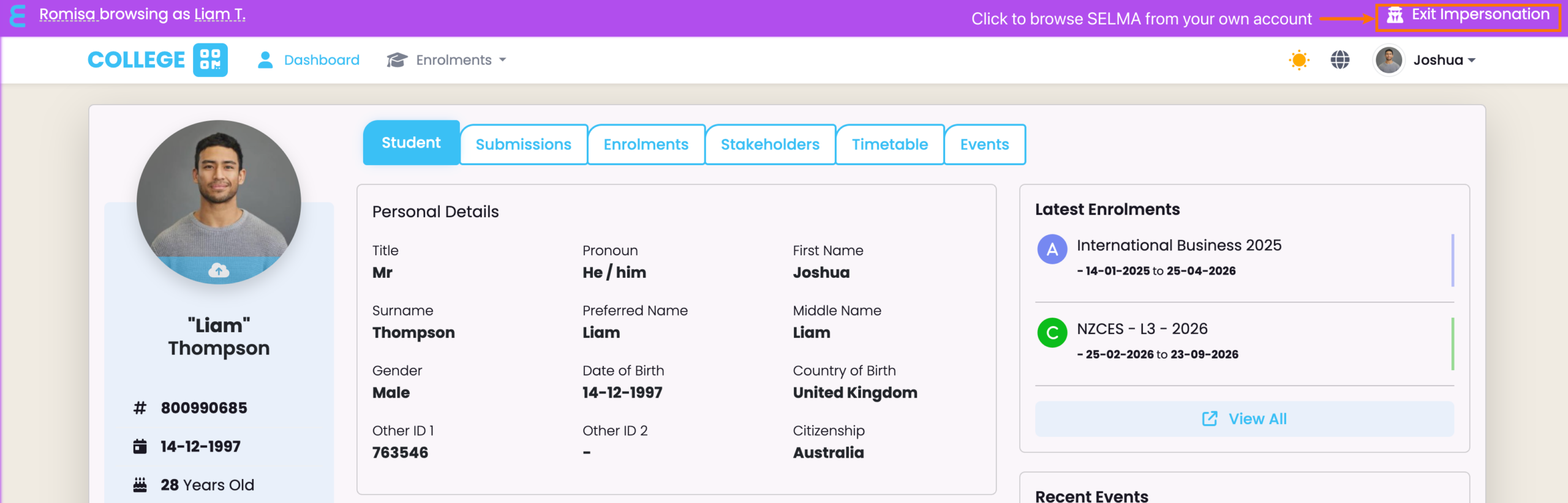
Impersonation allows you to see the Student Portal from the Student’s view.
Only Users assigned with the Role: Primary User can impersonate Students.
Figure 2. Navigate to the Student Tab
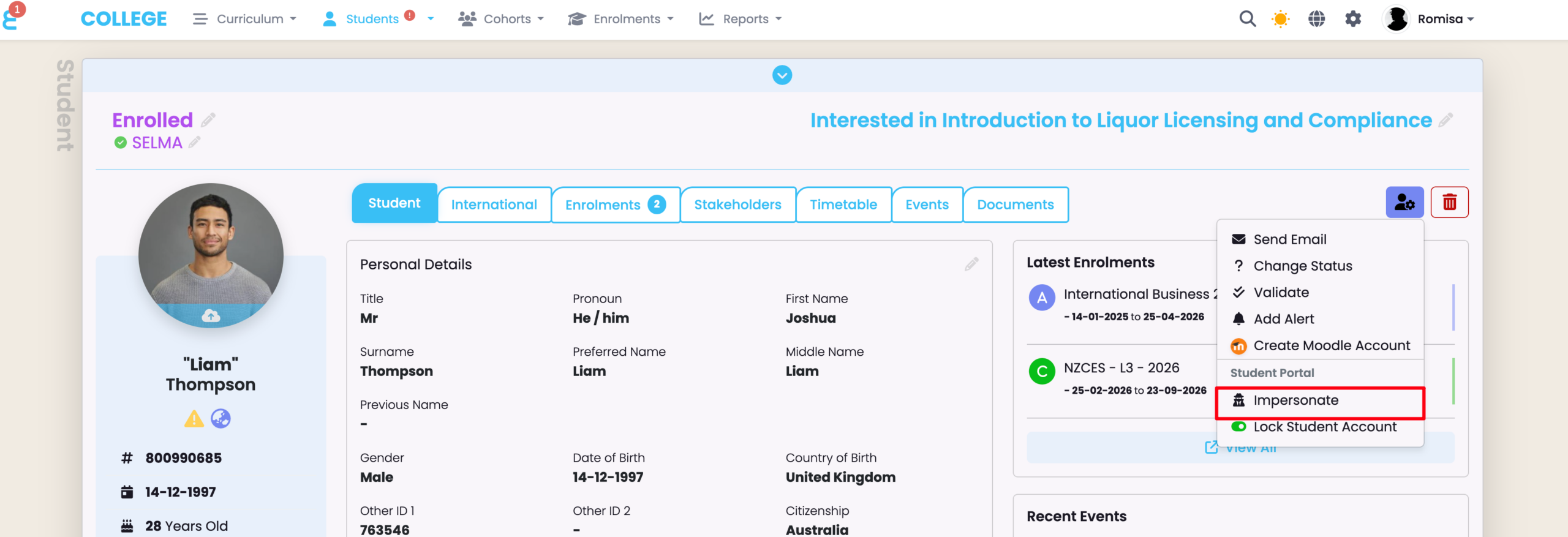
Figure 3.
Impersonation mode is indicated by the purple banner at the top.