To submit delivery data related to Work-Based learning, you must request the Work Based Training Integration in SELMA. This integrations enables real-time data sync between DXP Ngā Kete and SELMA, via the WBT API.
The WBT Integration is a subscription-based feature for Work Based Training providers only.
Please contact SELMA Support for any enquiries.
In this Section:
WBT Configuration
Figure 1i. Navigate to Settings > Integrations
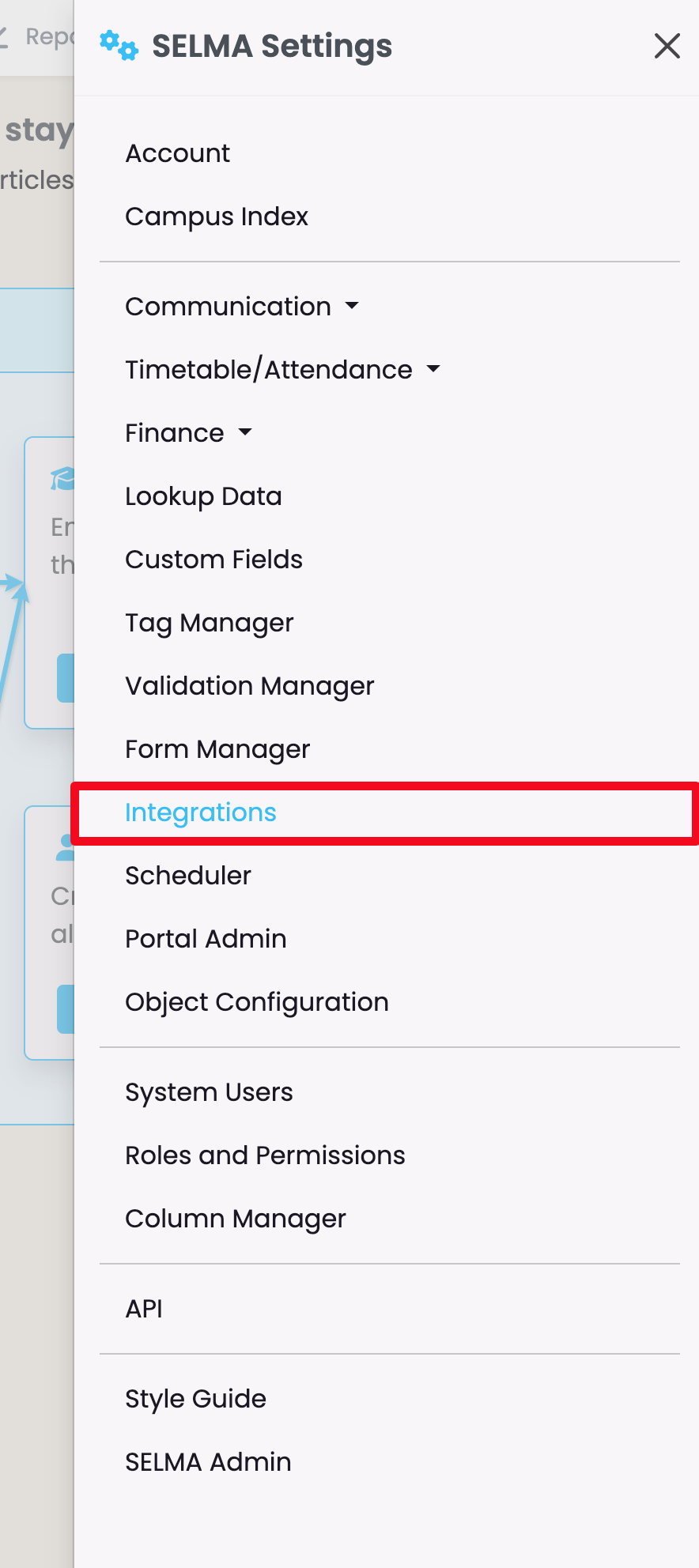
Figure 1ii. Work Based Training
Select the integration: Work Based Training.
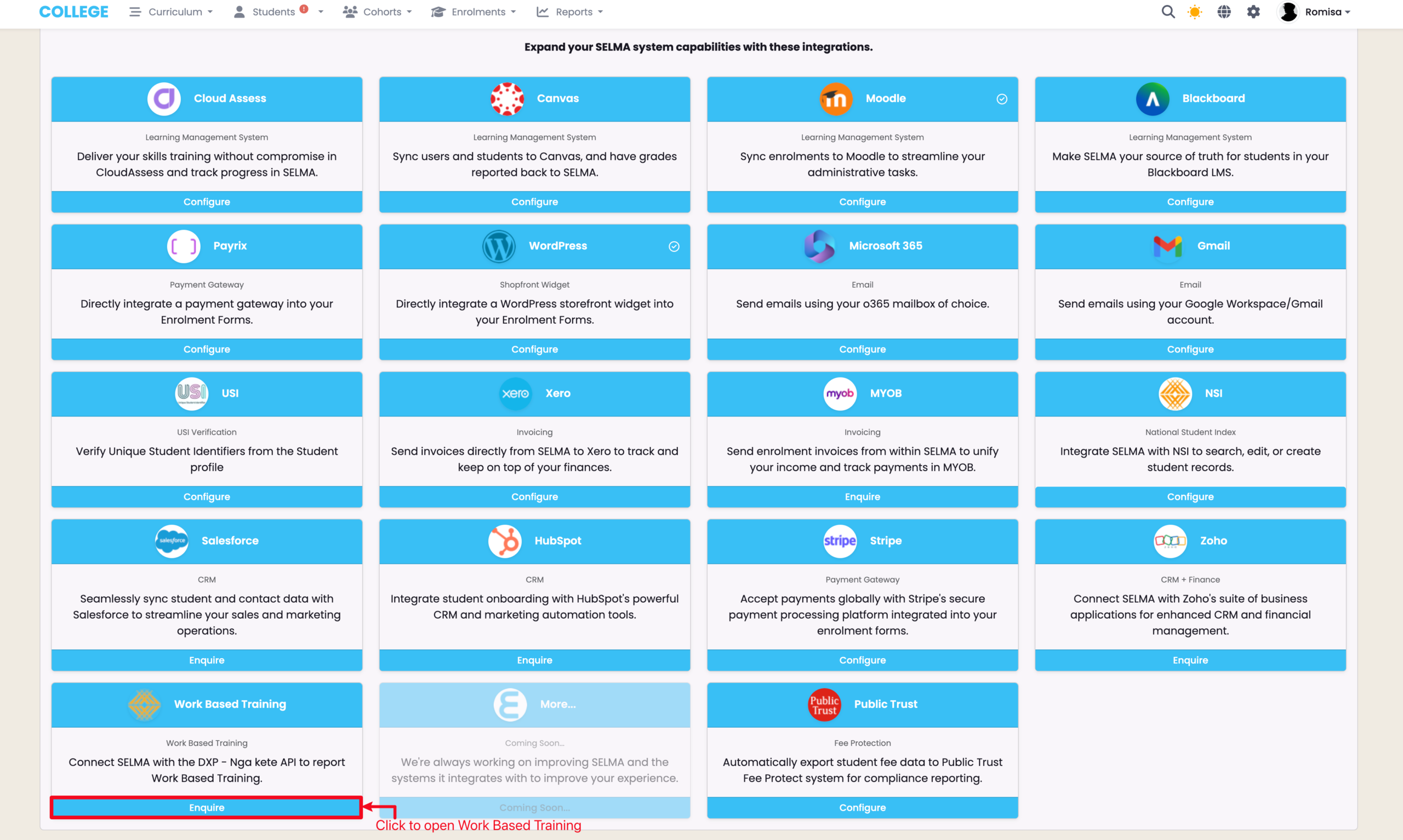
Figure 1iii. WBT Configuration
Click the heading “Configuration” to expand the drop-down.
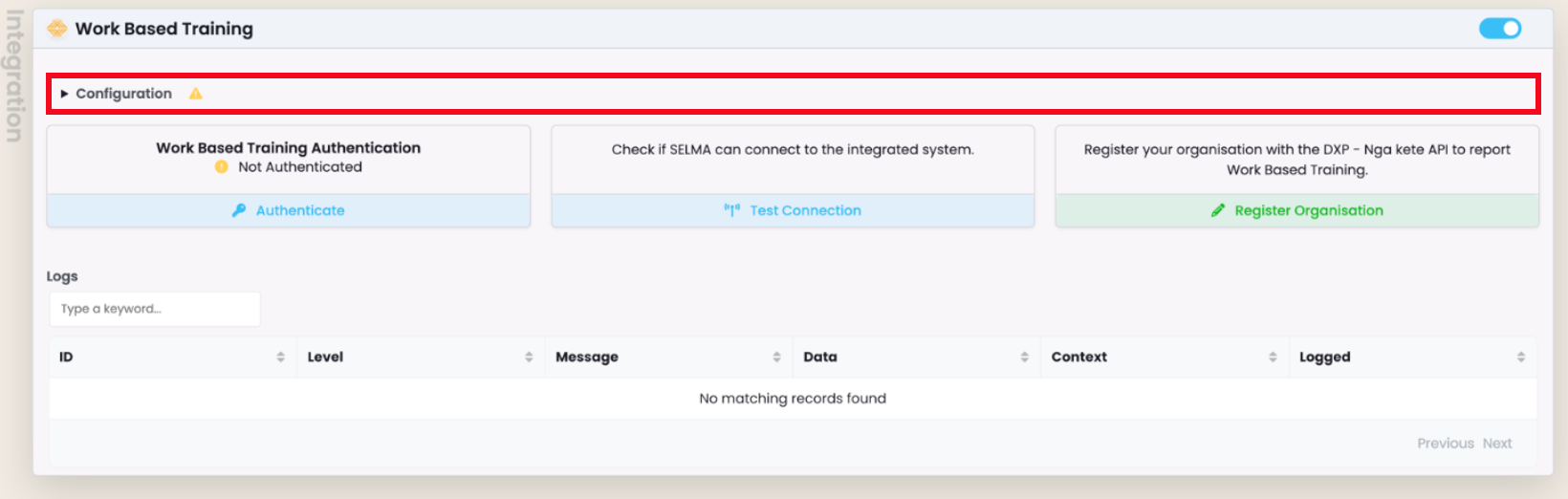
Figure 1iv. Enter Machine Account Details
A successful integration requires a Machine Account that has been enabled with the WBT API permissions in the DXP Ngā Kete.
Enter the relevant credentials in the configuration fields. Click the checkbox next to each field to unlock the input, and save one at a time.
- Endpoint: SELMA team to advise
- Client ID: Machine Account username
- Client Secret: Machine Account password
- Organisation ID: Provider EDUMIS number
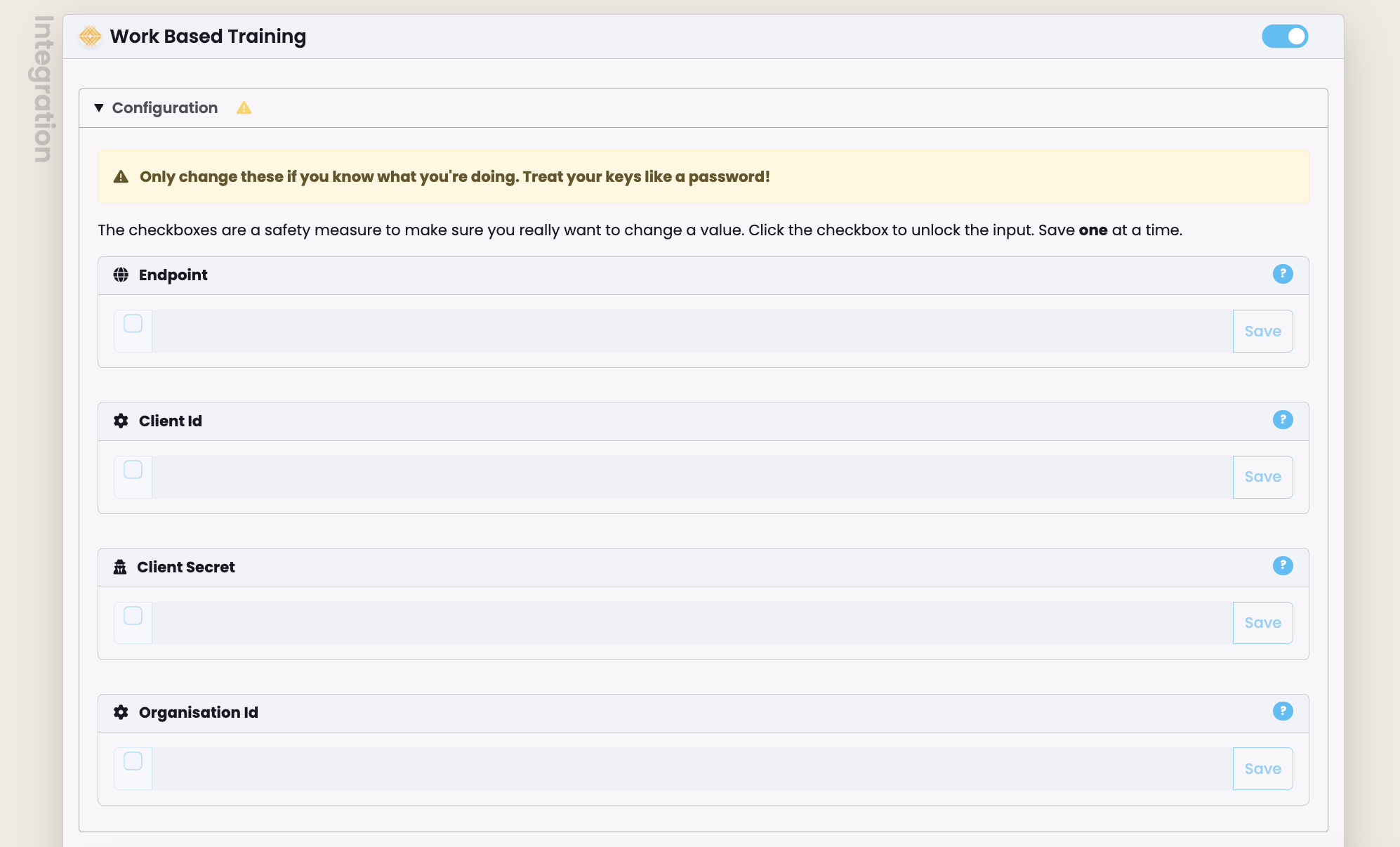
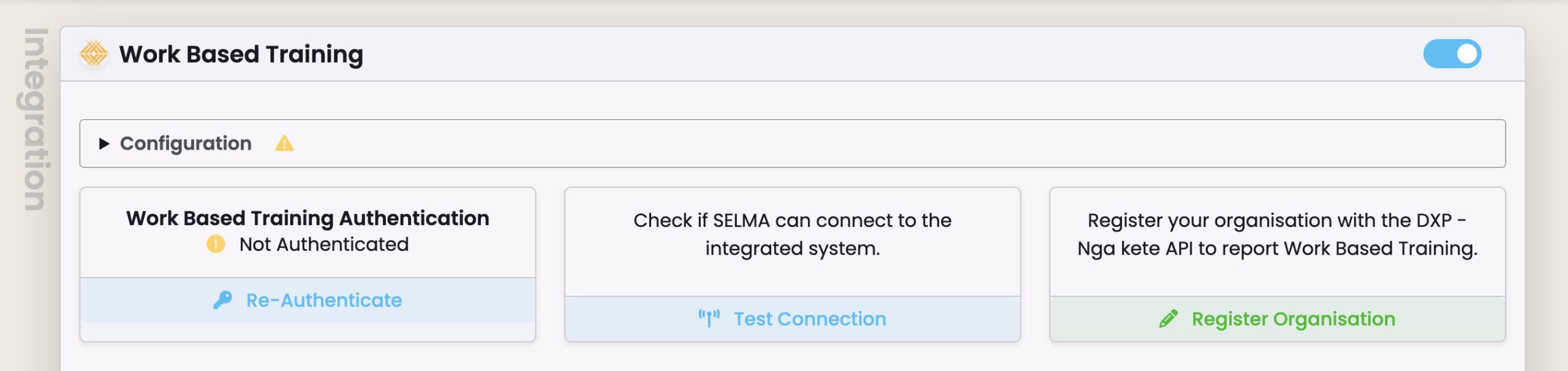
Figure 1v. Authenticate and Test Connection
1. Click “Authenticate” to fetch a token to submit to the DXP Ngā Kete.
NOTE: There is a 20 minute expiry time on a newly generated authentication token. Click “Re-authenticate” to generate a new token.
2. Click “Test Connection” to verify that the integration is successful.
WBT Logs
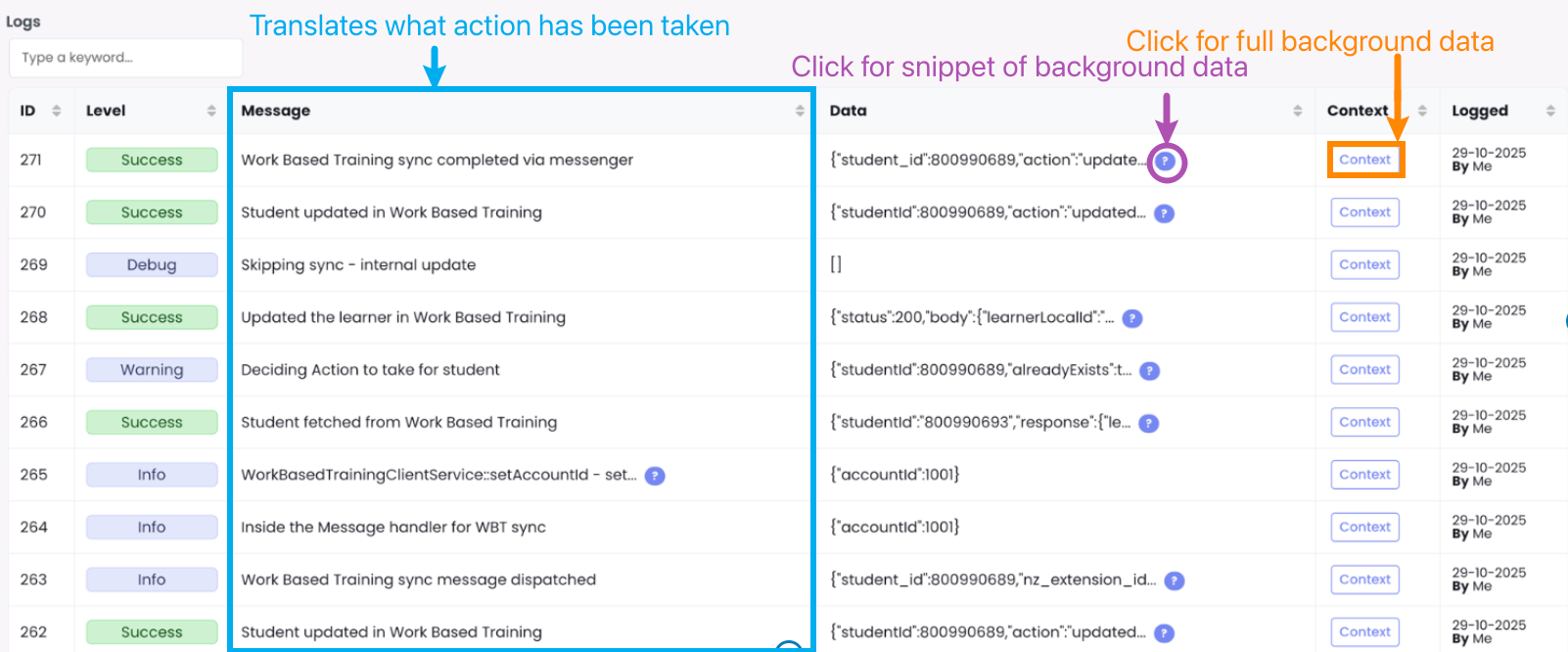
The WBT Integration logs document all associated processes executed in SELMA in the background, such as changes to configuration and responses to data sent to and received from DXP Ngā Kete.
Figure 2. See System Information
Click the purple help icon to see a snippet of the raw data, or click the “Context” button to display the full code. The “Message” column is a translation of the raw data, for quick review of what’s occurred.