The following concerns the NZ Compliance tab of a Student profile.
In this Section:
Enable Student – DXP Ngā Kete API
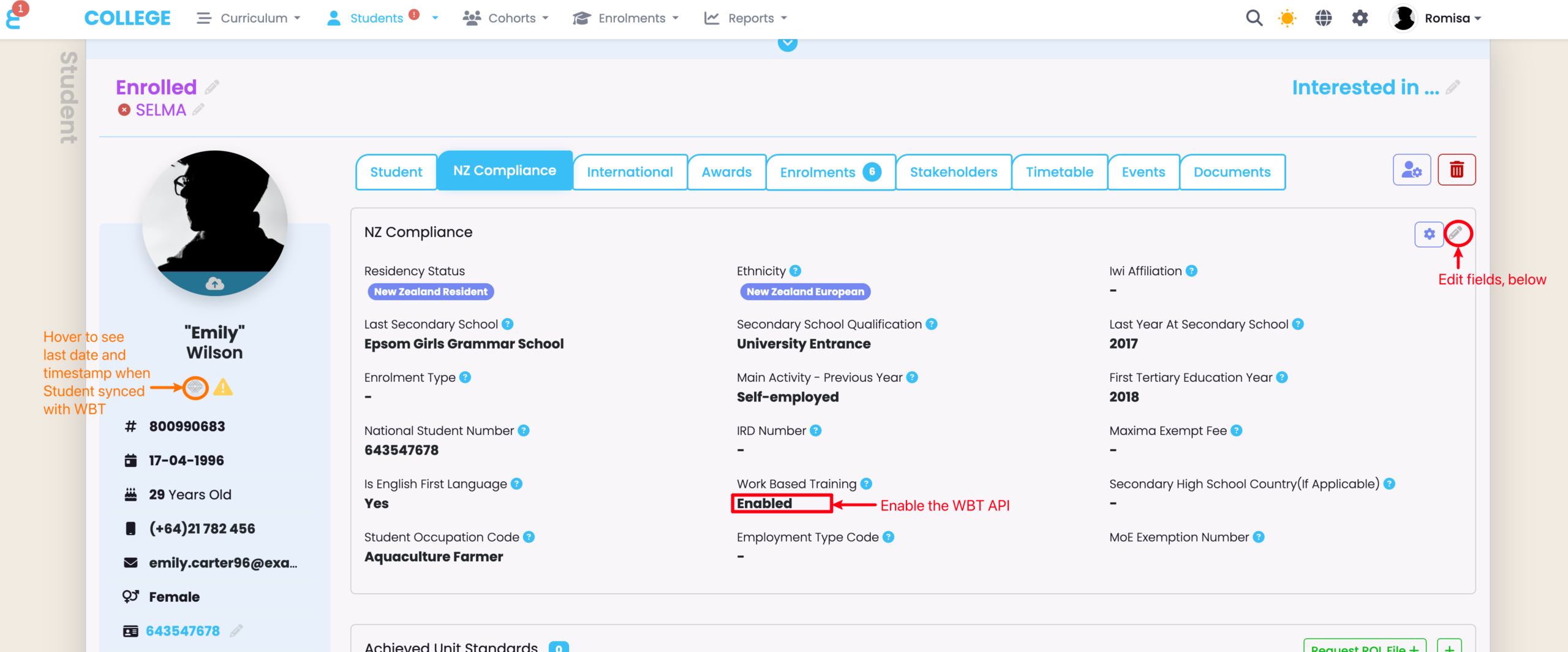
Figure 1. Navigate to Student > NZ Compliance
Enable the WBT API from the NZ Compliance card, below. This will run validation rules, and error messages will prompt you to fill out required fields that are empty. Hover on the WBT icon on the left hand panel to see the date and timestamp when the Student was last synced to the DXP Ngā Kete (WBT).
Training Agreement
A Training Agreement is the contract between the Student, the Employer and the TEO.
Training Agreement data is sourced from both the Organisation and Student record in SELMA.
- Please first see Work Based Training (WBT) – Programme and Organisation Set-Up and follow the steps to:
NOTE: You can create multiple Training Agreement Contracts to record in SELMA.
Actions Button
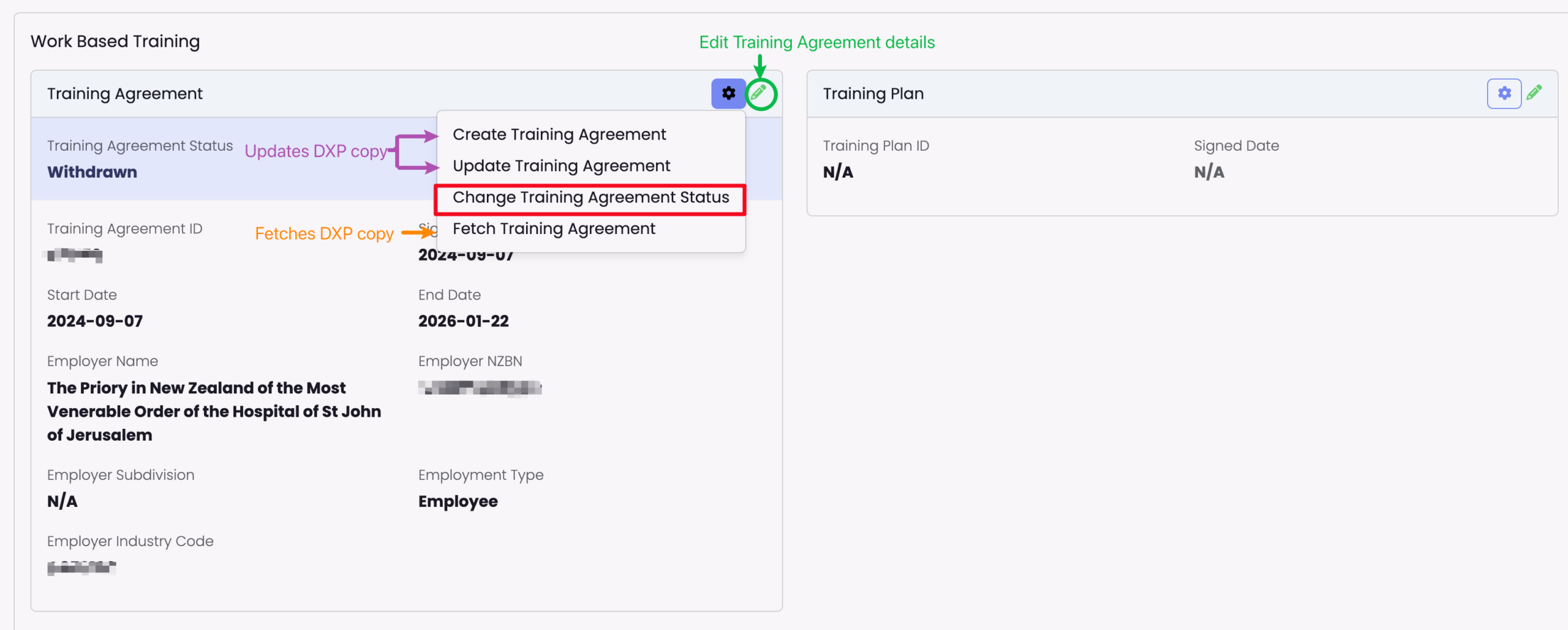
You can perform four actions using the Training Agreement card on the Student’s NZ Compliance tab:
- Create Training Agreement
- This uses the WBT API to update the WBT copy with the new Training Agreement details you have added in SELMA
- The only Training Agreement details that can be changed is the Signed Date and End date.
- This uses the WBT API to update the WBT copy with the new Training Agreement details you have added in SELMA
- Update Training Agreement
- This uses the WBT API to update the WBT copy with theTraining Agreement details you have edited in SELMA
- The only Training Agreement details that can be changed is the Signed Date and End date.
- This uses the WBT API to update the WBT copy with theTraining Agreement details you have edited in SELMA
- Change Training Agreement Status
- There are multiple Statuses you can select through this action.
- NOTE: If you have loss of employment, dismissal or redundancy, the Status “In grace” must be chosen. The WBT will then hold the Training Agreement for a period of 42 days before marking it as “Withdrawn”, and withdrawing the corresponding Enrolment.
- There are multiple Statuses you can select through this action.
- Fetch Training Agreement
- This updates the Training Agreement in SELMA, with the details in the WBT.
Figure 2. Create, Update and Fetch Training Agreement
You can “Change Training Agreement Status”, however, the status: “In grace” affects the Enrolment status, after a period of 42 days (see above note).
Training Plans
The Training Plan is displayed on the Student profile page, adjacent to the Training Agreement. However, for a Training Plan to be created the Student must have a current, valid NZA Enrolment with the WBT.
NOTE: The Training Plan card is hidden if the Student Return Type is not set as “WBT”.
Figure 3. Navigate to Enrolment > NZ Compliance Tab
Set the Study Type Code to “NZA”, if it is validated with the WBT. This Study Type Code must match that on the Programme level, on the Work Based Training card.
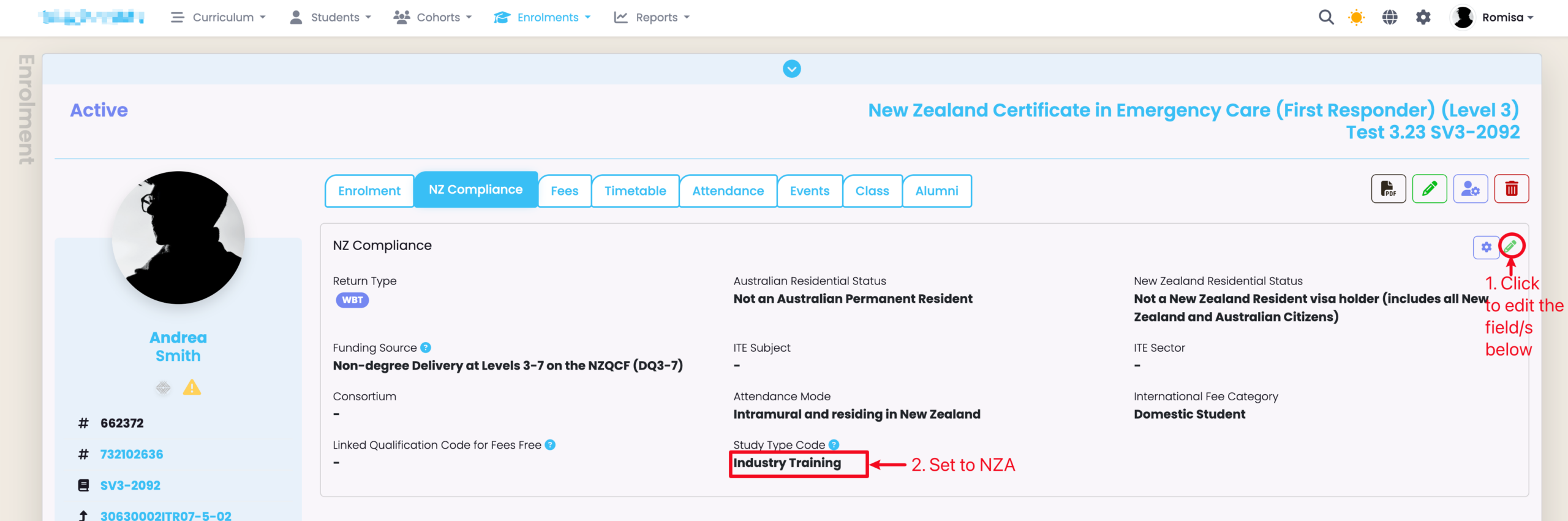
Figure 4. Navigate to Student > Training Plan
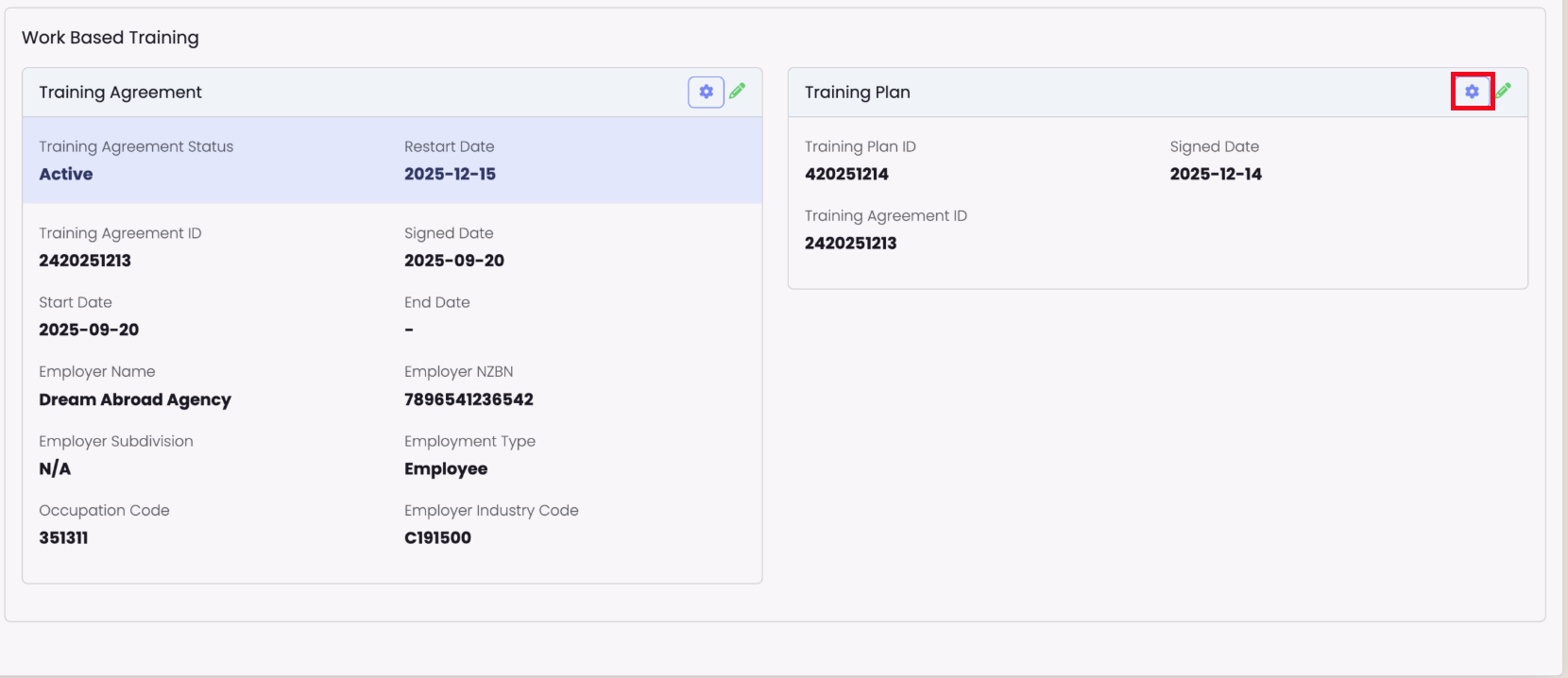
Click the cog icon on the top right corner of the “Training Plan” card to select an action:
Create TP (updates the WBT copy with new details), Update TP (updates WBT copy with edited details), Fetch TP (updates SELMA copy with WBT details).